
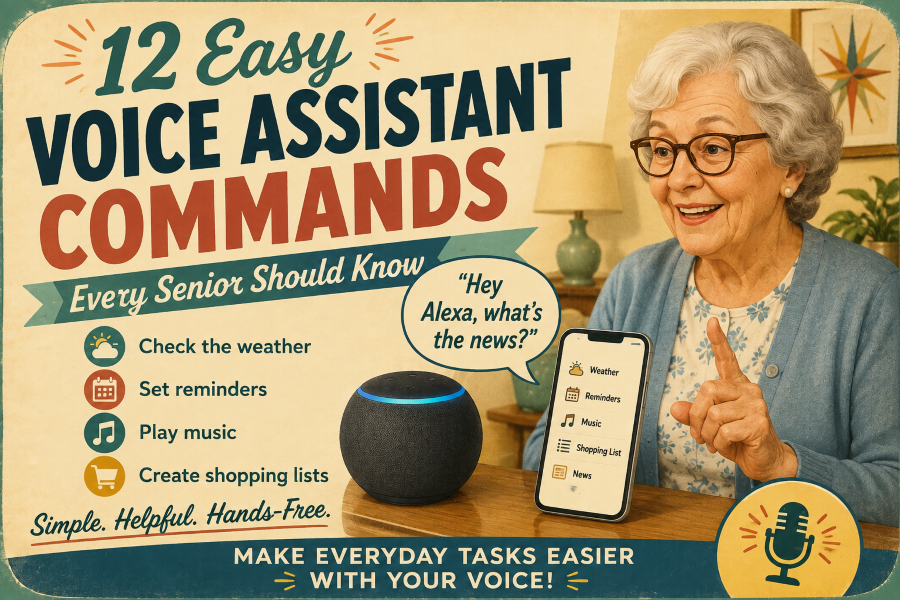

Voice assistants such as Amazon Alexa, Google Assistant, and Apple Siri make technology simpler. Instead of struggling with small screens or navigating complex menus, you can simply speak your commands. The most effective commands are usually straightforward for older adults.
Common tasks, such as checking the weather, setting a tea timer, playing a favorite song, setting a medication reminder, or calling a relative, require only a few words.
This guide features practical voice commands seniors use daily, along with easy phrases you can start using immediately.
Check the Weather.
Checking the weather forecast is a fast way to use a voice assistant. Instead of searching for an app or watching TV, simply speak your request out loud:
- “Alexa, what’s the weather today?”
- “Hey Google, will it rain today?”
- “Siri, what’s the temperature outside?”
- “What’s the weather like this weekend?”
It’s an easy habit to develop before going for a walk, running errands, or doing garden work.
Apple now fully supports natural-language weather questions via Siri, including current conditions and multi-day forecasts.
Set Timers and Alarms.
Voice assistants excel when your hands are busy or messy in the kitchen, eliminating the need to press small clock buttons or sift through apps to check the time.
Use them during cooking, for quick naps, or to monitor chores.
- “Alexa, set a timer for 20 minutes.”
- “Hey Google, set an alarm for 7 tomorrow morning.”
- “Siri, wake me up at 8 a.m.”
- “How much time is left on my timer?”
Pro-Tip: Name your timers if you have multiple items going at once—saying “Set a pasta timer for 10 minutes” helps you keep track of which one is ringing.
Place calls without typing a number.
Calling family or friends becomes simpler when you don’t need to scroll through a contact list or manually dial numbers. If the contact is saved on your device, you can initiate a call with just a quick phrase.
- “Siri, call Sarah.”
- “Hey Google, call John.”
- “Alexa, call Mom.”
- “Call David on speaker.”
Test a call with a family member first to ensure everything works properly, since features vary by device.
Voice control can simplify communication. For other easy ways to stay connected when managing multiple smartphone apps feels cumbersome, check our guide, “Video Calling Without an App: The Simplest Options.”
Helpful Tip: Use clear, simple contact names, such as “Sarah” or “Mom,” so your assistant can easily identify who to call.
Make calls without typing a number.
Calling family or friends becomes more convenient when you don’t need to scroll through contacts or manually enter numbers. If the contact is saved on your device, you can initiate a call with a quick phrase.
- “Siri, call 3Emily.”
- “Hey Google, call Mathieu.”
- “Alexa, call dad.”
- “Call John on speaker.”
It’s wise to test a call with a relative first to ensure everything works properly, since features vary across phones and smart speakers.
Useful Tip: Use clear, straightforward contact names, such as “Sarah” or “Mom,” so your assistant can easily identify who to call.
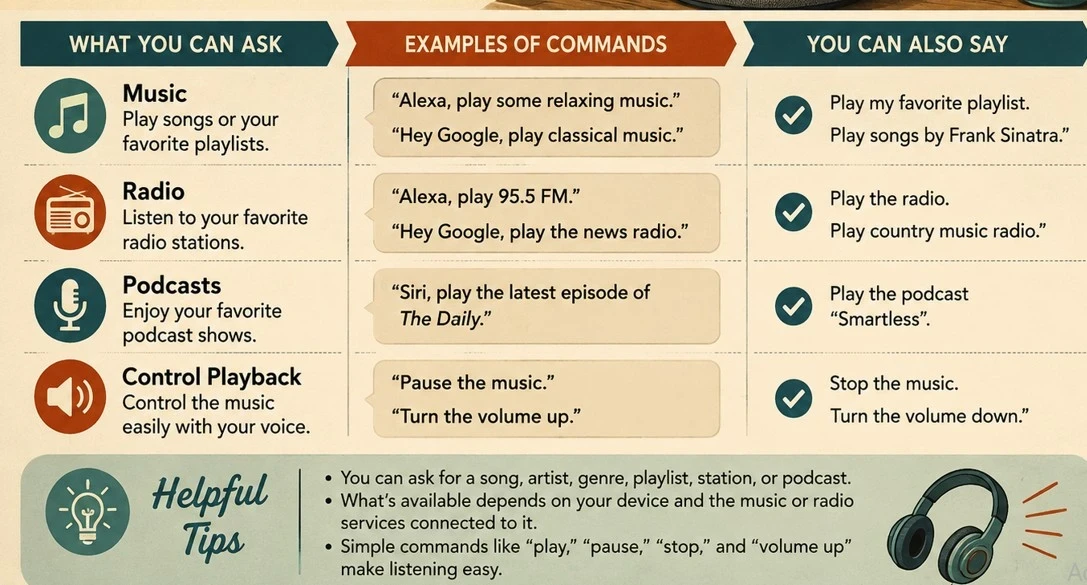
Control Smart Home Devices.
A voice assistant allows you to control your surroundings hands-free, as long as you have compatible smart home devices.
Practical commands to try:
- “Alexa, turn on the living room lights.”
- “Hey Google, turn off the bedroom light.”
- “Siri, turn on the porch light.”
- “Dim the lights to 50%.”
- “Turn off the living room TV.”
Based on your configuration, you can connect smart bulbs, plugs, thermostats, and TVs.
Smart devices exemplify how technology can support independence at home. For more practical tools and guidance, see our guide “How Technology Helps Seniors Age in Place.”
Useful Tip: Begin with a simple setup, such as one or two smart lights or a smart plug. You don’t have to automate the whole house to experience the advantages of voice control.
Create Reminders.
Voice assistants excel at recording daily tasks instantly, without opening notes or an app. Simply say what you need to do and when.
Typical instances include:
- “Alexa, remind me to call John at 3 p.m.”
- “Hey Google, remind me to take the laundry out in 30 minutes.”
- “Siri, remind me to buy milk when I leave home.”
- “Remind me about my appointment tomorrow at 10 a.m.”
- “What reminders do I have today?”
They are effective for managing appointments, household tasks, phone calls, shopping lists, or upcoming birthdays.
Helpful Tip: Specify the task and the time; saying what you need to do and when ensures the reminder is useful when it goes off.
Check Your Calendar and Daily Schedule.
A voice assistant can verbally review your schedule, eliminating the need to scroll through calendar apps or search for paper planners.
Simple phrases to try:
- “Siri, what do I have scheduled for today?”
- “Hey Google, what’s on my schedule today?”
- “What are my plans for tomorrow?”
- “Can you tell me when my next appointment is?”
- “Schedule lunch with Susan for Friday at noon.”
It’s a simple way to review your plans while enjoying breakfast or preparing in the morning.
To protect your privacy, shared smart speakers might prompt you to enable personal requests or voice recognition before they can read your schedule aloud.
Apple offers detailed instructions for configuring personal requests on HomePod and Siri.
Useful Tip: Begin by checking your calendar for the day. After that, practice adding new events using your voice.
Ask Everyday Questions
Avoid typing in a browser—voice assistants can quickly answer simple factual questions.
Important daily questions to consider:
- “What time is it in London?”
- “How many cups make up one liter?
- “What day of the week does Christmas fall on this year?”
- “How much time is needed to properly hard-boil an egg?”
- “How do you spell ‘necessary’?
Voice assistants are useful for quick information, but they can sometimes misinterpret complex topics. Always verify details from official, trustworthy sources for medical, legal, or financial matters rather than relying solely on voice responses.
The guide to the Best Voice Assistants for Seniors can help you choose the voice assistant that’s easiest to use at home.
Create Shopping and To-Do Lists.
Voice assistants simplify tracking your items by eliminating the need to find a pen or open an app. When you run out of something, just speak it to add it to your list.
Use these commands:
- Say, “Alexa, add milk to my shopping list.”
- Hey Google, please add bread to my shopping list.
- “Siri, please add batteries to my shopping list.”
- Include ‘call the bank’ on my to-do list.
- “What items do I need to buy?”
This is especially useful in the kitchen: notice you’re running low on coffee or spices while cooking? Add them right away so you don’t forget.
Most assistants automatically sync these lists to your phone, so you can easily view them while walking through the grocery store aisle.
Helpful Tip: Maintain separate lists for each purpose, such as “Groceries,” “Hardware Store,” or “To-Do”—to keep everything organized.

Get a Quick News Update
A voice assistant can provide a quick news summary while you’re getting ready, making breakfast, or tidying the house, so you don’t have to search online or open multiple apps.
Try using these commands:
- “Alexa, what’s the news?”
- “Hey Google, can you play the latest news?”
- “Siri, what’s happening in the news today?”
- “Play the latest headlines.”
- “Please provide me with a news update.
Most devices let you personalize your settings to choose your favorite news sources, such as BBC, NPR, or CNN.
Useful note: Voice summaries provide a quick overview of the headlines. For full context and details on major or evolving stories, read full articles from reputable news sources.
Ask About Your Device and Basic Settings.
Avoid navigating settings menus; your voice assistant can quickly adjust devices and provide basic status checks directly.
Try asking on your device, such as your phone, tablet, or smart speaker:
- “What’s my battery level?”
- “Turn up the volume.”
- “Turn on Bluetooth.”
- “Turn on the flashlight.”
- “Open Settings.”
Test the commands you plan to use regularly, as capabilities can vary by device and platform.
Voice commands simplify daily tasks, but regular device maintenance remains important. For practical tips on keeping your devices in good condition, see the guide ‘Essential Technology Maintenance Tips for Seniors’.
Concentrate only on commands that save you time and effort—there’s no need to memorize every feature your device provides.
Find Your Phone.
Misplacing a phone around the house is common. If you have a smart speaker or connected device, your voice assistant can make your phone ring so you can find it.
Experiment with commands such as:
- “Hey Google, find my phone.”
- “Alexa, find my phone.”
- “Siri, where’s my iPhone?”
- “Ring my phone.”
This feature typically requires your phone and assistant to be connected to the same account.
Useful Tip: Try this command first to make sure it works before you lose your phone, so you’re ready when you need it.
A cheat sheet for simple voice assistant commands.
You don’t need to memorize dozens of commands to use a voice assistant effectively. Start with a few that match your daily routines.
| What you want to do | What you can say |
| Check the weather | “What’s the weather today?” |
| Set a timer | “Set a timer for 20 minutes.” |
| Set an alarm | “Set an alarm for 7 a.m.” |
| Make a call | “Call Camille.” |
| Play music | “Play some relaxing music.” |
| Control a light | “Turn on the living room light.” |
| Create a reminder | Remind me to call John at 3 p.m.” |
| Check your calendar | “What’s on my calendar today?” |
| Add to a shopping list | Add bread and milk to my shopping list.” |
| Hear the news | What’s the trending news?” |
| Find your phone | “Help me find my phone” |
The exact wording isn’t always necessary. Alexa, Google Assistant, and Siri typically understand straightforward, natural-language requests.
Learn a few voice commands to simplify your daily tech interactions. Start with two or three commands you find most helpful, and add more gradually once you’re comfortable.
Final Thoughts.
Voice assistants don’t have to be complicated to learn. Start with one or two commands that fit naturally into your daily routine. Try asking about the weather, setting a kitchen timer, or adding an item to your grocery list.
Once these feel easy, you can gradually try new phrases whenever you’re ready. You don’t need to master every feature of Alexa, Google Assistant, or Siri. As long as a few simple commands make your daily routine easier, your voice assistant is doing its job well.