
Home automation works best for seniors when it removes friction from daily life, helping them stay comfortable and independent at home. That might mean a hallway light turning on when someone steps out of bed, adjusting the heat without getting up, or simply checking whether the front door is locked from a favorite chair.
A good smart home setup solves a real problem, stays easy to use, and still works manually if Wi-Fi or power goes out. Below, we break down the most practical setups for older adults: what they can do, where they fall short, and what to double-check before buying.
Keep in mind that while these devices reduce basic household risks and daily hassles, they aren’t a substitute for hands-on human care.
Key Home Automation Options for Seniors.
Voice Assistants and Central Hubs.
Smart speakers such as Amazon Alexa or Google Assistant give seniors a simple, hands-free way to manage household tasks. Instead of struggling with tiny smartphone screens or navigating complicated apps, they can simply say a phrase to turn on a lamp, adjust the thermostat, or check whether the front door is secured.
Where they help most:
- Bypassing tiny buttons: Great for anyone with arthritis or limited eyesight.
- Daily nudges: Easily set up spoken reminders for appointments, hydration, or daily chores.
- Quick check-ins: Enables hands-free calling to family or functions as a room-to-room intercom.
- One-word routines: A simple phrase such as “Goodnight” can lock the doors and switch off certain lights at the same time.
AARP points out that smart home technology plays a real role in helping older adults manage daily tasks and maintain independence.
However, voice hubs have their limitations:
- Stop functioning when the internet connection drops and may struggle to understand soft or unclear speech.
- Recording voice data raises valid privacy concerns for some users.
- A monitored medical alert device cannot be replaced, particularly during power or internet outages.
- Standard switches and physical keys must remain accessible in case of a tech failure.
Smart Lighting.
Smart lighting helps older adults avoid fumbling for switches in the dark. You can configure bulbs to activate when someone passes by, follow a daily schedule, or respond to quick voice commands.
Practical setups:
- Motion sensors installed in hallways, stairs, and pathways between the bed and bathroom.
- Automatic porch or entry lights that activate at dusk.
- Voice-activated lamps in key living spaces.
- Smart switches that function just like traditional wall switches.
The National Institute on Aging emphasizes the importance of good lighting for home safety, suggesting motion sensors on staircases and busy pathways.
Limits: Improved visibility is helpful, but automated lights alone don’t ensure fall protection.
- Ensure pathways are completely illuminated with even lighting, avoiding harsh glare or dark spots.
- Maintain traditional wall switches so lights can be operated if Wi-Fi connection is lost.
Smart Locks and Entryway Devices.
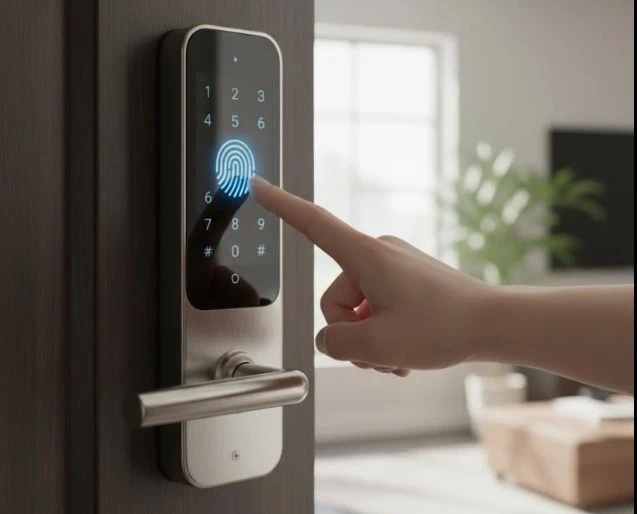
Smart locks, video doorbells, and sensors let seniors control their front door easily, without rushing to answer or struggling with small keys.
Practical setups:
- Block visitors on a smartphone or smart display before allowing entry.
- Lock remotely or configure automatic night-time locking schedules.
- Provide temporary access codes to trusted family members, neighbors, or caregivers.
- Receive immediate notifications whenever an exterior door opens or remains unlocked.
Check out our guide to the best smart locks with cameras for home security, an all-in-one solution that pairs access control with live video.
Helpful Tip: Always verify the system’s behavior when batteries deplete or Wi-Fi disconnects. Families should also limit access permissions to trusted individuals and periodically review who holds digital keys.
Smart thermostats and household control systems.
Smart thermostats and automated controls manage daily home adjustments seamlessly, eliminating the need to move around or reach for remote controls, windows, or valves.
Practical setups:
- Smart thermostats automatically regulate heating and cooling levels throughout the day.
- Motorized blinds or shades that automatically open at sunrise and close at dusk.
- Water-leak sensors placed near sinks, washing machines, and water heaters.
- Environmental sensors that notify you when indoor temperature or humidity levels become too high or too low.
Helpful Tips:
- Choose a thermostat with a clear display and physical buttons, so anyone can adjust the temperature without a smartphone.
- Check compatibility with your HVAC system, as some setups may require professional installation before you purchase.
Smart plugs and appliance timers.
Smart plugs turn regular appliances into smart devices without replacement. You can operate them via voice commands, create daily schedules, or control them remotely.
Practical setups:
- Automatically turn on lamps before it gets dark.
- Turn off power to certain electronics at bedtime.
- Manage items plugged into low or difficult-to-access outlets.
- Random lighting schedules during travel make home appear occupied.
- Check remotely whether a lamp or small device was left on.
Consult the technology buying checklist for seniors to assess usability, compatibility, support, and ongoing costs before buying.
Helpful Tips:
- Avoid using smart plugs with space heaters, irons, cooktops, or other high-power appliances unless both manufacturers confirm it’s safe.
- Choose smart plugs with a physical power button on the side so you can manually turn them on or off if the Wi-Fi connection is lost.
Pre-Installation Checklist for Smart Technology.
Home automation should make daily routines easier, not cause stress. Before purchasing, consider who will use the system and how it will function when issues arise.
Helpful Tips:
- Ease of use: Maintain simple controls, buttons, and voice commands.
- Manual backups: Check that the lights, locks, and heating work properly without the app.
- Phone needs: Check if you need a smartphone daily or just for setup.
- Wi-Fi coverage: Ensure your Wi-Fi signal in all the rooms where you’ll use the device.
- Compatibility: Make sure the device connects to your hub or existing technology.
- Installation: Decide whether you can set it up yourself or need professional help.
- Security: Create robust passwords and enable two-factor authentication.
- Hidden costs: Know the necessary monthly subscription costs.
- Maintenance: Determine who handles updates, repairs, and battery replacements.
- User input: Always include the senior user in every decision, as imposing technology can lead to it being ignored or causing frustration.
Typical Issues and Constraints.
Even well-designed smart home systems can become problematic if they become overly complex or depend heavily on internet connectivity. Recognizing these limits in advance allows you to plan more effective backup solutions.
Helpful Tips:
- App overload: Managing too many brands means juggling apps and accounts.
- Internet drops: Voice controls, remote access, and alerts become nonfunctional when Wi-Fi disconnects.
- Power cuts: Blackouts can temporarily disable lights, locks, hubs, and sensors.
- Hidden fees: Features such as video history are only available with paid monthly plans.
- Battery upkeep: Locks, sensors, and doorbells require regular battery replacements or charging.
- False alarms: Motion sensors may generate false alarms or occasionally overlook real events.
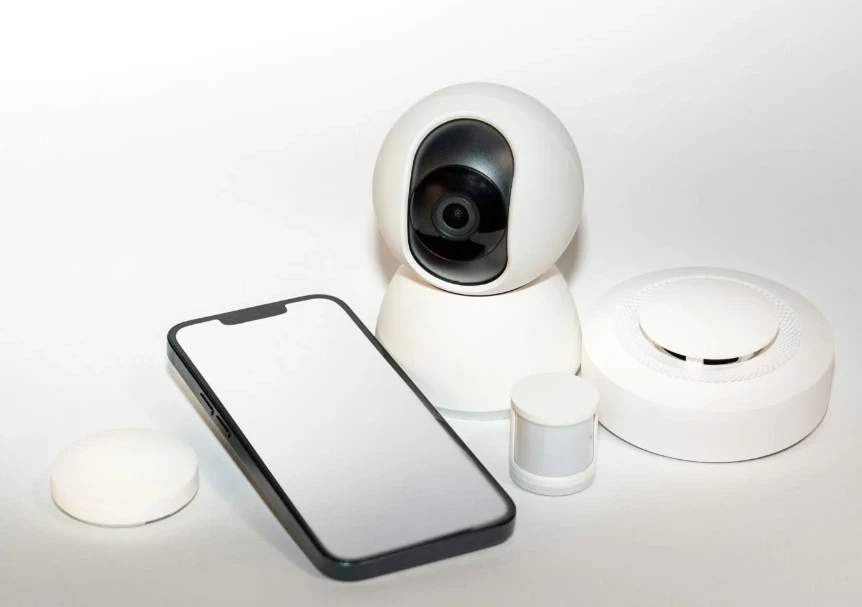
- Privacy risks: Microphones, cameras, and activity sensors monitor daily home routines.
- Too many cooks: Allowing several family members to share remote control can lead to confusion and privacy issues.
- Keep back-ups handy: Always store spare keys, standard wall switches, written notes, and support phone numbers where you can easily access them.
Check out our guide to the seven best home security cameras for smart homes for more ways to monitor entrances and other important areas.
Frequently Asked Questions.
Which home automation device is the simplest for seniors to operate?
Motion-activated lights and plug-in timers are excellent initial options. They operate automatically without requiring a smartphone or voice commands.
Can home automation operate without a smartphone?
Motion sensors, timers, physical smart buttons, and voice speakers efficiently manage daily tasks without a phone. A smartphone or tablet might only be necessary for initial setup, updates, and troubleshooting.
What occurs to smart-home devices during an internet outage?
Device functionality varies: physical switches, preset timers, and local smart hubs typically remain operational. However, voice commands, mobile app access, and remote alerts will be unavailable until Wi-Fi is restored. Test your devices offline before making a purchase.
Is investing in home automation costly?
Not necessarily. Begin with an affordable motion light or smart plug before opting for a larger system. Remember to consider potential installation costs or monthly fees.
Can family members remotely manage a senior’s smart-home devices?
Most platforms enable remote caregiver access, but the senior must always consent, choose who has control, and regularly review access settings to protect their privacy and independence.
Final Thoughts: Start With One Useful Automation.
Home automation works best when focused on a specific daily issue. Start with a simple improvement, such as installing motion-activated hallway lights, a voice-controlled lamp, or a simple thermostat schedule.
Choose easy-to-use technology with a manual backup, and avoid unnecessary subscriptions and complex apps. Above all, prioritize the user when deciding on setup, remote caregiver access, and privacy. Add additional devices gradually after confirming a reliable, truly beneficial setup.
Aim to simplify daily life while prioritizing independence and personal control, rather than automating your entire house.