
A smartwatch can do much more than count your steps. Today’s models can monitor your heart, call for help if you fall, and let you text family without touching your phone. But with the tech jargon and constant alerts, it is easy to feel overwhelmed.
For older adults, the right features provide real peace of mind. Tools like fall detection and emergency SOS buttons can be lifesavers, while other features are just noisy distractions.
Let’s examine how these features work, their real usefulness, and their limitations to help you determine what suits your daily routine.
How the Tech Works (In Plain English)
You don’t need a technical degree to understand your watch. It mainly performs three functions: collecting data, interpreting it, and informing you about it.
- The Sensors: Think of these as tiny digital eyes and ears built into the back of the watch. They sit against your skin, using lights and motion detectors to track your pulse, steps, and movement.
- The Brains: Built-in software translates those raw numbers into simple readouts, like your daily step count or sleep score.
- The Connection: Using Bluetooth or Wi-Fi, the watch talks to your smartphone to save your data or send a text.
Reasons Why Your Watch’s Accuracy Varies
Smartwatches are highly intelligent, yet they aren’t flawless. Some common everyday factors can easily disrupt their readings:
- A Loose Band: If the watch slides around, the sensors underneath can’t “see” your pulse.
- Too Much Shaking: Heavy movement (like clapping or bumpy rides) can trick the watch into counting extra steps or misreading your heart rate.
- Skin Obstructions: Darker skin tones or wrist tattoos can sometimes block the sensor’s light, reducing the sensor’s precision.
The Golden Rule: These features are useful for everyday wellness and peace of mind, but they are not intended to be medical devices. Do not rely on a smartwatch reading as a substitute for professional medical advice or actual medical tests.
Health Tracking: Beyond the Basics
Health features are the primary reason many people buy a smartwatch today. They are excellent tools for tracking long-term trends and identifying potential issues early. Understanding both the capabilities and limitations of these features is essential for safe use.
Continuous Heart Rate Monitoring
Consider this feature as a subtle partner that continuously monitors your pulse.
How it works:
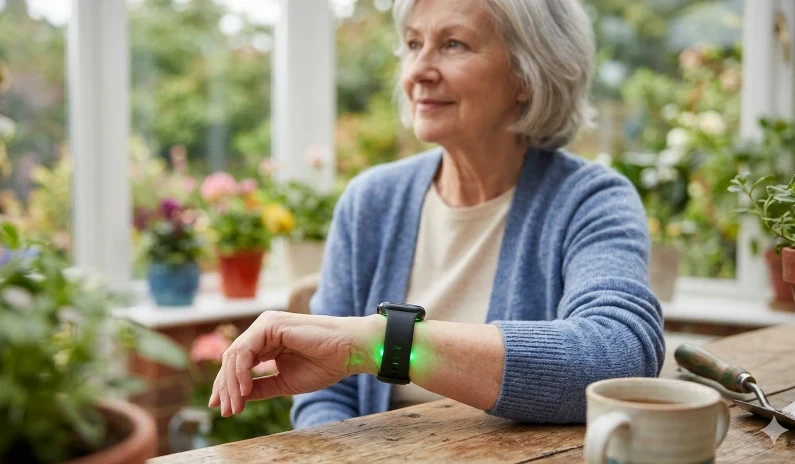
When you look at the back of a smartwatch, you’ll notice small green lights flashing against your skin. Since blood absorbs green light, the watch detects the slight expansion of your blood vessels with each heartbeat, allowing it to monitor your pulse in real-time.
When to use it:
- Spotting Trends: Your baseline resting heart rate is a great indicator of overall health. A sudden, unexplained jump over a few days can be an early warning sign of stress, fatigue, or an oncoming illness.
- During Exercise: It helps ensure you are active enough to benefit your heart without overexerting yourself.
The Limitations:
Although very convenient, these sensors can be misled by heavy movement or a loose watch band. Most crucially, a standard heart rate tracker can’t diagnose heart disease or detect a heart attack.
A single high or low reading generally isn’t alarming, but if your watch regularly shows unusual values, it’s a good topic to discuss at your next doctor’s appointment.
ECG (Electrocardiogram)
A standard heart rate monitor measures how fast your heart beats, whereas an ECG assesses the rhythm. It’s like taking a quick, 30-second electrical snapshot of your heart directly from your wrist.
Unlike your typical heart rate tracker, an ECG doesn’t operate continuously in the background. Open the app and press your finger against the watch’s crown or button to take a reading. This action completes an electrical circuit across your chest, enabling the watch to record your heart’s rhythm.
When to use it:
- Catching Fluttering or Palpitations: If you suddenly feel your heart racing or skipping a beat, you can take a reading right then and there to capture the moment.
- Checking for AFib: Many modern smartwatches can flag signs of Atrial Fibrillation (AFib), a common irregular heart rhythm.
- Sharing with Your Doctor: Most watches let you download these readings as a PDF, which you can easily email to your healthcare provider or bring to your next appointment.
The Limitations:
It is crucial to understand that a smartwatch ECG cannot diagnose a heart attack. If you have chest pain, shortness of breath, or pressure, do not delay—call 911 right away instead of focusing on your watch reading.
A “Normal” or “Sinus Rhythm” result on your watch indicates only a steady rhythm; it does not guarantee the absence of other health issues.
Blood Oxygen (SpO2) Monitoring
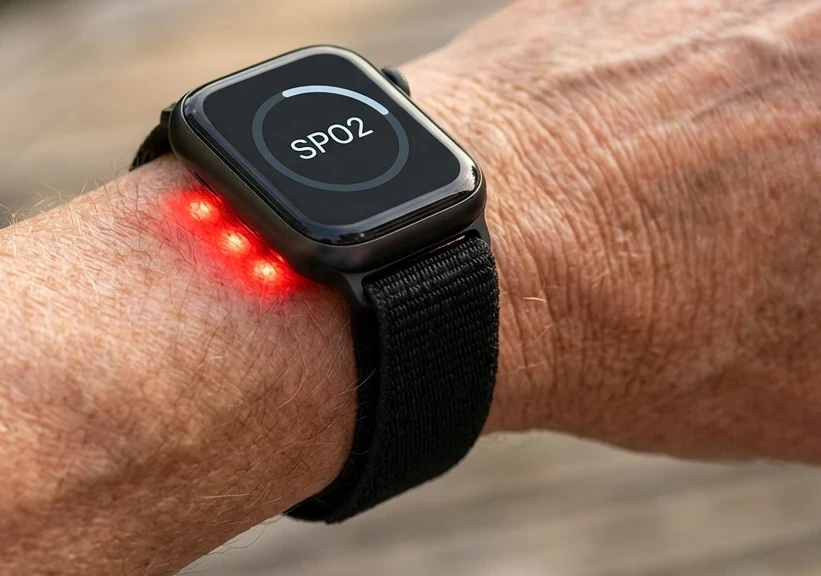
If you flip your watch over, you’ll see a cluster of bright red lights next to the usual green ones. These red lights measure your SpO2, a technical term for the amount of oxygen your red blood cells carry. It’s a quick way to gauge how effectively your lungs are delivering oxygen throughout your body.
When it is actually useful:
Most healthy seniors won’t need daily checks, but it can be very helpful in certain situations.
- During Sleep: Many smartwatches monitor your oxygen levels during sleep. If they consistently decrease while you’re asleep, it may indicate sleep apnea, a pattern worth discussing with your doctor.
- Traveling to Higher Altitudes: A quick check can indicate if your body is adjusting properly to higher altitudes when you’re visiting the mountains.
- Recovering from a Respiratory Illness: If you’re recovering from a bout of flu or bronchitis, monitoring your oxygen levels can reassure you that your lungs are healing.
The Reality Check:
- Smartwatch SpO2 sensors are good for identifying overall trends, but they can be easily disrupted.
- Cold hands, a loose wristband, or excessive movement may lead to falsely low readings.
Crucial Safety Note:
- Ignore the watch entirely if you’re experiencing severe shortness of breath, dizziness, or illness.
- A smartwatch isn’t a substitute for a medical-grade pulse oximeter attached to your finger at a clinic. Rely on your body’s sensations more than what the screen displays.
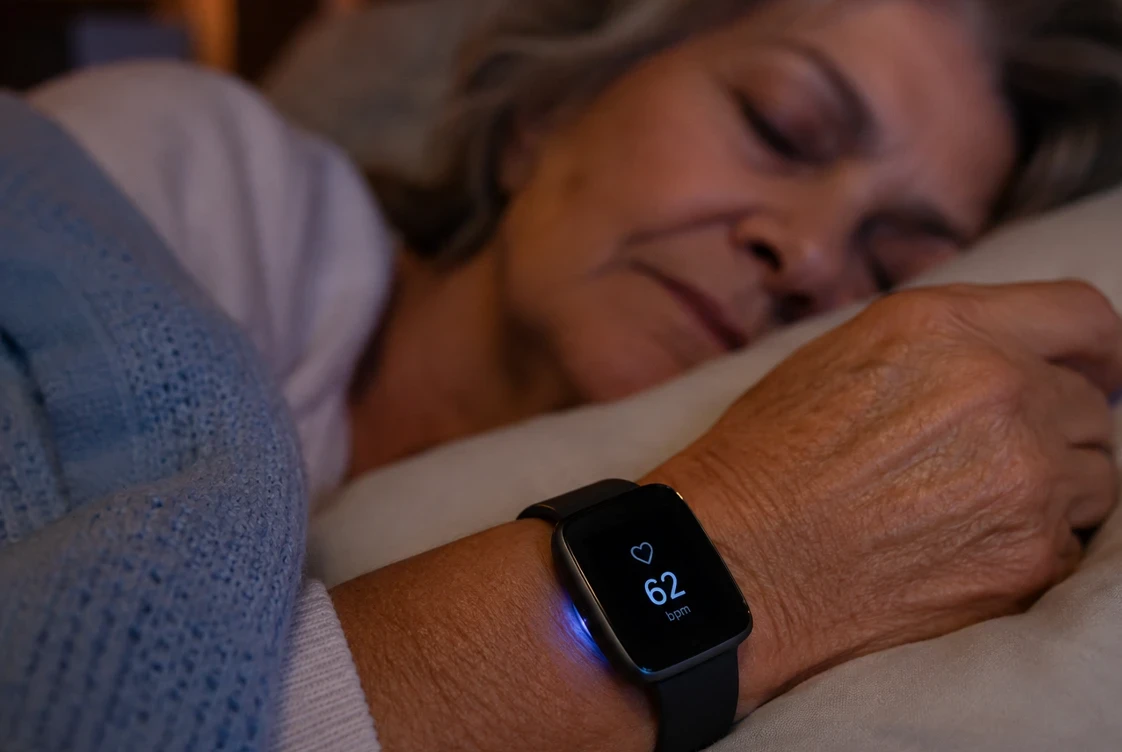
Sleep Tracking
Many people think a smartwatch only functions during waking hours, but it provides valuable insights overnight. Rather than simply tracking bedtimes, it also analyzes your movement and heart rate to assess sleep quality.
When it is actually useful:
The true value of sleep tracking lies not in achieving a perfect “sleep score,” but in recognizing patterns that influence your daytime well-being.
- Tracking Sleep Quality: It helps you see how much time you actually spend in restorative deep sleep versus how much you spend tossing and turning.
- Identifying Disruptions: If you notice you are waking up multiple times a night without realizing it, that is an important trend to track.
- Correlating Habits: You can use it to see how a late-night snack, an evening walk, or room temperature directly impacts your rest.
The Reality Check:
Smartwatches, such as the Samsung Galaxy 6, estimate sleep stages using movement and pulse data rather than brainwave readings. As a result, their measurements are less accurate than those from a medical sleep study.
The Golden Rule:
View your sleep data as a general guideline rather than a strict report card. If your device indicates a “poor” sleep night but you wake up feeling refreshed and energized, rely on how you feel rather than the screen’s judgment.
If you frequently feel exhausted and your watch shows poor sleep patterns, share this information with your doctor.
Stress Monitoring
Everyone feels stress at times, though it isn’t always clear. Smartwatches attempt to detect stress by monitoring subtle fluctuations in your pulse, serving as a gentle reminder to pause and slow down.
When to use it:
- Catching Hidden Stress: It helps you notice when your body is tense. You might see this during a busy day or after too much coffee.
- Taking Quick Breaks: Many watches will tell you when to pause. They can guide you through a short breathing exercise.
- Tracking Routines: You can see how a poor night of sleep affects your body the next day.
The Limitations:
- Don’t interpret the stress score too literally. The watch doesn’t understand your thoughts; it only measures your heart.
- A high score might simply indicate excitement, activity, or that you’ve eaten a large meal. It doesn’t necessarily imply anything is wrong.
The Big Picture:
- Use the score as a gentle reminder to check in with yourself. If your watch indicates stress, take a deep breath.
- Trust your personal feelings more than the number on the screen.
Skin Temperature Monitoring
Modern smartwatches, such as the Garmin Venu 3, monitor your skin temperature during sleep, but do not function like traditional thermometers. They won’t indicate if you have a fever; instead, they detect subtle variations from your usual patterns.
When to use it:
- Spotting Trends: Your temperature changes naturally. The watch maps these shifts over several weeks.
- Catching Early Signals: A sudden jump can happen for a few reasons. It might mean you are getting sick. It could also mean you are exhausted.
- Tracking Your Environment: It shows how travel or a hot bedroom affects your rest.
The Limitations:
- Skin temperature differs from core body temperature. A thermometer measures your internal core, while a watch only measures your wrist temperature.
- Your wrist’s temperature fluctuates easily, and cold air in your bedroom can affect the reading.
The Reality Check:
A smartwatch cannot diagnose infections. It should not replace a thermometer. If you feel ill, check your temperature using the traditional method. Use the watch data only to monitor long-term trends.
Body Composition Analysis
A regular scale only shows your weight. It does not tell the whole story. Some smartwatches now estimate what is happening beneath the surface.
When to use it:
- Tracking Muscle: Maintaining muscle is vital as we age. This tool helps you monitor your muscle mass over time.
- Monitoring Fat: It tracks your body fat percentage to provide a more accurate picture than weight alone.
- Checking Water Levels: It estimates body water, helping you see if you are staying hydrated.
The Limitations:
Take these numbers with a grain of salt. The watch transmits a small, harmless electrical current through your body. This measurement is an estimate, not a medical diagnosis. Factors like hydration, meals, and time of day can influence the results. Two readings taken on the same day may differ.
The Big Picture:
Avoid focusing too much on daily fluctuations. Instead, use this feature to observe long-term trends over months. Remember, it functions as a progress tracker, not a medical report.
Fall Detection
Fall detection offers genuine peace of mind by serving as an additional safety net. The watch detects when you experience a hard fall. If you’re unable to get up, it automatically contacts help and notifies your loved ones.
How it works:
- Smart Sensors: The watch contains advanced motion sensors. They recognize sudden impacts and unusual movements.
- The Warning Alert: The watch vibrates and displays an alert after a suspected fall. This gives you time to respond.
- Automatic Help: The watch automatically contacts emergency services if you do not move or dismiss the alert within a minute.
Who it helps:
This feature provides great reassurance for seniors living alone. It is also beneficial for anyone experiencing balance or mobility challenges and ideal for active adults who like outdoor walks.
The Limitations:
No system is flawless. A quick clap or abrupt wrist movement can cause a false alarm, while a slow, sliding fall might go undetected.
The Reality Check:
Treat fall detection as an additional safety layer, not a foolproof solution. It cannot completely replace a dedicated medical alert button, but it provides a reliable backup that stays with you wherever you go.
Emergency SOS
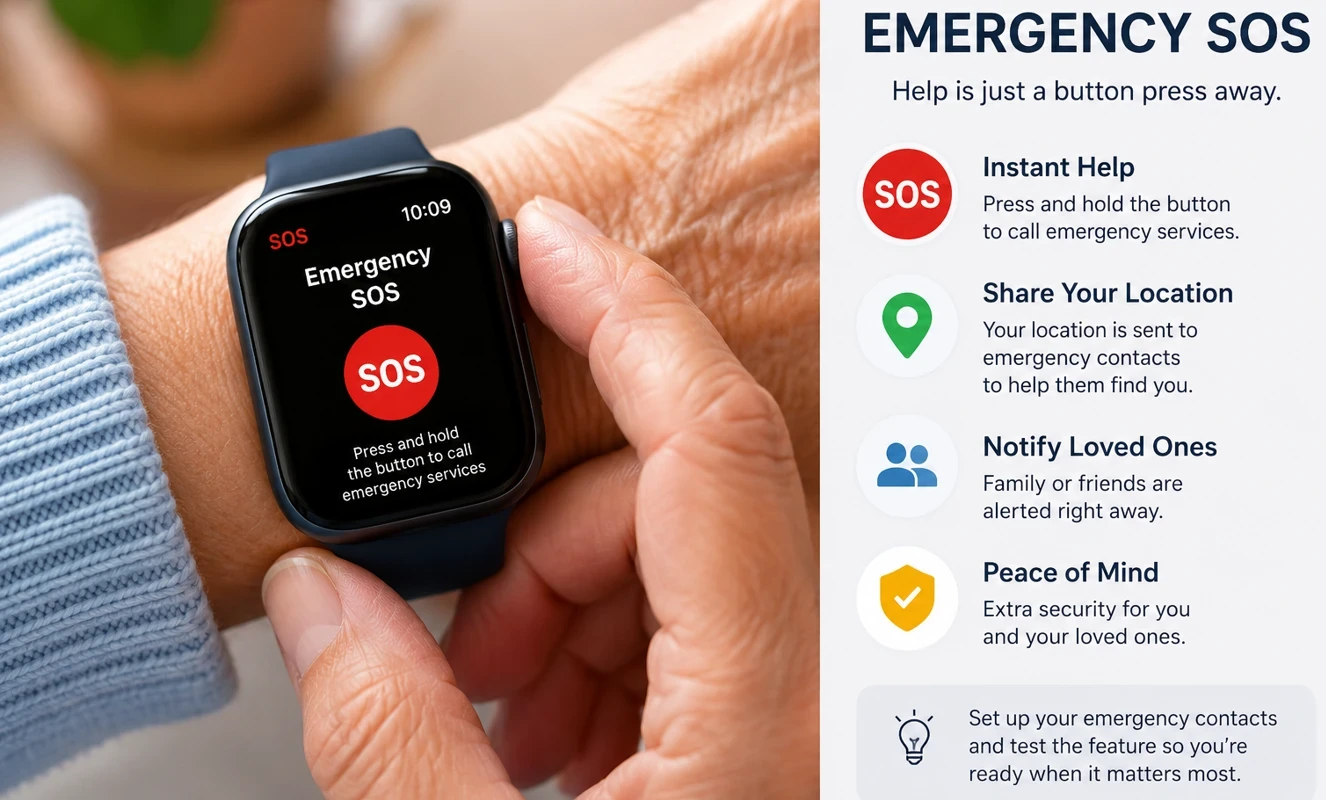
Getting help quickly can be life-saving. Emergency SOS turns your watch into a small panic button, letting you call for help with a single press. You don’t even need to grab your phone.
When to use it:
- Urgent Emergencies: Use it if you experience sudden chest pain, dizziness, or are unable to move.
- Outdoor Safety: It helps protect you if you get lost or injured while walking outdoors.
- Sharing Location: The watch sends your exact GPS coordinates to your family. This helps them find you fast.
The Limitations:
Emergency SOS isn’t magic; it needs a cellular connection to function. Your smartphone must be nearby and charged if you’re using a standard watch.
The Golden Rule:
Set up your emergency contacts now. Don’t wait until a crisis occurs to figure out how the buttons work. Spend five minutes practicing to understand how smart wearable medical alert systems for seniors work.
GPS Tracking
Smartwatches utilize satellite systems to determine your precise location. While this is often used to track morning walks, it also offers seniors a valuable additional layer of personal security.
When it is useful:
- Mapping Your Walks: It logs your distance and path when you exercise outdoors.
- Navigating New Places: It helps you find your way if you get turned around in an unfamiliar area.
- Sharing with Family: Loved ones can see where you are if you ever get lost.
- Emergency Response: The watch automatically sends your coordinates when you make an SOS call. This helps paramedics find you much faster.
The Limitations:
GPS consumes your battery rapidly. Leaving it active all day requires more frequent charging of your watch. Additionally, dense tree cover, tall buildings, or being deep indoors can obstruct the satellite signal.
The Big Picture:
Consider GPS as a dependable digital guide that provides your family with peace of mind. Ensure your watch stays charged so it’s ready when you need it most.
Medication Reminders
Managing multiple prescriptions can be challenging, especially when life gets busy and doses are forgotten. Smartwatches offer a helpful solution: gently tap your wrist to be reminded when it’s time to take your medicine.
When it is useful:
- Preventing Missed Doses: The watch vibrates and shows the exact pill name on the screen.
- Keeping a Routine: It helps you take your medicine at the exact same time every day.
- Tracking Your History: Some medical reminder apps let you log when you take a pill, creating a helpful record for your next doctor visit.
- Easing Family Stress: It gives your loved ones peace of mind knowing you have a digital backup.
The Limitations:
A watch can only serve as a reminder; it cannot make decisions on your behalf. You might miss notifications if your battery runs out or if you forget to remove it from the charger. Additionally, it depends entirely on you entering the correct times into the app.
The Golden Rule:
Never depend exclusively on technology for vital health concerns. Keep a written record of your prescriptions easily accessible. Consider the watch as a useful aid, but not your main safety device.
Step Counting
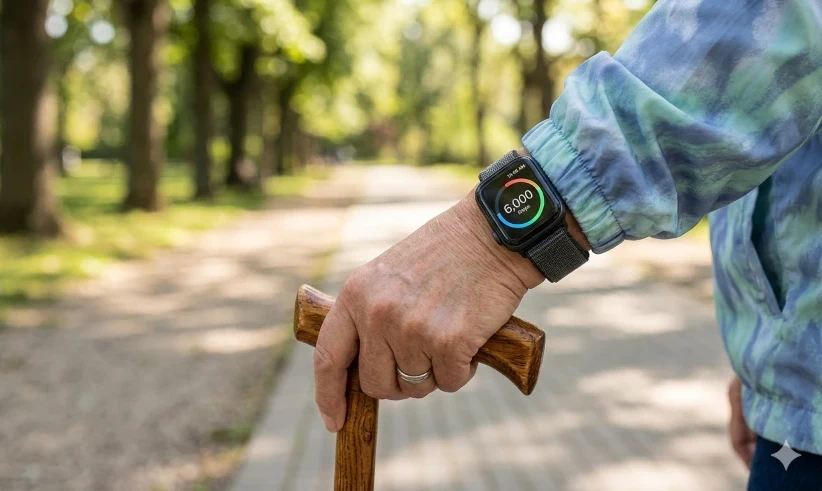
Doctors have long promoted walking, and step counting makes it simpler to monitor your activity. Consider it like a helpful coach on your wrist.
When it is useful:
- Counting Daily Movement: Your watch logs small trips. It counts walks to the mailbox or around the grocery store.
- Setting Realistic Goals: You do not need to hit 10,000 steps. The true goal is just to avoid sitting for too long.
- Spotting Health Changes: A sudden drop in your weekly steps can be an important clue, indicating that something is affecting your energy or mobility.
The Limitations:
No smartwatch tracks steps perfectly; activities like pushing a shopping cart, riding in a car, or moving your arms while sitting can cause false step counts.
The Big Picture:
Don’t worry about the precise step count; it doesn’t matter if you walk 5,900 or 6,000 steps. Concentrate on building the habit of moving slightly more daily.
Activity Tracking
Step counting is just one aspect. Modern smartwatches can detect various movements, including walking, cycling, swimming, and yoga. They serve as a daily record of your physical activities.
When it is useful:
- Tracking Routine Movement: It shows exactly how much time you spend moving each day.
- Logging Workouts: It records your walks, bike rides, and exercises.
- Breaking Up Inactivity: The watch gently reminds you to stand up after sitting for too long. These small reminders help you build healthier habits.
- Staying Motivated: It helps you set daily goals and celebrate your progress.
The Limitations:
A smartwatch cannot tell how you actually feel. It cannot accurately measure your daily exhaustion or pain level. The watch also estimates your calories burned based on general formulas, so that number is never perfectly precise.
The Big Picture:
Consistency is more important than intensity. A slow, steady walk can be more beneficial than overexerting yourself. Use the tracker to maintain your long-term routine and avoid comparing yourself to others.
Exercise Modes
Exercise modes are specific settings on your watch that focus on tracking your movements more precisely. Whether you’re walking, swimming, cycling, or doing yoga, these modes gather more detailed data.
When it is useful:
- Tracking Specific Activities: The watch optimizes its sensors for different activities, such as walking, running, and strength training.
- Measuring Your Workouts: It provides clear details about your duration, distance, pace, heart rate, and calories burned.
- Monitoring Progress: You can easily compare past workouts to see how your fitness improves over time.
- Encouraging Regular Exercise: Seeing your workout achievements makes staying active feel more rewarding.
The Limitations:
Starting a workout mode doesn’t guarantee perfect data. Calories burned are estimates, and GPS accuracy depends on your environment. If you forget to tap “start,” your data will be incomplete. Most importantly, the watch cannot assess how tired or sore you feel.
The Big Picture:
You don’t need numerous complex settings to maintain health. For most seniors, monitoring a straightforward walk, swim, or stretch is sufficient. Don’t concentrate on perfect metrics; instead, aim to develop an active lifestyle that brings you joy.
VO2 Max
VO2 max may seem like a measure for elite athletes, but it’s really just an estimate of how efficiently your body utilizes oxygen. Consider it a general indicator of your cardiovascular fitness.
When it is useful:
- Monitoring Fitness Over Time: It helps you see if your physical endurance is improving, staying stable, or declining.
- Supporting Healthy Aging: Higher cardiovascular fitness is directly linked to better mobility and independence.
- Tracking Active Habits: Regular, brisk outdoor walks can gradually improve your score over several months.
- Providing Motivation: Seeing steady, gradual improvements can encourage you to maintain your exercise routine.
The Limitations:
The watch estimates it using your age, heart rate, and walking speed. It is not a diagnostic medical test. Many devices require you to walk briskly outdoors for at least 15 minutes to obtain a reading. Some heart medications may also affect the results.
The Big Picture:
Avoid comparing your score to that of younger individuals. For most seniors, the primary aim is to prevent shortness of breath during everyday activities. Maintaining a stable score signifies a significant achievement for your long-term health.
Calories Burned
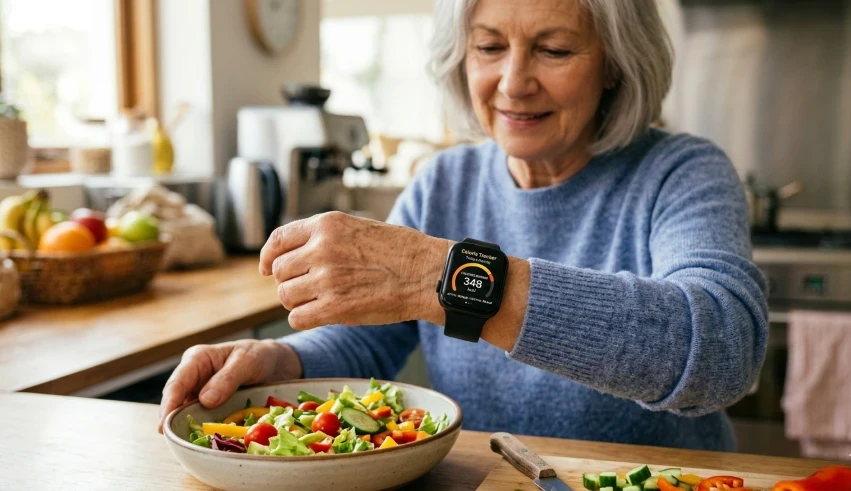
Smartwatches gauge your body’s energy expenditure throughout the day and during workouts. Consider it a general fuel meter rather than a precise measure.
When it is useful:
- Understanding Your Activity Level: It gives you a general idea of how active you are from day to day.
- Supporting Weight Management: Combined with healthy eating, calorie estimates can help you maintain or lose weight.
- Comparing Workouts: You can see which activities tend to burn more energy.
- Staying Motivated: Watching your daily calorie total increase may encourage you to move more.
The Limitations:
Smartwatches do not measure calories directly; instead, they estimate them based on factors such as your age, weight, heart rate, and activity. As a result, different watches might produce varying estimates, and the figures can sometimes be quite inaccurate.
The Big Picture:
Don’t fixate on the precise number. A balanced lifestyle focuses on consistency rather than counting every detail. For many seniors, the main goal is straightforward: stay active, maintain a healthy weight, and enjoy regular activity rather than viewing each walk as a contest.
Bluetooth Calling
Making and receiving calls straight from your wrist is extremely convenient, essentially serving as a compact speakerphone you can carry everywhere.
When it is useful:
- Answering Calls Quickly: You do not need to search for your phone when it rings.
- Staying Connected on Walks: You can answer calls without stopping to pull out your smartphone.
- Helping in Small Emergencies: If your phone is nearby—or if your watch has cellular service—you can call for help with your hands occupied.
- Supporting Accessibility: Seniors with mobility or physical challenges often find wrist calls much easier to manage.
The Limitations:
Bluetooth calling isn’t a complete substitute for a phone. Many smartwatches require your phone to be nearby to handle calls. Background noise can interfere with listening, and the small wrist speaker isn’t suitable for lengthy or private conversations.
The Big Picture:
This feature is ideal for everyday convenience. Whether you’re gardening, walking the dog, or cooking dinner, a quick call from your wrist makes your day a bit simpler.
Text Messaging
Smartwatches can display text messages and let you reply directly from your wrist, providing a quick and convenient way to stay connected without constantly reaching for your phone.
When it is useful:
- Reading Messages Instantly: You can see who is texting without digging through your pocket or purse.
- Sending Quick Replies: You can respond using voice dictation, emojis, or preset messages.
- Staying Connected with Family: It makes it easier to keep in touch with children, grandchildren, and friends.
- Reducing Missed Messages: Important notifications are less likely to go unnoticed on your wrist.
The Limitations:
Typing on such a small screen is usually uncomfortable, and full use often needs a nearby smartphone or a cellular plan. Voice dictation also tends to have difficulty hearing you clearly in noisy settings.
The Big Picture:
Wrist messaging is designed to complement your phone, not replace it. It’s a handy way to stay connected and catch important updates at a glance on your arm.
Notifications
Notifications are alerts sent from your phone straight to your wrist. They function like gentle taps, keeping you updated without the need to check your smartphone frequently.
When it is useful:
- Never Missing Important Communication: You can quickly see who is trying to reach you via calls or messages.
- Keeping Up with App Alerts: Calendar reminders, medication notifications, and weather updates appear instantly.
- Reducing Phone Checking: A quick glance at your wrist lets you decide if something needs your immediate attention.
- Staying Organized: Appointment reminders and task alerts help keep your daily schedule on track.
The Limitations:
An excess of notifications can quickly lead to distraction or stress. Regular interruptions from news alerts, social media updates, and apps you don’t need can be overwhelming. Luckily, you can customize your settings to receive only the alerts you want.
The Big Picture:
Notifications should prioritize simplicity rather than create noise. For many seniors, receiving fewer alerts is actually more beneficial. By eliminating unnecessary disruptions and focusing only on important alerts, your watch becomes a useful aid rather than a constant distraction.
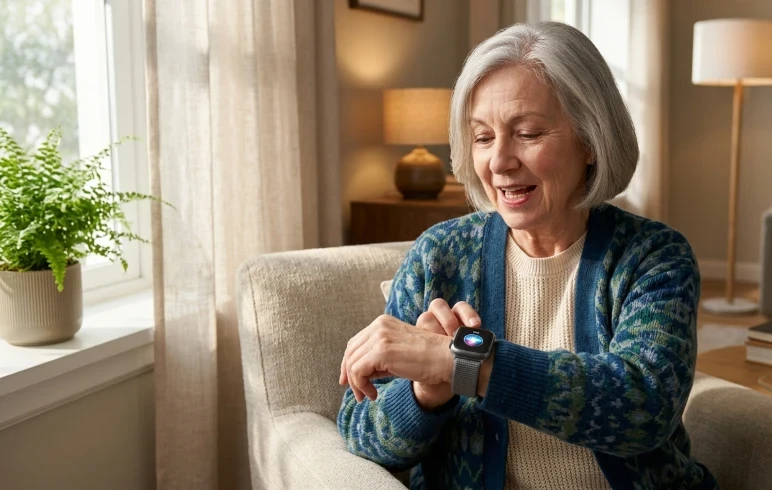
Voice Assistants
Talking to your watch might have felt odd a few years back, but now voice assistants make it quite simple. Consider them a digital helper always ready to assist you.
When it is useful:
- Setting Reminders: You can set a reminder out loud without touching the screen.
- Making Calls and Sending Messages: A simple voice command can instantly place a call or send a message to family or friends.
- Getting Quick Answers: You can easily ask about the weather, sports scores, or simple facts.
- Controlling Smart Home Devices: Some assistants can turn on lights, adjust thermostats, or lock doors.
The Limitations:
Even the best voice assistants may struggle with accents or background noise, and many commands need internet access. Privacy-aware users should note that voice commands are handled by software and cloud services.
The Big Picture:
Voice assistants greatly simplify daily tasks. For many seniors, speaking a command rather than navigating small menus is one of the most useful and often-overlooked smartwatch features.
Calendar and Appointment Reminders
It’s simple to forget appointments, birthdays, or family events. Calendar features serve as digital sticky notes that stay with you on your wrist.
When it is useful:
- Keeping Track of Appointments: Doctor visits and family gatherings appear right on your wrist.
- Remembering Daily Tasks: Reminders help you stay on top of medications, exercise, or household chores.
- Reducing Dependence on Memory: You can let the watch do the heavy lifting instead of trying to remember everything yourself.
- Staying Organized: Gentle vibrations and notifications keep you on schedule without you constantly checking your smartphone.
The Limitations:
A reminder is effective only if properly configured in your app. You might miss alerts if your watch’s battery is dead or notifications are disabled. Additionally, setting too many reminders can become overwhelming and reduce their effectiveness.
The Big Picture:
Calendar alerts aren’t for packing your day with tasks; they’re designed to reduce stress and help you focus on what matters. A quick wrist reminder means one less worry.
Weather Updates
Checking the weather traditionally involved turning on the TV or glancing out the window. Now, smartwatches display the forecast directly on your wrist, effectively making it like carrying a small weather station everywhere you go.
When it is useful:
- Planning Outdoor Activities: A quick glance helps you decide whether to take an umbrella or wear a jacket.
- Preparing for Walks and Exercise: Live temperature, rain, and wind forecasts make it easier to plan your outdoor routines.
- Staying Safe During Extreme Conditions: It helps older adults monitor dangerous heat waves, sudden storms, and freezing temperatures.
- Reducing Phone Dependency: Current weather conditions are always available at your fingertips with a simple turn of your wrist.
The Limitations:
Weather apps rely solely on internet access and the phone’s location services. Forecasts are only approximations, and actual weather conditions can shift quickly, often faster than the app can refresh.
The Big Picture:
Weather updates won’t substitute for common sense, but they help make safer choices. Just knowing that rain is expected in an hour can help you avoid getting caught in a storm.
Music Controls
You don’t have to be a music enthusiast to enjoy this feature. Music controls enable you to play, pause, skip tracks, and change the volume effortlessly, all from your wrist without needing to take your phone out of your pocket. It’s like having a remote control on your wrist.
When it is useful:
- Walking or Exercising: You can change songs without stopping or reaching for your phone.
- Listening to Audiobooks or Podcasts: Quick controls make it much easier to pause or rewind.
- Relaxing at Home: You can adjust the volume while cooking, reading, or doing household chores.
- Reducing Phone Handling: Less fumbling with your smartphone means fewer drops and distractions.
The Limitations:
These controls do not save audio files unless your watch model supports offline playback. Typically, most functions require your phone to be nearby or connected via Bluetooth headphones.
The Big Picture:
Whether you’re enjoying classic songs, an engaging podcast, or an audiobook, controlling audio from your wrist ensures a smooth experience.
Camera Remote
Ever tried setting up your phone for a family photo and rushed to get into position before the timer ended? A smartwatch can help with that. Several models allow you to use your watch as a remote control for your phone’s camera.
When it is useful:
- Taking Group Photos: Everyone can be in the picture without having to ask a stranger for help.
- Capturing Steady Shots: You can avoid camera shake caused by pressing the shutter button.
- Recording Videos from a Distance: This is incredibly useful when your phone is mounted on a tripod.
- Reducing Awkward Reaching: There is no need to stretch or run back and forth to beat a countdown timer.
The Limitations:
This feature generally works only with compatible smartphones and certain camera apps. The wireless range is limited, and access to advanced camera settings still requires using the phone directly.
The Big Picture:
A camera remote isn’t usually the main reason seniors buy a smartwatch, but it can be both enjoyable and useful. Whether capturing family photos or garden scenes, having a remote shutter on your wrist simplifies the process significantly.
Flashlight
A flashlight might seem like a basic feature, but it’s often overlooked until you need it. With just a quick tap, your smartwatch screen lights up white, guiding you through the darkness.
When it is useful:
- Getting Around at Night: It helps you safely navigate to the bathroom without having to turn on bright overhead lights.
- Finding Lost Items: It is perfect for locating keys, glasses, or a dropped pill under the couch.
- Handling Small Emergencies: A wrist light can be helpful during power outages or unexpected situations.
- Avoiding Trips and Falls: Better visibility makes nighttime movement in unfamiliar rooms much safer.
Our guide to the seven best home security cameras for smart homes can help you choose the one that best suits you.
The Limitations:
A smartwatch flashlight is significantly less bright than a smartphone light and cannot illuminate large rooms or replace a dedicated flashlight. Prolonged use will also rapidly deplete your watch’s battery.
The Big Picture:
Flashlight mode may not be flashy, but it is very practical. For many seniors, a small, dependable light on the wrist offers added convenience and reassurance.
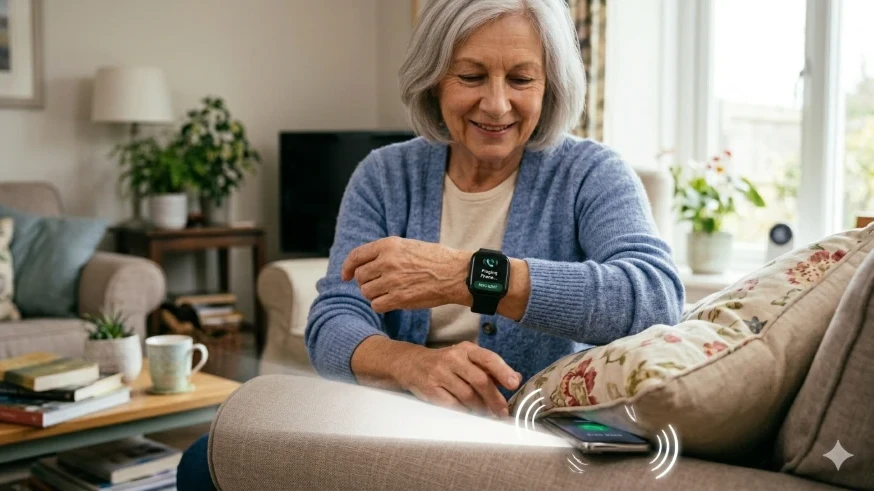
Find My Phone
Everyone has experienced it: you set your phone down and immediately forget where you left it. The Find My Phone feature helps in this situation. Just a tap on your smartwatch makes your phone ring loudly, simplifying the search.
When it is useful:
- Locating a Misplaced Phone: Whether it is buried under a sofa cushion or left in another room, a quick ping saves time and frustration.
- Reducing Daily Stress: You no longer need to tear the house apart looking for your device.
- Saving Time: Finding your phone takes just a few seconds, not minutes.
- Helping in Rushed Moments: This feature is particularly useful when you are rushing out the door or expecting an important call.
The Limitations:
Your phone needs to be turned on, charged, and within Bluetooth range of your watch. If the phone’s battery is dead or it’s too far away, the ping feature won’t work.
The Big Picture:
Find My Phone isn’t a health feature or a life-saving tool, but it often ranks as the most-used function on a smartwatch. Occasionally, the tiniest everyday conveniences can have the most significant impact.
LTE and Cellular Connectivity
Most smartwatches depend on a nearby smartphone, but those with LTE or cellular connectivity can operate independently. They are like small phones on your wrist that remain connected even when your smartphone is at home.
When it is useful:
- Staying Connected on Walks: You can make and receive calls without having to carry your phone.
- Using Emergency Features: SOS calls and location sharing can work even when your smartphone is not nearby.
- Streaming Music and Messaging: Some watches allow you to send texts and stream music directly from your wrist.
- Providing Peace of Mind: Family members know you can still communicate if you accidentally leave your phone behind.
The Limitations:
Cellular smartwatches typically have a higher upfront cost and require an additional monthly service plan. Their battery life tends to be shorter since they continuously maintain a direct network connection. Furthermore, signal coverage depends entirely on your carrier and location.
The Big Picture:
LTE connectivity isn’t necessary for all. Many seniors comfortably use a Bluetooth smartwatch, paired with their phone, in their hands. But for individuals who prioritize independence and seek added safety when outside, investing in a cellular smartwatch can be a worthwhile expense.
NFC Payments
In the past, forgetting your wallet could cause issues. Now, with NFC payments, your smartwatch can serve as a contactless credit card. Just a quick tap at the register usually suffices to pay for groceries, coffee, or other daily expenses.
When it is useful:
- Making Quick Purchases: You can pay without reaching for your wallet or phone.
- Reducing What You Carry: A smartwatch may be all you need for short trips.
- Helping During Exercise or Walks: It is highly convenient when you do not want to carry a bulky purse or wallet.
- Adding Security: Smartwatch payments are highly secure, protected by encryption, and require a PIN or pass-code to remain active on your wrist.
The Limitations:
Not all banks support smartwatch payments, and some small stores may still lack contactless options. Additionally, you’ll need a few minutes to set up the feature beforehand. As with any digital payment system, it involves some learning and building trust.
The Big Picture:
NFC payments aren’t essential, but many users quickly recognize their convenience. For seniors who prefer simplicity and avoid carrying extra belongings, making a payment with a quick wrist tap can feel surprisingly freeing.
Which Smartwatch Features Matter Most to Seniors?
It’s best to concentrate on tools that enhance daily safety and ease of use, given the numerous options, instead of trying to adopt every new technology. Most seniors typically use only a few features regularly.
- Essential Features: Prioritize tools for daily safety and health, such as Heart Rate Monitoring, Fall Detection, Emergency SOS, GPS Tracking, Medication Reminders, Calendar Alerts, and Find My Phone.
- Nice-to-Have Features: These add convenience but are not critical, including Sleep Tracking, Text/Calling, Voice Assistants, Weather Updates, a Flashlight, and Music Controls.
- Optional Features: Advanced metrics like ECG/SpO2 tracking, NFC Payments, and LTE Cellular Connectivity are impressive but may not matter to every user.
The Big Picture:
The ideal smartwatch isn’t necessarily the one with the most technical features. Instead, it’s the device that suits your lifestyle, has a clear display, and is simple enough for daily use.
Smartwatch Features That Require a Subscription
Many people realize after purchasing a smartwatch that some features involve ongoing expenses. While the watch is a one-time purchase, certain services often require monthly or annual subscriptions.
Features that may involve extra fees include:
- Cellular Connectivity: LTE and cellular smartwatches often require a separate monthly data plan from your mobile carrier to work without your phone nearby.
- Emergency Response Services: Some medical alert and senior-focused watches offer 24/7 professional monitoring via a network for a recurring monthly fee.
- Advanced Health Insights: A few major brands lock detailed sleep-score breakdowns, fitness-coaching videos, and long-term wellness reports behind premium memberships (such as Fitbit Premium).
- Music Streaming: Apps like Spotify or YouTube Music require a paid premium subscription to download playlists directly to your wrist for offline listening.
- Cloud Storage and Backup: Certain safety and health apps charge extra fees for expanded cloud storage or automated data syncing history.
The Limitations:
Subscription costs can quietly accumulate over time. A watch that initially appears affordable might turn expensive once multiple premium services are enabled. Luckily, essential features like basic heart rate monitoring, step tracking, phone notifications, and medication reminders function flawlessly without any ongoing charges.
The Big Picture:
Before purchasing, consider whether you truly need the premium features. For many seniors, the answer is no. A smartwatch with robust, free built-in features often offers sufficient value and safety without increasing monthly expenses.
Check out our Guide to Technology Terms for Seniors, which explains common tech jargon in plain English if you encounter unfamiliar smartwatch terms.
Frequently Asked Questions About Smartwatch Features
Can a smartwatch replace a medical alert system?
Not entirely, but features like fall detection and Emergency SOS improve safety, while specialized medical alert systems provide dedicated 24/7 monitoring and faster direct contact with emergency personnel.
What are the most helpful smartwatch features for seniors?
Most older adults find daily safety and organization tools, such as heart rate monitoring, fall detection, Emergency SOS, medication reminders, GPS tracking, and calendar notifications, to be particularly beneficial.
Do I need a cellular smartwatch?
Not necessarily. If you typically carry your phone in a pocket or purse, a standard Bluetooth smartwatch works well. Choose a cellular model if you prefer leaving your phone at home during walks.
Are smartwatch health features approved by doctors?
Some advanced features, such as the ECG on specific models, have obtained regulatory approval (like FDA clearance). Nonetheless, smartwatches are wellness devices and should never substitute professional medical advice or diagnosis.
Is it possible for seniors to use a smartwatch without having technical experience?
Most modern smartwatches are very user-friendly. After the initial setup—often assisted by a family member—many top safety features operate automatically in the background.
Will a smartwatch work if I do not have my phone?
Basic health tracking, step counting, and timekeeping will still work. However, receiving calls, text messages, and updating the weather will require a nearby smartphone or an active cellular connection on the watch.
Can a smartwatch call 911?
Many models can contact emergency services via the Emergency SOS feature. Cellular models can do this on their own, whereas Bluetooth models require your smartphone to be nearby to route the call.
Are smartwatch measurements consistently reliable?
Smartwatches offer accurate estimates, but their precision can be influenced by factors such as skin contact, wrist motion, fit, and battery life.
Is a more expensive smartwatch always better?
Not at all. The ideal smartwatch is the one that includes the features you regularly use, fits well, and is easy to read and use every day.
Can a smartwatch help family caregivers?
Certainly. Functions such as real-time location sharing, check-in alerts, and automated emergency notifications offer significant reassurance for seniors and their families.
Are smartwatches waterproof?
Most modern models are quite water-resistant and can easily withstand rain, sweat, or hand washing. Still, it’s important to verify each model’s specific rating before using it while swimming or bathing.
Final Thoughts
Smartwatches have evolved significantly from basic step counters. Modern devices can track your heart rate, serve as medication reminders, encourage activity, and even summon help during emergencies. The key takeaway is that you don’t need all these features to enjoy the benefits of a smartwatch.
For many seniors, the most beneficial experience comes from selecting a few features that suit their lifestyle and using them regularly. A simple reminder, a quick phone locator, or the assurance of fall detection often offer much more value than numerous advanced tools that are seldom utilized.
View a smartwatch as a helpful partner rather than a rigid medical device or a substitute for common sense. When used responsibly, it can enhance your independence, streamline daily activities, and bring added reassurance for you and your family.
As smartwatch technology advances, understanding these features helps you prioritize your health, connectivity, and confidence every day.