


Tech should make life easier, not add to the headache. Yet so many seniors end up with gadgets that are frustrating to use, locked behind sneaky subscriptions, or simply the wrong fit for their needs. Choosing the right tablet, smartwatch, or smart speaker can feel overwhelming fast.
You don’t need a computer science degree to make a smart choice. By asking just a few common-sense questions before you swipe your card, you can save money and avoid a ton of buyer’s remorse.
Here’s a practical pre-purchase checklist to help you choose technology that fits your needs, so it works for you, not the other way around.
Quick Technology Buying Checklist
Before buying any new device, go through the checklist below. A product may look impressive in advertisements, but the best technology for seniors is usually the one that is simple, reliable, and suited to everyday needs.
Before buying any new device, go through the checklist below. A product may look impressive in advertisements, but the best technology for seniors is usually the one that is simple, reliable, and suited to everyday needs.
Quick Technology Buying Checklist
| Question | Yes/ No |
| Does this device solve a real problem? | _____ |
| Is it easy to set up and use? | _____ |
| Are the screen and buttons easy to read/press? | _____ |
| Does it require a smartphone or home internet to work? | _____ |
| Is it compatible with my current devices? | _____ |
| Are there hidden monthly subscription fees? | _____ |
| Does the company offer real customer support? | _____ |
| Is the battery life good enough for my routine? | _____ |
| Is my personal information well-protected? | _____ |
| Will this device still meet my needs a few years from now? | _____ |
What Problem Does This Device Solve?
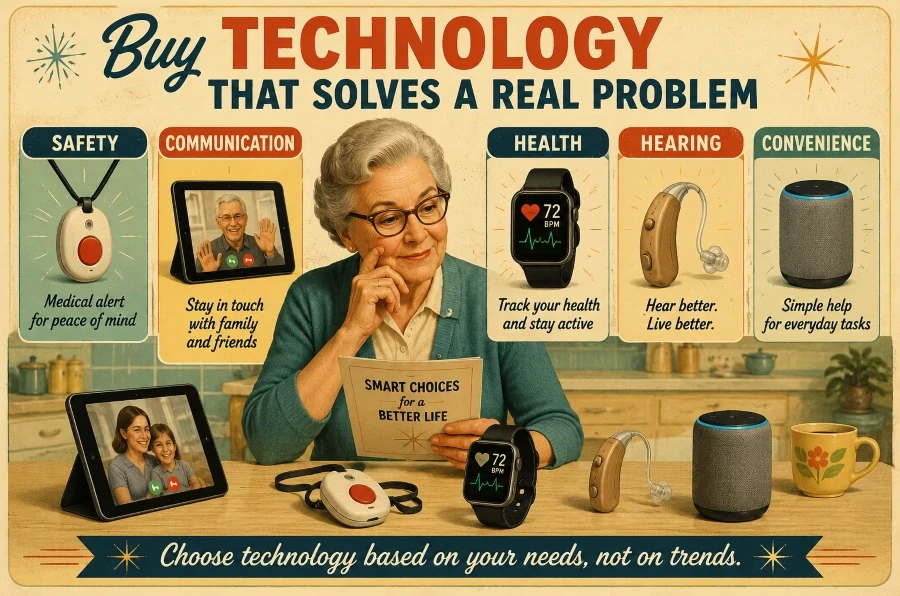
Before you pull out your wallet, ask yourself a simple question: What problem am I trying to solve right now?
It may seem obvious, but it’s common to be convinced to purchase features you’ll never need. For example, if your main goal is peace of mind when living alone, a basic medical alert button is ideal.
If you’re having trouble hearing your family on the phone, a dedicated hearing device is the solution. A tablet used to view photos of grandkids serves a completely different purpose from a smartwatch that monitors your heart rate.
Don’t purchase a gadget solely because it’s trending or recommended by a tech-savvy relative. The ideal device isn’t necessarily the newest, flashiest, or priciest; it’s the one that genuinely simplifies your everyday routine.
Before buying, determine exactly what you want the tech to handle:
- Staying safe: Quick help in an emergency or fall.
- Staying connected: Face-to-face video calls with family.
- Health: Tracking steps, sleep, or vitals.
- Fun: Playing games, reading books, or listening to music.
- Home: Seeing who is at the front door without getting up.
- Independence: Medication reminders or hands-free help from a smart speaker.
Once you clarify your primary objective, simplifying your options becomes much more straightforward.
Is It Easy to Set Up and Use?
Some gadgets appear impressive in commercials but can be frustrating to use in daily life. Before purchasing, consider how much patience you’ll need to set it up and understand its functions.
A senior-friendly device doesn’t need an extensive manual. Seek devices with simple menus, large icons, and clear instructions. If you’re not very comfortable with technology, choose features like voice commands, physical buttons, and brightly lit, easy-to-read screens to simplify your experience.
Pay careful attention to the setup process as well. Some products need you to download three separate apps, create secure accounts, connect to Wi-Fi, and update before they can be powered on.
Some devices work almost immediately once unpacked. If a device is too complex from the beginning, it’s likely to end up unused in a drawer.
Before buying, ask yourself:
- Can I set this up on my own, or will I need a relative to do it?
- Are the instructions written in plain English?
- Does it have real, physical buttons, or is it strictly a touchscreen?
- How often will I have to troubleshoot or update it?
Useful Tip: Explore ACCESS for Aging Well for expert advice on tools that help maintain independent living. It’s a great free resource created by specialists in aging and assistive technology.
Are the Screen, Buttons, and Controls Easy to Use?
You need technology that is comfortable to use daily. No matter how advanced a device is, if its tiny screen or buttons are hard to navigate, it loses its usefulness.
Modern design favors sleek, flat touchscreens, but they may not always be the best choice. Sometimes, a physical button offering a clear “click” sensation is preferable.
If you experience changing eyesight or stiff joints, features such as high-contrast displays, adjustable font sizes, and voice commands are essential for usability, not just optional extras.
Before buying, ask yourself:
- Can I read the text comfortably without scrambling for my reading glasses?
- Are the buttons large enough to press without hitting two at once?
- Can I easily increase the font size and screen brightness?
- Will the glare from a sunny window make the screen impossible to see?
- Would it be easier to just talk to the device rather than type on it?
Spending a few minutes to test-drive the controls in person can save you a major headache down the road.
Does It Require a Smartphone or an Internet Connection?
Check whether the gadget operates independently or relies entirely on a smartphone, home Wi-Fi, or cellular service before purchasing.
Some medical alert systems and smartwatches can make emergency calls independently, whereas others are only useful when they are close to your smartphone.
Smart speakers and security cameras also become useless without a reliable internet connection. If you don’t have a smartphone or prefer devices that need no setup, always choose products labeled as “standalone.”
Before buying, ask yourself:
- Does this device need Wi-Fi to work, or can I just plug it in and go?
- Do I have to pair this with a smartphone for it to be useful?
- Am I going to be forced to download a separate mobile app?
- Are the best features locked behind a monthly internet or data plan?
Reviewing these requirements in advance can help you avoid an unpleasant surprise when you arrive home.
Further Reading: Check out our guide on Smart Wearable Medical Alert Systems if you’re interested in medical alert devices.
Is It Compatible With the Devices You Already Own?
Not all tech gadgets are compatible. Before introducing a new device, verify it works well with your existing phone, tablet, or TV.
For example, some smartwatches are exclusively compatible with Apple iPhones, whereas others are only designed for Android devices. Similarly, certain home security cameras and smart speakers are built to function seamlessly within a particular brand, effectively blocking out devices from other brands.
A gadget that looks great in theory may miss key features if it doesn’t communicate with your existing devices. Staying within the same “family” ensures simpler troubleshooting and a smoother setup.
Before making a purchase, ask yourself:
- Will this new gadget actually connect to my current phone or tablet?
- Does it work with my existing home Wi-Fi network?
- Am I going to have to buy extra cables, plugs, or accessories just to get it to work?
- Can it talk to the smart devices I already have set up in my house?

Checking this ahead of time will save you a frustrating trip back to the store to return something that won’t connect.
Further Reading: To compare device performance, review our comparisons of Medical Alert Watches and Smartwatches.
Are There Any Hidden Costs?
The price on the shelf often doesn’t reflect the total cost. Many modern gadgets entail ongoing expenses that aren’t clear until after purchase.
For example, many medical alert systems need a monthly monitoring fee to be effective, while security cameras often store your video history in a cloud service that requires a subscription. Smartwatches might also need an additional monthly data plan from your mobile provider, and certain apps push you into paid memberships just to access basic features.
Before purchasing, briefly calculate the true cost of owning the device over the next one or two years, not just the initial price.
Before buying, ask yourself:
- Is there a monthly or annual subscription fee associated with this?
- Do I have to pay extra just to store my data or videos in the cloud?
- Does it come with everything I need, or are essential accessories sold separately?
- How often will I need to buy replacement batteries, and what do they cost?
- Is the warranty included, or are they going to try to upsell me on a protection plan?
Unnoticed ongoing fees can rapidly transform a seemingly inexpensive gadget into a high monthly cost if you’re not vigilant.
Related Reading: The Five Best Hand Massagers for Seniors With Arthritis.
How Reliable Is Customer Support?
Even simple gadgets can sometimes malfunction or become confusing. That’s why reliable customer service is just as crucial as the device’s quality.
Before giving your credit card details, find out how the company manages issues when they arise. Some brands offer a phone support line with real representatives, live chat, video tutorials, and straightforward manuals.
Some companies hide behind automated systems or make you wait days for email replies. If you need quick help with a setup or a sudden software update, poor support can turn what should be a great device into a frustrating experience.
Before making a purchase, ask yourself:
- Can I actually speak to a live human being if I get stuck?
- Is there a dedicated phone number to call, or is it strictly online?
- Are the user manuals and troubleshooting guides easy to locate and read?
- What do the user reviews say about the company’s customer service?
- How long is the warranty, and what is the return policy if I just can’t get it to work?
Spending a few moments reviewing the return window and support options prior to purchasing can help you avoid ending up with a costly paperweight.
You can also consult our guide to the Senior Technology Glossary for more practical advice on managing and understanding your technology.
How Easy Is Charging and Maintenance?
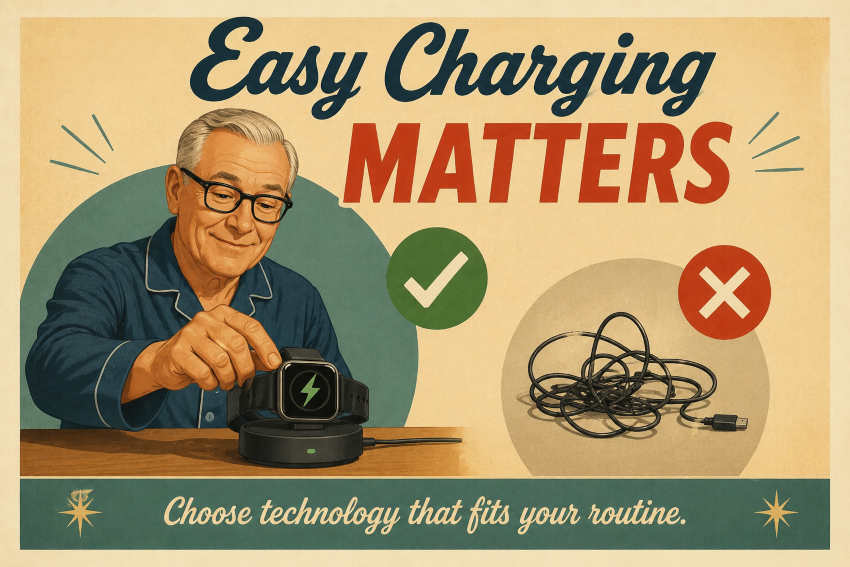
Battery life is the most crucial factor here. A smartwatch or medical alert device that requires nightly charging won’t be helpful if it spends half its time dead on your nightstand.
You also want to look at how it charges. Fumbling with tiny, delicate micro-USB cords in the dark is incredibly frustrating compared to a device you can simply drop onto a magnetic charging cradle or dock.
Before buying, ask yourself:
- How many days will this device actually last on a single charge?
- Does it drop onto an easy charging dock, or am I going to fumble with tiny cords?
- Is the physical design easy to wipe down and keep clean?
- Does it handle its own software updates automatically, or will it freeze up and force me to install them manually?
- If my eyesight or hand dexterity changes down the road, will this routine get too difficult?
Choosing a device that easily integrates into your daily routine without becoming a hassle makes embracing new technology much more enjoyable.
Is the Device Safe and Secure?
While modern technology offers great convenience in daily life, it can also pose privacy and security challenges. Before introducing a new device into your home, it’s essential to understand how it manages your personal data.
Smart speakers, security cameras, smartwatches, and tablets inherently collect numerous details about you, such as your daily whereabouts, health information, and browsing patterns.
Since these products rely on online accounts and mobile apps, your personal data is often stored on company servers. To safeguard your information, choose devices with robust password protection, automatic software updates, and clear privacy options.
Before making a purchase, ask yourself:
- What kind of personal, location, or health data is this device actually collecting?
- Can I easily adjust the privacy settings to limit what the device shares?
- Does the manufacturer commit to regular, automatic security updates to patch flaws?
- Can I lock the device or its companion app with a secure password, PIN, or biometric check?
- What happens to my accumulated data if I decide to delete my account or stop using the product?
The U.S. Federal Trade Commission recommends that consumers review privacy policies and security features prior to buying internet-connected devices.
Will This Device Meet Your Future Needs?
The top technology not only remains useful today but should also adapt to support you as your needs evolve.
For example, you might only need a smartwatch to track steps today, but later you might find features like fall detection, heart rate monitoring, or emergency calling useful.
A simple tablet might suffice for reading emails today, but you might later need it for telehealth visits or video calls with family. Selecting a device that can adapt as your needs evolve often offers greater long-term value than replacing it after just a year or two.
Before buying, ask yourself:
- Will this device still be useful in a few years?
- Can I add new features or applications later?
- Does the manufacturer commit to long-term software updates?
- Will it continue to work smoothly if my daily needs change?
- Is the physical hardware built to last?
Planning ahead ensures you select technology that is practical, dependable, and well worth your investment.
Related Reading: 15 Common Tech Issues Seniors Face and How to Fix Them.
Common Mistakes Seniors Make When Buying Technology
Even seasoned shoppers can fall into expensive traps when buying new tech. Remembering these common pitfalls can guide you toward smarter choices.
- Buying features you do not need: More expensive devices often include advanced tools that you may never use.
- Ignoring monthly fees: Some products require subscriptions for monitoring, cloud storage, or cellular service.
- Choosing the cheapest option: A low upfront price can sometimes mean poor quality or limited customer support.
- Overlooking compatibility: Not every smartwatch, camera, or smart speaker works with every phone or tablet.
- Skipping customer reviews: Reading reviews can reveal common problems that are not mentioned in advertisements.
- Forgetting about ease of use: Small buttons, confusing menus, and complicated setup processes can quickly become frustrating.
Spending a few additional minutes researching a product before purchase can help you avoid wasting time and money and facing disappointment afterward.

FAQs About Buying Technology for Seniors
How can older adults select suitable technology?
Begin by pinpointing the specific issue you aim to address, whether it involves maintaining family connections, enhancing safety, tracking health, or enjoying entertainment. After clarifying your goal, evaluate products by considering their usability, compatibility, and price.
Is costly technology necessarily superior?
No, a higher price doesn’t necessarily guarantee a better experience. The ideal device is the one that caters to your specific needs and is easy enough to operate daily.
What are the key factors seniors should review before purchasing a new device?
Before purchasing, consider the screen size, user-friendliness, device compatibility, subscription costs, customer support, battery life, and privacy options.
Do seniors need a smartphone to use modern technology?
Not always. Many devices, like some medical alert systems and smartwatches, can operate entirely on their own. However, others need a smartphone, a mobile app, or a stable internet connection to work properly.
How can seniors avoid online scams when buying technology?
Always choose reputable, well-known retailers and check independent customer reviews. Be cautious of deals that appear too good to be true, and never disclose your personal or financial details on suspicious websites.
What technology is most useful for older adults?
The choice largely depends on personal needs, but common and useful options include tablets, medical alert systems, smartwatches, hearing aids, smart speakers, and basic home-security devices.
Why is customer support so important?
Effective customer support eliminates the frustration of owning technology. Access to real people assists with initial setup, troubleshooting, software updates, and warranty claims, making your new device much easier and less stressful to use.
How long should a device last?
Most modern devices should remain useful and reliable for several years. Opting for products from manufacturers that promise long-term software updates and dependable customer support will help maximize their lifespan.
Final Thoughts
Purchasing new technology might seem daunting, with numerous devices vying for your focus. Nonetheless, spending a few moments to ask the right questions can prevent frustration, cut costs, and help you select products that truly enhance your everyday life.
Whether you’re looking at a smartwatch, tablet, hearing device, medical alert system, or smart-home product, this technology-buying checklist for seniors helps you compare options with confidence. Focus not just on price or popularity, but also on ease of use, compatibility, customer support, hidden costs, and future requirements.
The ideal technology for seniors isn’t always the latest or priciest; it’s the one that aligns with your lifestyle and helps make daily tasks easier, safer, and more pleasurable.