
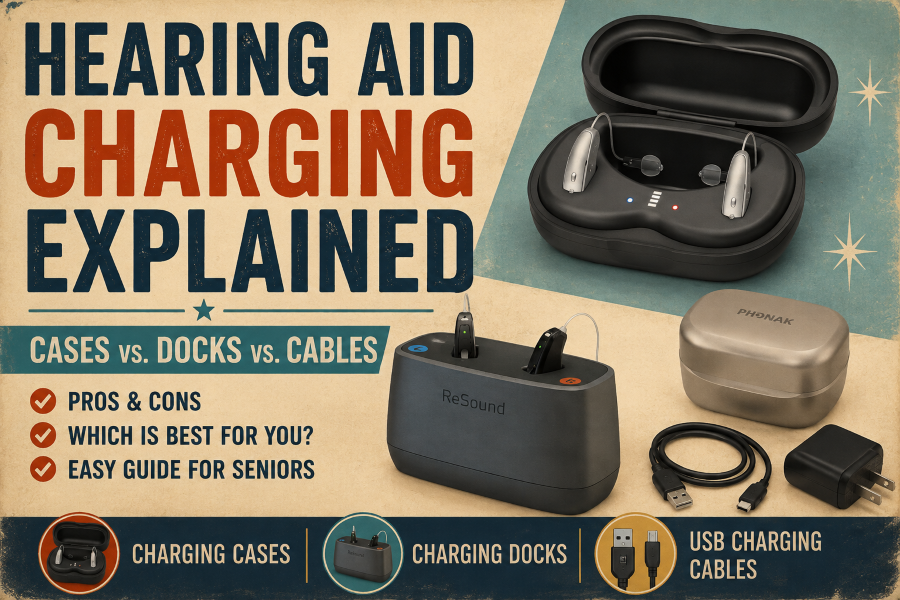
Rechargeable hearing aids solve the primary issue with traditional devices: the need to replace tiny, fragile button batteries every few days. Placing your hearing aids in a dock at night may seem straightforward, but charging methods vary widely among manufacturers, and these differences directly affect daily convenience.
For people with arthritis, hand tremors, or low vision, a complex charger can make a vital device frustrating to use every day. Active travelers may prefer a durable, enclosed case with built-in backup power. Those mostly at home might opt for a weighted, open-top desktop dock that stays steady on a nightstand.
Cases, docks, and direct cables each present unique trade-offs in physical features, such as magnetic alignment, color-coded bays, or push-button lids, that affect their ease of use.
Why the Charging System Matters
A hearing device’s convenience depends on its charging system. While sound quality is important, the charger affects how effortless your daily routine is. Built-in rechargeable batteries help older adults avoid changing small batteries, making daily care simpler.
Look beyond charging speed when choosing a charger to ensure the design fits your physical needs and daily habits. Key features to prioritize include:
- Simple slotting without struggling to seat the devices.
- Bright indicator lights that clearly show charging status.
- Magnetic snap-ins to pull the devices into place.
- One-handed use for limited grip strength or arthritis.
- Internal battery storage for frequent travel.
Remember that chargers are specific to each brand. Avoid mixing cases, docks, or cables from different manufacturers, and always verify compatibility before purchasing a spare.
The National Institute on Deafness and Other Communication Disorders (NIDCD) covers modern hearing aids, with more details on device designs.
Types of Hearing Device Charging Systems
Manufacturers provide various charging systems tailored to different lifestyles. Some emphasize portability, while others are designed for easy, stationary use at home.
The three primary charging options are:
- Charging cases: Compact cases to protect devices, with many incorporating built-in batteries for off-grid power.
- Charging docks: Desktop stations that remain plugged in on a nightstand or desk.
- USB cables: Direct-connect cords save packing space but require careful handling.
Many brands also use magnetic alignment, which automatically pulls the hearing aids into place, eliminating the difficulty of aligning small charging pins.
Key Fixes
- Restored Section Heading: Added
## Types of Hearing Device Charging Systemsback to the top. - Shorter Bullets: Condensed each bullet point into 1–2 short sentences for quick readability.
- Removed AI Signposting: Cut the ending transition sentence (“In the following sections, we’ll look at…”) to keep the prose concise and direct.
Charging Cases
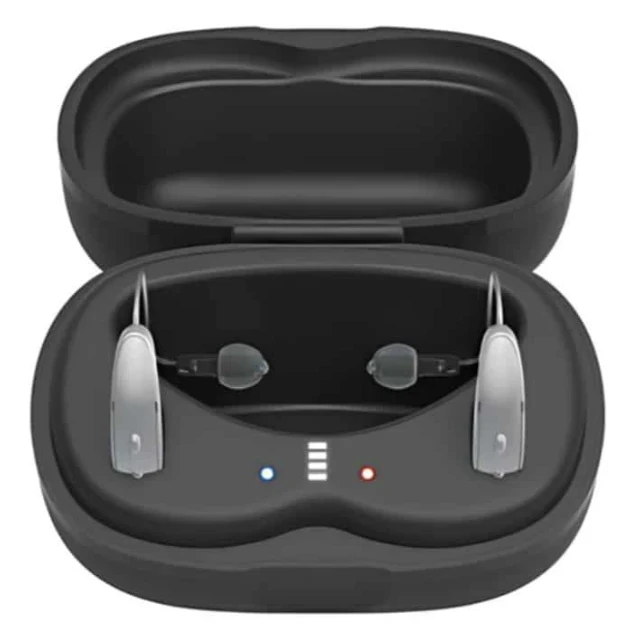
A charging case serves two key functions: it powers your hearing aids and protects them from drops and debris. Small enough to fit in a pocket or handbag, these cases are ideal for active users.
Many premium cases include built-in power banks that can fully charge your devices multiple times without a wall outlet. In contrast, standard cases lack an internal battery and charge your aids only when connected to a power source.
Advantages
- Protective and portable: Protects devices from damage and fits in travel bags.
- Off-grid power: Models with built-in power banks provide power away from wall outlets.
- Automatic start: Charging begins as soon as you place your devices.
Limitations
- Higher cost: Typically more expensive than basic stationary docks.
- Maintenance: Internal power banks require separate recharging.
- Visibility: Status LEDs can be small or hard to read for low-vision users.
Best for: Active lifestyles, frequent travelers, and anyone seeking a single protective accessory.
Signia’s portable chargers serve as real-world examples, demonstrating how onboard power banks and status LEDs operate during travel.
Key Fixes
- Clean Layout: Rephrase the heading and sections to improve readability.
- Shortened Bullets: Trimmed the advantages and limitations into concise points.
- Integrated Link Reference: Refined the “Further reading” meta-instruction to make it read smoothly as part of the main content.
Read our guide to MFi, ASHA, and Bluetooth LE Audio Explained to better understand how hearing devices connect to smartphones and other devices.
Charging Docks
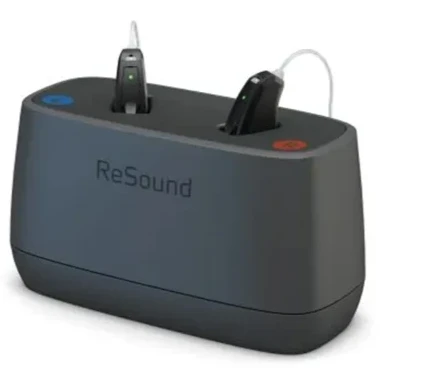
A charging dock is a fixed station designed to remain plugged in at home. Instead of carrying a charger everywhere, you just place your hearing aids into the base before bed. Most users find this simple routine helpful since it requires little effort, even in the dark.
Most charging docks don’t have internal batteries. They depend on a constant outlet connection, making them suitable for a permanent placement on a nightstand or desk. Many models include magnetic pulls or oversized charging slots to simplify device placement.
Advantages
- Simple setup: Easy to drop devices into place at bedtime.
- Dexterity-friendly: Wide slots and magnetic alignment help those with limited grip or tremors.
- Clear status: Prominent lights clearly indicate when charging finishes.
Limitations
- Fixed location: It must stay connected to a wall outlet.
- Not travel-ready: Open design doesn’t offer protection during transport in a bag.
Best for: Anyone who primarily charges at home and wants a low-effort, stationary routine.
Check out the guide to ‘Smartphone Compatibility With Hearing Devices’ for what to look for before you buy and to understand the key compatibility features.
USB Charging Cables
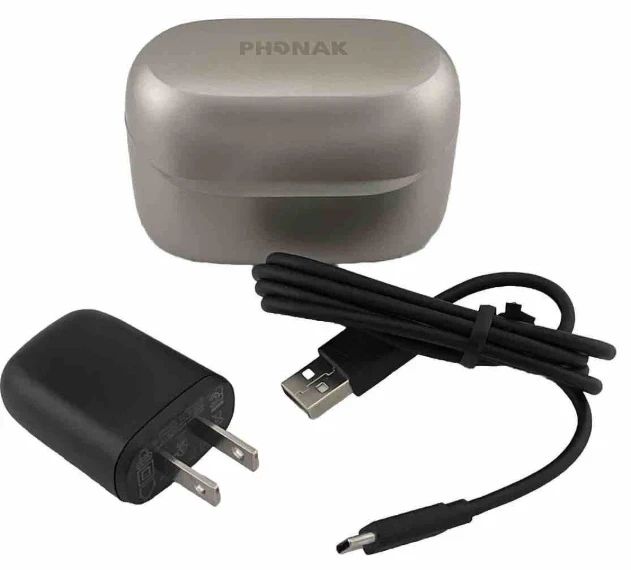
Some hearing devices charge via a direct USB cable instead of a dock or case. The cable connects to the hearing aid or a small adapter and draws power from a wall charger, computer, or power bank. Newer models use standard USB-C connectors, while others have proprietary magnetic pins.
Advantages
- Ultra-portable: Lightweight and takes up almost no space in a pocket or bag.
- Versatile power: Plugs into standard power banks, laptops, or car chargers.
- Low cost: Much more affordable to replace than purchasing a dedicated dock or case.
Limitations
- Fiddly connections: Aligning the port needs precise control and sharp vision.
- No protection: Leaves hearing aids exposed on the surface while charging.
- Brand-specific: Connectors seldom work interchangeably across various models.
Best for: Minimalist travelers, budget-savvy users, or those who need a compact backup charger.
Cases vs. Docks vs. Cables
Each charging system offers unique benefits. The ideal option varies based on your usage location, travel frequency, and how easily you can handle the charger daily.
Table
Which One Should You Choose?
- Pick a charging case if you frequently travel or prefer a single accessory that charges and safeguards your devices.
- Choose a charging dock for a home stationary setup that’s easy to place every night.
- A USB charging cable is perfect for lightweight backups or regular charging from laptops, power banks, or travel adapters.
A charging system should seamlessly integrate into your daily routine. For many older adults, a charger that is simple to handle each day is more important than additional features they seldom utilize.
The Hearing Loss Association of America (HLAA) offers helpful guidance on selecting and using hearing devices, including rechargeable options, for further reading.
Accessibility Features Worth Looking For
Some charging systems are easier to use than others. Besides charging speed, pay attention to design features that simplify daily use, especially if you have arthritis, hand tremors, or vision issues.
Important accessibility features to focus on include:
- Magnetic alignment: Built-in magnets securely snap the hearing aids into place, eliminating the need to guess the correct positioning.
- Wide charging wells: The large slots facilitate fast insertion and removal, minimizing fumbling.
- Bright status LEDs: Clear visual feedback is provided by prominent lights at the start and end of charging.
- One-handed operation: Weighted bases allow you to dock or lift devices without holding the charger down.
- Easy-open lids: Push-button latches or large edges help reduce strain on stiff fingers.
Which Charging System Is Best?
The best charger for you depends on your daily habits rather than the hearing aid itself. Consider where you’ll use it most frequently and how comfortable it is to handle daily.
Best for Home Use
A charging dock is typically the most convenient choice if you recharge in the same location each night. Simply place the devices on the base before going to bed, and they’ll be ready to use in the morning.
Best for Frequent Travelers
Individuals who are often on the go can pick a charging case. Hard cases protect your hearing aids during travel, while models with built-in power banks allow several recharges without an outlet.
Best for Limited Hand Dexterity
Look for chargers built with:
- Magnetic alignment that snaps aids into position.
- Wide charging wells for quick placement.
- Push-button lids or open-top designs.
Best for Vision Difficulties
Prioritize chargers that feature:
- Large, high-contrast LED lights to confirm power status.
- Color-coded bays (red for right, blue for left).
- Tactile grooves that guide devices into place by touch.
Buying Tip:
- Before purchasing a replacement charger, verify that it is compatible with your specific model.
- Cases, docks, and cables typically cannot be swapped between brands.
- Consult the manufacturer’s support page or speak with your hearing care professional before making a purchase.
See our Senior-Friendly Hearing Devices Usability Checklist for more help choosing a comfortable and easy-to-use device.
Considerations for Daily Charging
Charging designs vary, but most manufacturers aim to make daily power straightforward and dependable. They include features such as magnetic alignment, clear LED indicators, and portable battery banks to keep your devices charged effortlessly.
Before Buying a Replacement Charger
Review these essential checks before purchasing:
- Match the exact model: Compatibility depends on the specific device model, not just the brand.
- Stick to official accessories: Use chargers and cables that are recommended by the manufacturer to prevent damage to your devices.
- Verify battery type: Ensure the charger is compatible with your hearing aid’s particular battery chemistry.
- Buy authorized: Buy from authorized retailers or hearing care providers to ensure compatibility and maintain your warranty.
Common Charging Problems and Simple Fixes
Many charging problems can be quickly fixed at home and don’t necessarily indicate a broken device or charger. Perform these simple checks before contacting your provider.
Hearing Device Isn’t Charging
- Incorrect placement: Reseat the devices to ensure they are seated fully in the charging slots.
- Dirty contacts: Use a soft, dry cloth to wipe the metal charging contacts on both the aids and the charger.
- No power source: Check if the charger is firmly plugged into an active wall outlet.
- Deeply drained battery: Keep the devices on the charger for at least 30 minutes to jump-start a completely drained battery.
Charging Light Doesn’t Turn On
- Check connections: Confirm that the power cable is firmly attached to both the wall adapter and the charger.
- Test the outlet: Plug in another electronic device to test if the outlet is functioning.
- Adjust position: Lift and reposition the hearing aid to trigger the charging connection.
Charger or Cable Appears Damaged
Stop using the accessory immediately if you notice any issues:
- Frayed, split, or exposed wires on the cable.
- Loose or bent connection ports.
- Cracked casing or broken charging docks.
Helpful Tip: Use only official accessories recommended by your manufacturer to replace damaged parts.
When to Seek Professional Help
Contact your hearing care provider if:
- Devices fail to charge after trying these fixes.
- The battery drains unusually fast during normal use.
- The charger feels hot to the touch while plugged in.
- The indicator light repeatedly flashes an error code.
The American Speech-Language-Hearing Association (ASHA) offers practical guidance on the daily care and maintenance of rechargeable hearing aids.
Frequently Asked Questions
Can I use any charger with my hearing device?
Most chargers are made for particular hearing device models and cannot be swapped between brands. Always verify compatibility before buying a replacement.
How long does it take to fully charge a hearing device?
Most rechargeable hearing aids reach a full charge in 3 to 4 hours. Many modern models also include a quick-charge function, delivering several hours of battery life after a 15- to 30-minute charge.
Is it safe to leave hearing devices on charge overnight?
Modern charging systems include automatic power management that halts charging at 100%, preventing overcharging overnight.
Do all charging cases have a built-in battery?
Premium portable cases include built-in power banks for off-grid charging, while standard cases require a wall outlet to charge your devices. Be sure to review the specifications before making a purchase.
Can I replace a lost charging case or charging dock?
Manufacturers and authorized hearing care providers offer standalone replacement chargers. Just make sure the replacement corresponds precisely to your hearing aid’s model and generation.
Final Thoughts
Selecting the right hearing aid charging method depends on your daily habits. Portable cases are convenient for travel, stationary docks make for an easy bedside charging routine, and USB cables serve as compact backup options. The best choice depends on your lifestyle and dexterity, not on any method being universally better.
Always confirm that the replacement charger matches your specific model before buying. Taking a few moments to review the manufacturer’s specifications can prevent unnecessary expenses and guarantee dependable power for years.