
GPS tracking devices help locate an older adult, alert when they wander, or show their last known position. However, they have limitations: they can lag, lose signal indoors, run out of battery, or stop working if cellular coverage is lost or a subscription expires.
Before purchasing, it’s important to understand how the technology works and its limitations. GPS tracking provides valuable safety benefits but is not foolproof and cannot replace direct, personal care.
What Is a GPS Tracking Device for Seniors?
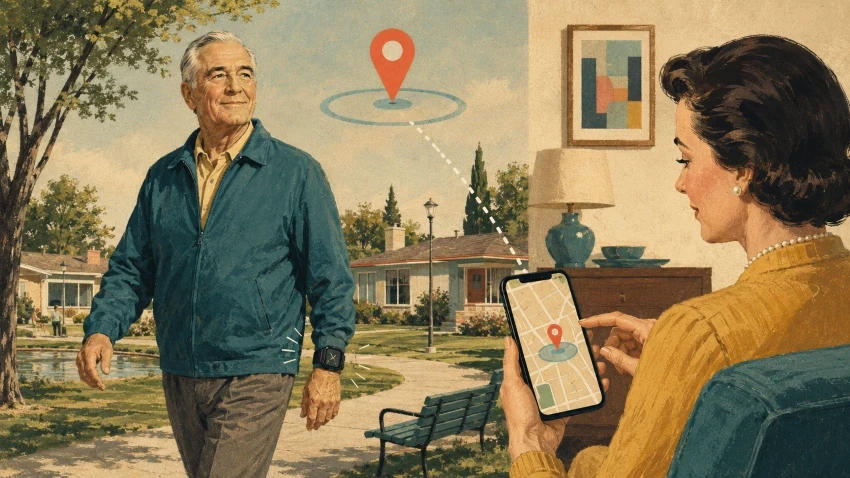
A GPS tracker for seniors is a compact device that uses satellite and cellular signals to determine its location. Family members or caregivers can view the user’s precise location via a smartphone app or a website.
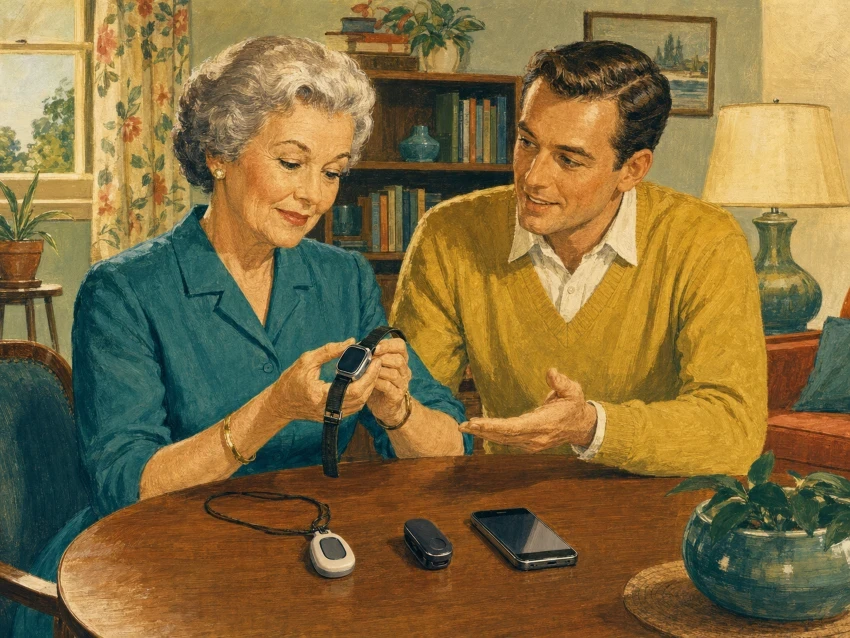
These trackers include smartwatches, pendants, clip-ons, shoe inserts, or pocket-sized pods. Some models may also track location history, send alerts when the person leaves a safe zone, or include an SOS button and two-way calling.
It’s important to note that a basic GPS tracker differs from a medical alert system. Some devices only report location data, while medical alert systems connect users to a 24/7 monitoring center during emergencies. A tracker can show you someone’s location, but it won’t automatically call for help.
How GPS Trackers Determine Location
Trackers use signals from Earth-orbiting satellites to determine their exact positions, by sending data over cellular networks, allowing you to view it on a map on your phone or computer.
Satellite signals can be weak indoors or behind dense obstacles, and many devices also scan for nearby Wi-Fi networks and cell towers to compensate, allowing the tracker to function indoors, although its location accuracy may be slightly lower.
However, the device relies entirely on battery life and an active connection. If it runs out of power or loses contact with satellites, cell towers, and Wi-Fi simultaneously, the app will not update. Instead, it will display the last known location rather than the wearer’s current position.
What GPS Tracking Devices for Seniors Can Do
Features vary by brand, but most trackers support a mix of these core functions:
- Real-time location mapping: Approved contacts can access an app or website to view the device’s current location or most recent position.
- Geofencing alerts: You can create a virtual boundary around a safe zone, such as a home or neighborhood. Whenever the wearer crosses this line, the app immediately sends you a notification.
- Shared caregiving access: Most systems allow several family members or neighbors to log in to the same app, enabling them to monitor activities collectively.
- Location history: Depending on your subscription, you’ll be able to review a specified period to see the routes or locations the wearer has visited.
- SOS buttons and two-way talk: Some models include an emergency button for instant contact alerts. Premium devices also include integrated speakers and microphones, enabling direct conversation through the tracker.
Remember that each device manages these features uniquely. Prior to purchasing, review the details to determine which functions are included by default and which require a premium monthly plan.
You can also check out our guide to senior health-monitoring wearables to find options that prioritize overall health and independence, especially if you’re looking for more than just location tracking.
What GPS Tracking Devices Cannot Do?
A GPS tracker can enhance safety, but it isn’t foolproof. Before depending on it, be aware of its limitations.
- They don’t guarantee precise pin locations: Walls, trees, tall buildings, and roof structures can interfere with satellite signals. As a result, the map might indicate that the wearer is down the street, even if they are actually inside a nearby shop.
- Dead zones are common: Trackers face significant challenges indoors, such as in basements or rural areas with weak cell service. Without a connection to a tower, they can’t provide updates.
- They track the device, not the person: A tracker only tells you where the gadget is. If it gets left on a nightstand, dropped in a parking lot, or forgotten in a jacket pocket, the map data becomes useless.
- They don’t prevent emergencies: A tracker cannot prevent falls, prevent wandering, or keep someone away from danger; it only shows their location after an incident has occurred.
- Help isn’t always automatic: Without a premium medical alert plan with 24/7 dispatch, pressing the SOS button typically only sends a text to your phone. If you overlook that alert, no assistance will arrive.
- Dead batteries mean zero data: Once the battery dies, tracking stops immediately.
- They can’t replace a real person:
The Alzheimer’s Association notes that no electronic tracking system is completely accurate, and a device can never replace a human companion or caregiver.
A GPS tracker functions optimally when integrated into a comprehensive care plan. It serves as a supplementary tool rather than a replacement for direct observation through hands-on monitoring.
GPS Tracker vs Medical Alert Device
GPS trackers and medical alert devices may appear similar, but they often serve different purposes. A GPS tracker mainly reports the user’s location, whereas a medical alert device is intended to enable the user to summon help.
| Feature | GPS tracker | Medical alert device |
| Location tracking | Usually included | On some mobile models |
| Geofencing | Common | On selected systems |
| SOS button | On some models | Usually included |
| Monitoring centre | Not always available | Common with monitored plans |
| Two-way communication | Model-dependent | On mobile systems |
| Fall detection | Uncommon | Optional on some systems |
| Cellular subscription | Often required | Usually required for mobile use |
Some smartwatches integrate GPS, calling, and emergency features into a single wearable device. This guide explains how smartwatch features work and when seniors should use them, offering a detailed look at these versatile options.
The product’s design doesn’t specify what happens during an emergency. Before purchasing, verify whether pressing the button connects to family, a professional monitoring center, or emergency services. Confirm whether location data is transmitted automatically and ensure the service works in the areas where you plan to use the device.
Why a GPS Location May Be Delayed or Inaccurate
The map pin may not always display real-time or precise locations due to certain delays and errors.
- Blocked signals: Roofs, walls, trees, and tall buildings can block satellite signals.
- Bad cell service: The tracker can’t send data to your phone without a cell connection.
- Interval updates: Many devices only ping the location every few minutes to save battery.
- Bouncing signals: GPS signals bounce off structures, skewing the map location.
- Indoor guessing: Inside, devices determine location primarily through Wi-Fi or cell towers, though this method offers significantly lower accuracy.
- Battery savers: Low-power modes intentionally slow down tracking updates.
- App lag: The device may have updated, but the app hasn’t refreshed yet.
GPS.gov reports that physical obstacles and indoor environments consistently reduce accuracy.
Verify the map’s timestamp, not just the pin. A label that says “updated 15 minutes ago” indicates you are viewing outdated data. Always check this timestamp before heading out to respond to an alert.
Types of GPS Tracking Devices for Seniors
- GPS watches: Worn on the wrist and seldom forgotten, these devices provide geofencing, SOS buttons, and calling, but need regular charging.
- Pendants and clip-ons: These simple pods can hang around the neck, clip onto clothing, or sit in a pocket. They are straightforward to use, but they’re also easy to lose.
- Mobile medical alerts: Combine tracking features with access to family or 24/7 dispatchers. Verify whether emergency buttons connect you directly or contact a professional.
- Smartphones: Free built-in location sharing is available, but it only functions if the phone is charged and carried.
- Shoe insoles: Footwear trackers are ideal for users who avoid jewelry. Remember to verify battery life and shoe replacement expenses.
- Bluetooth trackers: AirTags and Tile trackers do not have GPS or cellular chips. They rely on nearby smartphones and are designed to track keys, not people.
The ideal format depends on how the user will carry it, how often it needs to be charged, and whether emergency talk features are necessary.
Features to Compare Before Choosing a GPS Tracker
- Update frequency: Faster updates give real-time data but drain the battery quickly.
- Geofencing: Check safe zone limits, who gets alerts, and potential notification delays.
- Battery and charging: Weak signals and constant updates drain power. Ensure the charger is easy for the senior to use.
- SOS button: It must be easy to press but hard to trigger accidentally. Confirm whether it alerts the family or 24/7 dispatch.
- Two-way communication: Look for clear call volume, simple answering methods, and contact restrictions.
- Water resistance: Check the exact rating. “Water-resistant” does not always mean it is safe for the shower.
- Wearability: If the tracker is heavy, uncomfortable, or bulky, the user will leave it behind.
- App usability: The caregiver app should be easy to navigate and show clear update timestamps.
- Coverage: Ensure the device matches the cellular networks available in the wearer’s specific area.
- Total cost: Factor in activation fees, monthly subscriptions, cancellation terms, and accessory costs.
Subscription, Cellular Coverage, and Battery Requirements
- Subscription costs: Most trackers necessitate a monthly subscription for cellular data and app updates. Be aware of activation fees, potential feature restrictions, and cancellation policies. Typically, tracking ceases once the plan expires.
- Cellular coverage: GPS determines the location, but cell networks transmit it to your phone. Test the coverage in the area around the seniors’ home and along their daily routes. Avoid purchasing trackers from other countries, since they might operate on incompatible networks.
- Battery requirements: Frequent updates and weak signals can quickly drain batteries. Make sure the app notifies family members when the battery is low, and choose a charging dock that the senior can easily use.
Visit our technology-buying checklist for seniors to learn more about long-term costs and compatibility.
Privacy and Consent
- Talk first: Discuss the device with the senior. Explain what data is tracked and who sees it.
- Secure the account: Restrict access to trusted individuals only. Use a strong password and enable two-factor authentication.
- Check the policy: See how long data is retained, whether it can be deleted, and if it is shared.
- Respect dementia patients: Engage the senior extensively and verify local legal requirements for consent.
- Protect dignity: Use tracking to ensure safety, not to diminish independence.
How to Test a GPS Tracker Before Relying on It
- Compare the map pin with the device’s actual outdoor location.
- Test it indoors and near tall buildings or trees.
- Cross a geofence and record the alert delay.
- Test the SOS button after notifying recipients.
- Check the speaker and two-way calling.
- Confirm that low-battery alerts reach the right people.
Practical GPS Tracker Evaluation Checklist
Location and Coverage
- Works in the wearer’s country.
- Has strong coverage in the daily visited areas.
- Shows a clear timestamp for the last update.
- Passed both indoor and outdoor location tests.
- Sends geofence alerts with minimal delay.
Safety FeaturesTheThe
- An SOS button is easy to press but hard to trigger by mistake.
- Emergency alert contacts are clearly designated.
- Two-way calling connects quickly.
- Speaker volume is loud enough for the senior.
Comfort and Charging
- Comfortable enough for daily wear.
- Securely attached so it won’t fall off.
- The charging dock or cable is easy to plug in.
- App sends low-battery alerts to caregivers.
- An everyday charging routine is established.
Cost and Privacy
- Transparent subscription fees and cancellation terms.
- Only trusted people have app access.
- Account uses a strong password and two-factor login.
- Location history can be manually deleted.
- Data privacy policy has been reviewed.
FAQs About GPS Tracking Devices For Seniors
How accurate are GPS trackers for seniors?
Accuracy can vary, with walls, trees, high-rise buildings, and indoor environments potentially distorting the map pin’s location.
Do GPS trackers work indoors?
Yes, but they rely on Wi-Fi or cell towers to determine locations, which reduces accuracy.
Can they work without cellular service?
No, GPS can determine the location, but the device requires cell service to transmit it to your phone.
Do all GPS trackers require a subscription?
Most people do. Monthly plans are usually needed for cell data, app access, and monitoring.
Is an AirTag a GPS tracker?
No, AirTags do not have GPS chips and depend solely on nearby Apple devices to update their location.
Will a GPS tracker contact emergency services?
Only certain models perform this feature, while most systems simply notify family members or a private monitoring center.
Can GPS tracking prevent someone from becoming lost?
No, it only assists in finding the device once the person has already wandered away.
Final Thoughts
GPS trackers can update users on current or recent locations, trigger geofence alerts, and share positions with trusted contacts. Certain models also include SOS or calling functions.
However, they cannot ensure precise positioning or function reliably in all locations. They cannot work without a battery charge, avoid emergencies, or substitute real human assistance.
Verify the coverage, subscription status, battery level, alerts, and privacy settings. Always test the tracker before depending on it.