
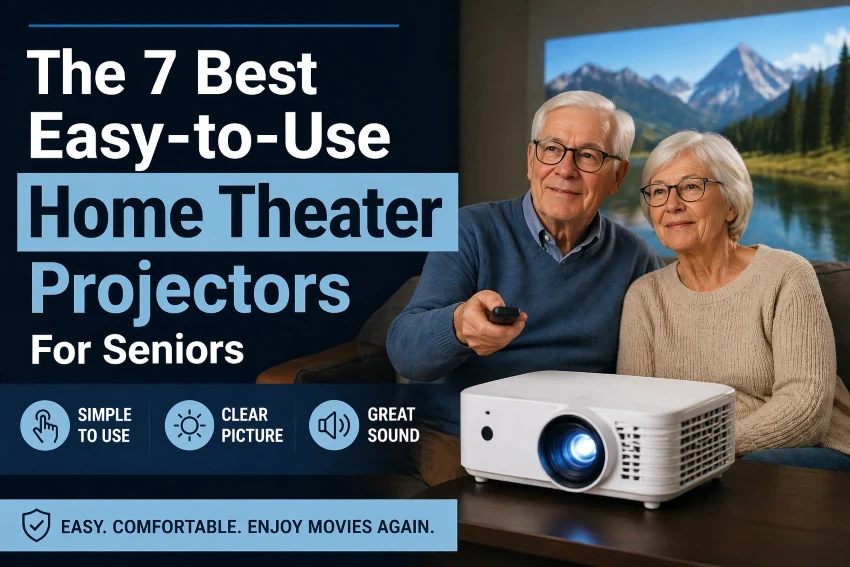
Picking a home theater projector shouldn’t be complicated, particularly for seniors who just want a larger screen for movies, TV shows, sports, or family videos.
The ideal projectors for seniors are easy to set up, simple to operate, and capable of providing clear images with minimal technical adjustments. Some reliable options come from brands like Epson and BenQ, known for their picture quality, while others offer smart features that enable streaming.
This guide focuses on user-friendly home theater projectors suitable for seniors. We compare premium, smart, portable, and budget-friendly options to help you select the projector that best matches your room, comfort preferences, and budget.
Why Choose a Projector Instead of a TV?
For many seniors, using a projector can be easier and more comfortable than a large TV, especially for watching movies.
Bigger screen for easier viewing.
- Projectors create a much larger image than most TVs
- This makes text, faces, and details easier to see.
- Helpful if you prefer less eye strain.
More comfortable for the eyes.
- Projectors utilize reflected light similar to how a cinema screen works.
- TVs emit direct light, making them appear brighter or more intense.
Projectors utilize reflected light rather than direct illumination, making them more comfortable for long viewing sessions, particularly in dark rooms.
Simple and flexible.
- You can set it on a table and begin watching.
- There’s no requirement for a large TV cabinet.
- Many modern models are plug-and-play.
Keep it simple.
- Functions optimally in a dimly lit or dark room.
- Initially, some models might require minor adjustments.
Bottom line: A projector is an excellent choice, especially with today’s easy-to-use models, if you want a larger, softer, and more comfortable screen.
Top Easy-to-Use Projectors for Seniors (Quick Picks).
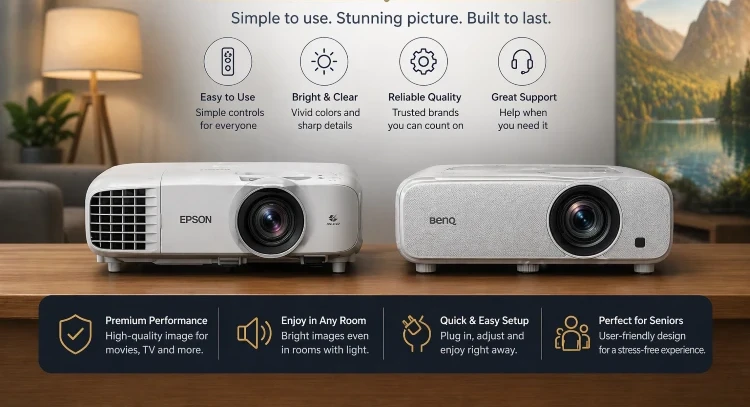
If you want a simple and reliable choice, start with these options known for their intuitive design, high image quality, and consistent performance.
- Best overall (easy + reliable): Epson for simple setup and bright picture
- Best value (balanced performance) → BenQ for good quality and easy controls
- Best smart projector (all-in-one): XGIMI with built-in apps and doesn’t require an extra device.
- Best portable (small & simple): Nebula is compact and easy to move.
- Best balanced option → Dangbei with a good mix of simplicity and performance.
- Best budget (very simple): HAPPRUN for low cost and basic use.
- Best beginner budget: YOWHICK, with plug-and-play and lightweight features.
These options meet different needs:
- Want the easiest experience: Pick Epson or XGIMI.
- Want a low price: choose HAPPRUN or YOWHICK
- Want something small and portable: Select Nebula.
Simple tip.
If you’re not comfortable with technology, opt for a model that includes:
- Built-in apps without extra setup
- Auto focus/auto correction.
- Simple remote control.
Best Premium Projectors (Easy and High-Quality).
For the easiest experience with the highest image quality, premium brands are the most reliable option. These models are built to be dependable, bright, and straightforward to operate.
Epson – Best for simple, reliable performance.
Epson projectors are easy to operate, with most models ready to use within minutes. They produce a bright, clear image, which makes viewing easier even when the room isn’t fully dark.
Their straightforward menus and remote control are intuitive, ensuring comfortable and hassle-free daily use.
- Very easy setup with plug-and-play.
- Bright image, even with some light.
- Clear menus and a simple remote.
Epson projectors are recognized for their reliability and ease of use, making them a dependable choice for beginners, according to projectorreviews.com.
BenQ – Best value for quality.
BenQ projectors are an excellent option for those seeking high-quality images without the high cost. They provide a well-rounded experience suited for daily home use.
- Excellent picture quality.
- Easy-to-use controls.
- Affordable and well-performing options offer a good balance.
Independent reviews often praise BenQ models for their accurate colors and straightforward setup, making them ideal for home usage.
Simple advice.
- Select Epson for the simplest experience.
- Pick BenQ if you want great quality for the price.
Best Smart and Portable Projectors (Simple to Use).
Nebula – Best for portability.
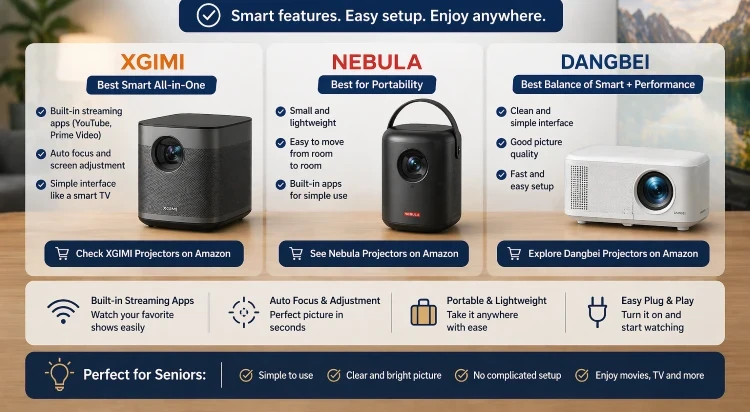
Nebula projectors are perfect for those seeking a compact and portable option. Their small, lightweight design allows for easy transportation between rooms.
- Small and lightweight.
- Easy to move from room to room.
- Built-in apps for simple use.
- Perfect for those seeking a compact and easy-to-handle option.
Overall, Nebula is an excellent option if you want a portable, user-friendly projector that seamlessly integrates into your everyday life.
XGIMI – Best smart all-in-one option.
XGIMI projectors come with built-in streaming apps such as YouTube and Prime Video, allowing you to start watching immediately without needing additional devices.
Most models feature automatic focus and screen adjustment, allowing the picture to set itself up within seconds.
- Built-in streaming apps such as YouTube and Prime Video
- Auto focus and screen adjustment.
- Simple interface like a smart TV.
Simply turn it on and start enjoying your content immediately.
You can also check out the top 6 Bluetooth projectors for hassle-free streaming, which connect wirelessly for added convenience.
Dangbei – Best balance of smart and performance.
Dangbei projectors feature a simple, user-friendly interface that ensures comfortable daily use.
- Clean and simple interface.
- Good picture quality.
- Fast setup.
Dangbei is a strong choice if you want a balance of ease of use and enhanced picture quality.
Best Budget and Simple Projectors for Seniors.
Budget projectors are a great choice if you’re seeking an affordable and user-friendly option. They are perfect for basic viewing, offering straightforward controls and fast setup.
However, set realistic expectations, as these models are less powerful than premium brands but more affordable and easier to get started with.
HAPPRUN – Best cheap and simple option.
HAPPRUN projectors are cost-effective and simple to set up, allowing you to start watching right away without complicated procedures.
- Straightforward to set up.
- Lightweight and compact.
- Good for movies and TV in a dark room.
HAPPRUN is an affordable choice for basic viewing, particularly useful for newcomers to projectors.
YOWHICK – Best for beginners.
YOWHICK projectors are an excellent choice for beginners seeking a straightforward and easy-to-use projector.
- Plug-and-play setup.
- Simple remote control.
- Easy to connect with HDMI and USB.
Overall, YOWHICK is a convenient, user-friendly projector for daily use, making it ideal for those new to projectors.
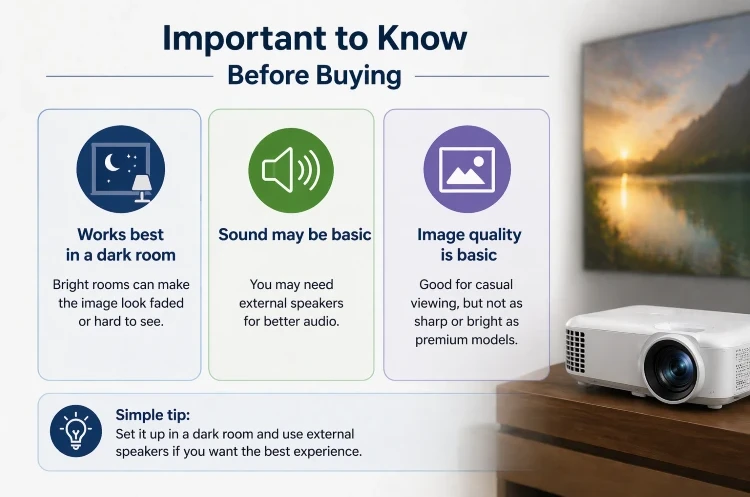
Helpful tips before buying.
- Lighting is important: in bright rooms, the image may appear faded or difficult to see, so these projectors perform best in dim or dark environments.
- Sound quality might be limited: built-in speakers can be underpowered, so consider using external speakers for better clarity.
- The image quality is decent for casual use, though it lacks the sharpness and brightness of higher-end models.
Choose HAPPRUN for the lowest price or select YOWHICK if you want very easy use.
How to Choose a Projector for Seniors (Simple Guide).
Selecting the ideal projector doesn’t need to be difficult. Concentrate on a few key features that significantly impact daily use.
Easy setup (most important).
- Look for plug-and-play models.
- Auto focus and auto correction.
This prevents the need for complex adjustments.
Simple remote control.
- Large buttons.
- Clear menu.
- Easy navigation.
This is important for ensuring stress-free use.
Brightness.
- Higher brightness makes it easier to see.
- Especially useful in a fully dark room.
- For optimal results, use in a low-light environment.
Sound quality.
- Built-in speakers are convenient.
- But external speakers give better sound.
- Helpful for movies and TV shows.
Easy connectivity.
- HDMI for a TV box or a laptop
- USB for simple playback
- Bluetooth for wireless speakers.
Selecting the appropriate brightness is crucial because it impacts how clear and natural the image looks under various lighting conditions. Properly adjusting brightness and contrast ensures details are visible in both dark and bright sections, enhancing overall viewing comfort, as described by Consumer Reports.
Simple advice.
For the simplest experience, select a projector that features:
- Auto setup.
- Built-in apps.
- Simple remote.
Pros and Cons of Projectors for Seniors.
Understanding the true benefits and limitations is essential to prevent surprises and select the appropriate projector model.
Pros.
- A much bigger screen makes viewing more comfortable.
- Offers a more immersive experience, similar to watching in a home cinema.
- Adjustable setup suitable for various rooms.
Cons.
- Bright light can degrade image quality.
- Sound may require speakers for basic built-in audio.
- Setup can vary by model, with some requiring adjustments.
Simple advice.
If you want:
- Ease + reliability: choose premium brands.
- Convenience: pick smart projectors.
- Low cost: select budget models.
If you’re looking to enhance safety while driving, consider checking the top 8 Rexing dash cam options.
Rexing models typically come with features such as wide-angle recording, 4K video, and GPS tracking to help capture key moments during travel.
FAQs About Projectors for Seniors.
Are projectors easy for older adults to use?
Modern projectors are far more user-friendly than earlier models. They often feature automatic setup, intuitive menus, and integrated apps, making them ideal for beginners.
Do I need a screen for my projector?
A simple white wall is adequate, but using a screen can enhance brightness and image clarity.
Can I watch Netflix on a projector?
Certain projectors include built-in apps, whereas others require a streaming device such as a Fire TV Stick or Chromecast.
What is the optimal brightness for home use?
While most projectors work well in dark rooms, choosing a brighter model can improve visibility in ambient light.
Do projectors need external speakers?
Most projectors come with built-in speakers, but these are often not very strong. Using external speakers can enhance the sound quality.
How far should I place the projector?
Most models require a few feet of distance, although many modern projectors can adjust automatically.
Seniors looking to enhance their driving safety can explore the top 5 easy-to-use dash cams for older drivers, offering straightforward, dependable options for everyday use.
Final Verdict – Which Projector Should You Choose?
Selecting the appropriate projector depends on your desired simplicity of use and your budget.
- If you prioritize ease of use and dependability, Epson is the most reliable option. These projectors are renowned for their straightforward setup and steady performance, making them perfect for beginners.
- BenQ provides excellent image quality and simple controls, making it a great choice for daily home use, especially when balancing quality and affordability.
- XGIMI is an excellent choice for those seeking convenience and fewer cables, thanks to its integrated apps and automatic setup features.
- Nebula projectors are lightweight and portable, ideal for use in various rooms or for occasional use if you value mobility.
- Dangbei offers a balanced option that doesn’t overcomplicate, perfect for those seeking a compromise between performance and user-friendliness.
Conversely, if minimizing costs while still enjoying a large display is your priority, budget-friendly choices such as HAPPRUN and YOWHICK are sensible options to begin with.
Ultimately, the ideal projector is the one that is easy to use, suits your space, and aligns with your comfort preferences.