Reading should be enjoyable at any age. However, for many seniors, traditional books become increasingly difficult to read with age.
Small print, poor lighting, and the weight of physical books can cause discomfort or fatigue during extended reading sessions, making e-readers essential.
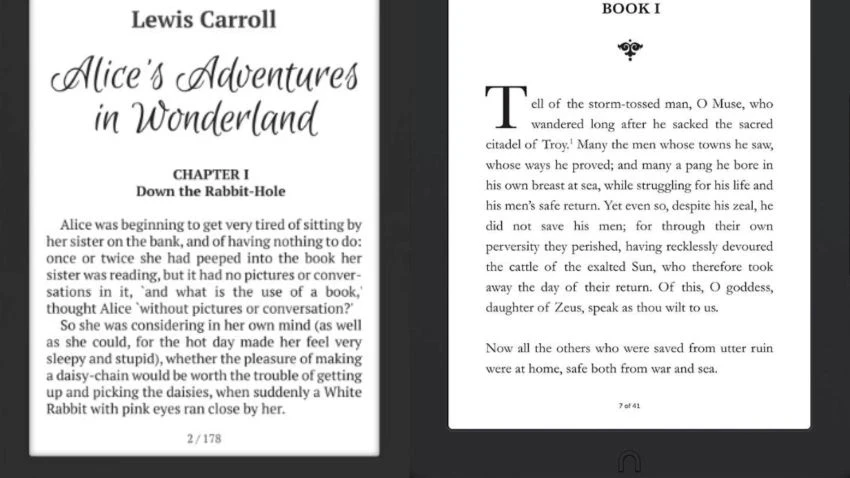
Modern e-readers include features designed to help older adults, such as customizable font sizes, high-contrast screens, glare-free displays, and integrated front lighting for easy reading day or night.
This guide reviews leading e-readers from various brands based solely on criteria suited for seniors, including simplicity, reading comfort, easy-to-read screens, and practical everyday use, rather than highlighting technical specifications to show what works best for seniors.
How We Tested E-Readers for Seniors?
We assessed each e-reader using uniform, senior-focused criteria, regardless of brand or price, to provide a fair, informative comparison that goes beyond technical specifications.
Instead, we focused on real reading comfort and everyday usability for older adults in five core areas:
Screen clarity and eye comfort.
We tested all e-readers using the same senior-focused criteria, regardless of brand or price, emphasizing real-world usability over technical specifications.
Our evaluation focused on five key areas:
Screen clarity and eye comfort.
- Text contrast and sharpness.
- Glare-free display.
- Comfortable long-reading sessions.
Font size and text customization.
- Maximum font size.
- Font styles and spacing.
- Easy settings without confusion.
Lighting quality.
- Built-in front light effectiveness.
- Brightness range.
- Warm-light options to reduce eye strain.
- Aligned with the American Academy of Ophthalmology‘s eye-health recommendations.
Ease of use and navigation.
- Menu simplicity.
- Touch responsiveness.
- Number of steps to perform basic actions.
- Overall learning curve for seniors.
Physical comfort.
- Device weight.
- Grip comfort.
- Presence of physical page-turn buttons.
- Suitability for arthritis or reduced hand strength.
Evaluating all devices using the same criteria ensured a fair, brand-neutral comparison, highlighting what genuinely benefits seniors in everyday use and what does not.
Kindle Paperwhite (Amazon).
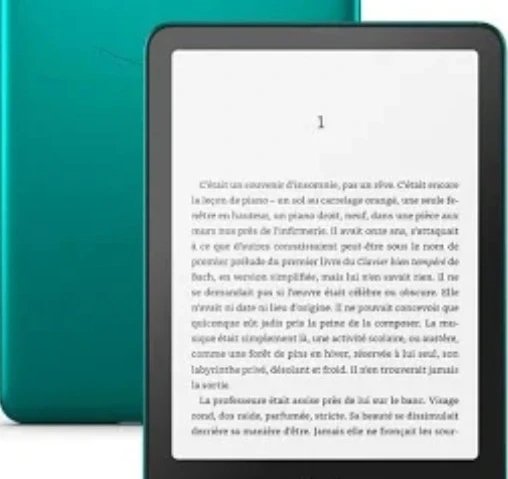
The Kindle Paperwhite offers a clean, distraction-free reading experience with features that work especially well for seniors, including a sharp display, adjustable text, and easy navigation.
Senior-friendly features.
- 6.8-inch glare-free E-Ink screen that looks like real paper.
- Adjustable font size, font type, and spacing.
- Warm light control for comfortable nighttime reading.
- Lightweight design, easy to hold for long sessions.
- Waterproof, useful for worry-free everyday use.
Pros and Cons.
Pros (for seniors).
- Very clear and high-contrast screen.
- Simple menus with a minimal learning curve.
- Excellent battery life.
- Solid Amazon ecosystem with large text-friendly books.
Cons/limitations.
- No physical page-turn buttons (touch only).
- Locked into the Amazon ecosystem.
- Basic interface for tech-averse users at first.
Common issues seniors may notice.
- Accidental page turns due to touch sensitivity.
- Some seniors prefer buttons instead of tapping the screen.
- Initial setup requires an Amazon account.
Price Range.
- Mid-range pricing.
- Often discounted during Amazon sales.
Best for: Seniors who want a simple, comfortable e-reader with excellent screen clarity.
Seniors who experience back or joint discomfort during long reading sessions may t find the Real Relax Massage Chair helpful for back pain relief. Using the right seating can greatly enhance reading comfort at home.
Kobo Clara BW.
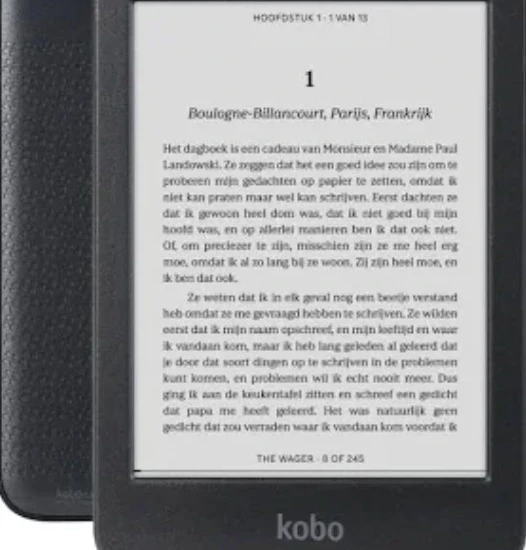
The Kobo Clara BW is a strong alternative to Amazon devices, especially for seniors who like borrowing e-books from public libraries or reading EPUB files.
Its clean, straightforward interface makes it suitable even for users who are less confident with technology.
Senior-friendly features.
- 6-inch glare-free E-Ink screen with strong contrast and sharp text.
- ComfortLight front lighting with adjustable brightness for day and night reading.
- Easy font size and font style adjustments, accessible in just a few taps.
- Lightweight body, comfortable to hold with one hand.
- Native EPUB support, ideal for library e-books and non-Amazon stores.
Pros and Cons.
Pros.
- Very clear and crisp text, even at larger font sizes.
- Simple menu layout with minimal clutter.
- Excellent option for library users.
- No forced Amazon ecosystem.
Cons.
- No physical page-turn buttons.
- Smaller screen than some premium models.
- Not waterproof.
Common issues seniors may notice.
- Touch-only navigation may not suit seniors who prefer buttons.
- A smaller screen may require more frequent page turns.
- First-time users may need a few minutes of initial setup.
Price range.
- Budget to mid-range.
- More affordable than premium Kindle models.
Best for: The Kobo Clara BW can be an excellent choice for seniors who value simplicity, clear text, especially those who borrow e-books from libraries.
Also consider reading the Sleep & Beyond Bedding review, which explains how choosing the right mattress and bedding can improve sleep quality and reduce nighttime discomfort.
PocketBook Verse.
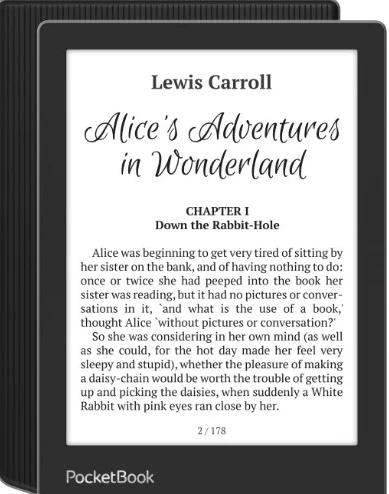
The PocketBook supports many file formats, making it ideal for seniors who already own e-books or receive files from family. Its simple interface is dedicated to reading, free of apps or distractions.
Senior-friendly features.
- 6-inch glare-free E-Ink screen with good contrast.
- Adjustable font size, font type, and line spacing.
- Simple, uncluttered menu system.
- Supports many EPUB, PDF, MOBI, DOC, and more formats.
- Lightweight and easy to hold with one hand.
Pros and Cons.
Pros.
- Very flexible file suppor.
- Clear text and a comfortable reading experience.
- Logical and easy to learn menus.
- Good battery life for everyday reading.
Cons.
- No physical page-turn buttons.
- Less advanced front light than premium models.
- Basic design compared to Kindle or Kobo.
Issues seniors may notice.
- PDF files may require zooming on the smaller screen.
- Touch-only controls may not suit everyone.
- Slightly technical initial setup options for first-time users.
Price range.
- Budget to mid-range
- Competitively priced compared to Kindle and Kobo.
Best For: Seniors who want freedom, simplicity, and wide-format compatibility without relying on a single e-book.
Our guide on the benefits of infrared heating pads for the elderly also explains how gentle heat therapy can help alleviate pain and enhance reading comfort, especially if hand or joint stiffness makes holding an e-reader difficult.
NOOK GlowLight 4.
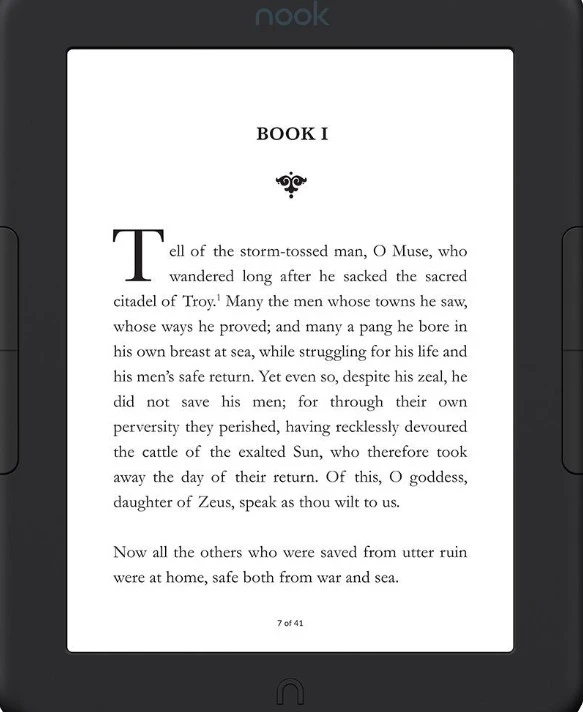
The NOOK GlowLight 4 includes dedicated physical buttons, making it especially appealing to seniors who find touchscreens frustrating or uncomfortable.
It emphasizes uninterrupted reading and features a straightforward, user-friendly interface.
Senior-friendly features.
- 6-inch glare-free E-Ink screen with sharp, easy-to-read text.
- Physical page-turn buttons (a big plus for arthritis or shaky hands).
- Adjustable font size, font type, and margins.
- Warm front light for comfortable night reading.
- Easy to hold for longer sessions.
Pros and Cons.
Pros.
- Physical buttons reduce accidental page turns.
- Very simple and uncluttered interface.
- Comfortable screen with good contrast.
- Easy learning curve, even for less tech-savvy users.
Cons.
- Smaller ecosystem compared to the Amazon.
- Limited availability outside the US.
- Fewer customization options than Kobo or PocketBook.
Common issues seniors may notice.
- Book store selection is smaller than Kindle’s.
- Setup may require a Barnes & Noble account.
- Fewer device accessories are available.
Price range.
- Mid-range.
- Often competitively priced compared to Kindle models.
Best For: Seniors who value physical buttons, simplicity, and distraction-free reading, making it one of the most comfortable e-readers for everyday use.
FAQs About e-readers for Seniors.
Are e-readers better than tablets for seniors?
E-readers use E-Ink screens that reduce glare and eye strain compared with tablets. They are also lighter, simpler, and ideal for extended reading sessions.
Which e-reader is easiest to use for seniors?
The Kindle Paperwhite and NOOK GlowLight 4 are some of the easiest e-readers to use. They feature straightforward menus, sharp text, and require minimal setup, making them ideal for beginners.
Can seniors easily increase the font size?
All the e-readers reviewed support large font sizes, font-style changes, and text spacing adjustments, usually with a few taps.
Are physical page-turn buttons important?
Physical buttons, like those on the NOOK GlowLight 4, help prevent accidental page turns and are easier for people with arthritis or shaky hands to use.
Can Seniors with vision problems use e-readers?
Features such as high-contrast text, adjustable lighting, and large fonts help many seniors read more easily, but they do not replace medical vision aids.
This guide also discusses common sleep disorders among older adults and their effects on sleep, highlighting why adequate rest is particularly important for seniors.
Final Thoughts: Which E-Reader Suits Seniors?
Testing devices from various brands using senior-focused criteria shows that dedicated e-readers provide the best reading experience for older adults, especially when eye comfort, simplicity, and ease of use are prioritized.
Most e-readers use E-Ink displays that resemble printed paper and help reduce eye strain, making extended reading sessions more comfortable and easier on aging eyes, unlike tablets or phones.
A Harvard study found that E-Ink e-paper displays, such as those in e-readers, are up to three times gentler on the eyes than traditional LCD screens, helping reduce eye strain during extended reading sessions.
The main picks stack up as follows:
- Best all-around pick: Kindle Paperwhite – excellent screen clarity and simplicity.
- Best non-Amazon choice: Kobo Clara BW – great for library users and EPUB support.
- Best flexible format support: PocketBook Verse – reads many file types.
- Best for tactile controls: NOOK GlowLight 4 has physical buttons that reduce accidental page turns.
E-Ink technology typically provides a more eye-friendly reading surface than traditional LCD screens, helping seniors read longer and more comfortably by reducing harsh blue light and glare that contribute to visual fatigue on other devices.
These options blend comfort, user-friendliness, and practical benefits to enhance reading enjoyment and ease, whether you’re choosing your first e-reader or upgrading to a more senior-friendly model.