
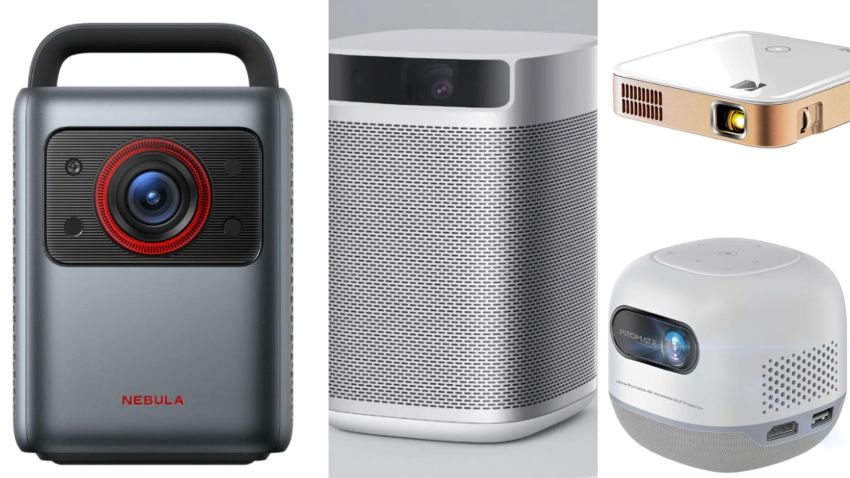
Bluetooth projectors have become a practical alternative to modern smart TVs, offering large, clear images without complicated menus or constant upgrades.
Seniors like larger screens with simple streaming via built-in Google TV or popular apps, and Bluetooth audio that connects easily to speakers or headphones.
Whether used to watch movies, follow news programs, or enjoy family photos, today’s bright projectors offer an accessible and comfortable viewing experience at home.
That’s why we feel compelled to share a guide that reviews the best Bluetooth projectors for seniors, focusing on models that are easy to set up, simple to control, and well-suited for everyday streaming.
We selected each recommendation with clarity, usability, and reliability in mind, allowing seniors and their families to make a confident, informed choice.
How We Selected the Projectors?
We carefully selected projectors based on real-world usability, ease of streaming, and trusted industry advice to make this guide truly helpful for seniors and caregivers. The selection process emphasized features that are most important for comfortable, everyday home use.
Ease of Setup and Use.
Many seniors value simplicity, so we prioritized projectors with intuitive remotes, clear menu systems, and reliable built-in streaming features (like Google TV) that don’t require extra devices.
Bluetooth Audio Support.
Bluetooth connectivity allows pairing with soundbars, speakers, or headphones, which is especially useful for seniors needing louder or clearer audio without tangled cords.
Brightness and Picture Quality.
Brightness (measured in ANSI lumens) influences how clear the image appears in living rooms with ambient light. We chose models with enough brightness for typical home settings. Higher lumens usually mean better visibility, especially when the room is not fully darkened.
Resolution for Comfortable Viewing.
Sharp, easy-to-read visuals enhance comfort and lessen eye strain. Most projectors we’ve selected offer at least Full HD resolution, with some 4K options for premium clarity.
Connectivity and Streaming Convenience.
We also considered projectors with convenient connectivity options, built-in streaming apps, HDMI, and wireless features, allowing seniors to access movies and shows easily without complicated cables.
Auto-focus, wireless screen mirroring, and a compact design enhance everyday usability and make it more accessible.
We also relied on widely accepted projector fundamentals, such as brightness (measured in lumens) and resolution, based on standard technical definitions outlined in Wikipedia’s video projector overview rather than product marketing claims.
Projectors At-a-Glance Comparison for Seniors.
Below is a clear, senior-friendly comparison table:
| Projector | Resolution | Brightness (ANSI) | Smart TV | Bluetooth Audio | Best for Seniors |
| NEBULA Cosmos Laser 4K. | 4K. | 2200. | Android TV. | Yes. | Premium home cinema. |
| XGIMI MoGo Pro. | Full HD. | 300. | Android TV. | Yes. | Simple, portable use. |
| Google TV Smart Projector. | Full HD. | 800. | Google TV. | Yes. | Easy all-in-one streaming. |
| Kodak Luma Smart Projector. | HD. | 350. | Built-in apps. | Yes. | Compact & easy setup. |
| 1500 ANSI Google TV Projector. | Full HD. | 1500. | Google TV. | Yes0 | Bright living rooms. |
| BenQ GV50. | Full HD. | 500. | Android TV. | Yes. | Comfort & portability. |
NEBULA Cosmos Laser 4K Projector.
The NEBULA Cosmos Laser 4K premium home projector is ideal for users who want a large, clear picture without complicated setup. Its bright image, built-in innovative platform, and minimal need for manual adjustments make it appealing for seniors.

Key Features.
- 4K UHD resolution for sharp, easy-to-read visuals
- Laser light source with high brightness (around 2,200 ANSI lumens).
- Built-in Android TV with popular streaming apps.
- Bluetooth audio support for speakers or headphones.
- Auto-focus and automatic keystone correction.
- HDMI and wireless connectivity options.
Pros and Cons.
Pros.
- Very bright image, suitable for living rooms.
- A clear picture that reduces eye strain.
- Automatic image adjustments simplify setup.
- Built-in smart TV eliminates extra devices.
Cons.
- Larger and heavier than portable models.
- Higher price compared to basic projectors.
Pricing.
The NEBULA Cosmos Laser 4K Projector costs $1,299.99, reflecting its laser technology and 4K resolution. It is ideal for seniors who want a high-quality, TV-like viewing experience with minimal setup and excellent image clarity, especially in brighter rooms.
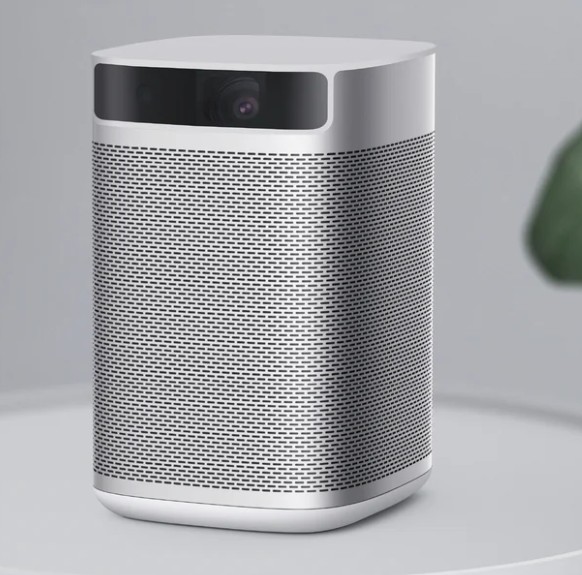
XGIMI MoGo Pro Projector.
The XGIMI MoGo Pro is small, easy to set up, and runs Android TV, making it a reliable choice for seniors who want a simple streaming experience without extra devices.
Key Features.
- Full HD resolution for clear, comfortable visuals.
- Android TV built-in lets you access familiar streaming apps like YouTube and Netflix.
- Bluetooth audio support pairs with wireless speakers or headphones for better sound.
- Auto-focus and auto-keystone make image setup quick and hands-off.
- Compact and portable for easy move between rooms.
- Multiple connectivity options, including HDMI, Wi-Fi, and Bluetooth.
Pros and Cons.
Pros.
- Simple setup and menu system suitable for seniors.
- Portable and lightweight for easy reposition.
- Good picture quality for everyday streaming.
- Bluetooth audio makes pairing a speaker or headphone straighforward.
Cons.
- Best in dimmer rooms, but not as bright as premium laser projectors.
- Full HD isn’t as sharp as 4K models for big screens.
Pricing.
The XGIMI MoGo Pro Projector costs $349. It is suitable for older adults who want a reliable, easy-to-use, portable projector that delivers clear video without complex installation.
Our guide to the five best smart locks with cameras for home security may also help you explore secure, senior-friendly options that combine keyless entry with real-time video monitoring.
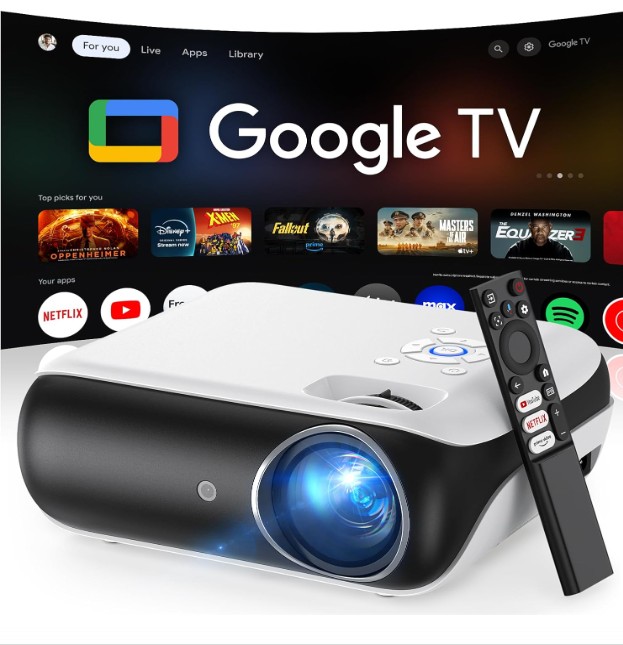
Official Licensed Google TV Smart Projector.
The Official Licensed Google TV Smart Projector is an easy-to-use, all-in-one streaming device that brings Google TV straight into the projector, making it especially attractive for seniors seeking a simple setup with familiar streaming menus.
Key Features.
- Built-in Google TV to access popular streaming apps, such as YouTube, Netflix, Disney+, with a familiar interface.
- Bluetooth audio support pairs with wireless headphones or speakers for personalized sound.
- Full HD resolution enables sharp and easy-to-see visuals for everyday viewing.
- Wi-Fi connectivity enables seamless access to online content.
- An optional HDMI port wired connection for DVD players or laptops.
Pros and Cons.
Pros.
- Integrated Google TV reduces the need for external streaming devices.
- Simple, recognizable interface for seniors.
- Bluetooth audio simplifies sound customization.
- Minimal setup: open the box and start streaming.
Cons.
- Modest brightness and image quality compared to higher-end models (best in dimmer lighting).
- A more basic feature set than premium projectors.
Pricing.
The Official Licensed Google TV Smart Projector typically costs $237.45. It is ideal for seniors who want the easiest possible way to stream shows and movies, with a familiar Google TV experience and minimal extra devices.
Kodak Luma Smart Projector.
The Kodak Luma Smart Projector’s lightweight size and straightforward controls make it a practical choice for seniors who want basic, everyday entertainment without technical complexity.
Key Features.
- Built-in streaming apps let you access popular services without extra devices.
- Bluetooth audio support lets you connect headphones or speakers wirelessly.
- HD resolution with clear and comfortable visuals for casual viewing
- Easy to move from room to room.
- Multiple connectivity options, including HDMI, USB-C, and wireless casting.
Pros and Cons.
Pros.
- Very compact and lightweight for small spaces.
- Simple setup with built-in apps.
- Bluetooth audio makes sound management easy.
- Affordable price point.
Cons.
- Lower brightness and resolution compared to larger models.
- Best suited for darker rooms due to limited lumens.
- Not ideal for big screen sizes.
Pricing.
Kodak Luma Smart Projector costs $330.77. It is ideal for seniors who want a simple, portable streaming projector that’s easy to set up and comfortable for casual movie nights or everyday TV watching.
This guide on how reverse osmosis water filtration works may also help you understand how modern filtration systems remove contaminants to improve the safety of drinking water at home.
BenQ GV11 Portable Projector.
The BenQ GV11 focuses on simplicity, solid image quality, and comfort, making it a good fit for seniors or anyone who wants a no-fuss projector for movies and TV shows.
Key features.
- Native HD 720p resolution (supports Full HD input).
- DLP projection with LED light source.
- Built-in Android TV with Google Assistant.
- Autofocus and vertical keystone correction.
- Integrated 2.1-channel speaker with subwoofer.
- Quiet operation and eye-friendly brightness.
Pros and Cons.
Pros.
- Straightforward setup and interface.
- Good color accuracy for its size.
- Clear, room-filling sound without external speakers.
- Compact and lightweight design.
- Reliable brand (BenQ) with good build quality.
Cons.
- Not very bright (best used in dim rooms).
- 720p native resolution may feel limited for some users.
- Battery life is modest compared to outdoor-focused models.
Pricing.
BenQ GV11 Portable Projector typically costs $379. It is ideal for seniors and casual users who want a simple, quiet, and dependable portable projector for evening TV shows or movies at home without dealing with complex settings.
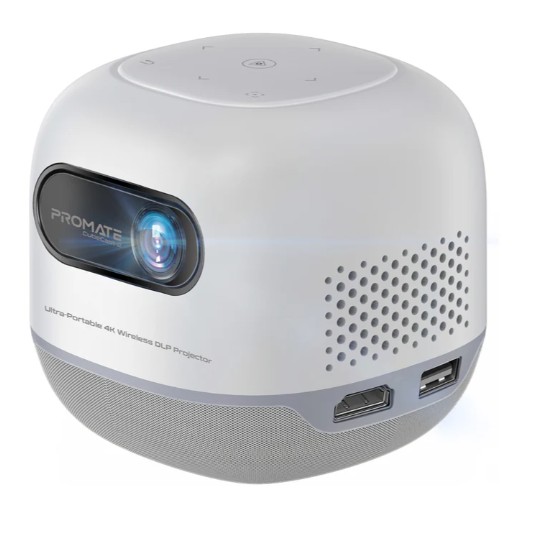
Promate CubeCast‑2 Projector.
The Promate CubeCast-2 Projector is perfect for users who want wireless streaming, solid multimedia features, and simple Android-based controls in a compact package.
Key features.
- DLP projection with 100 ANSI brightness and 720p native resolution (supports up to 4K input).
- Android 13.0 built-in OS with wireless screen sharing and app support.
- Auto keystone correction and electronic focus for easy setup.
- Built-in speakers plus Bluetooth connectivity for audio flexibility.
- Large 8400 mAh battery for up to ~3 hours playtime (Eco mode).
- USB drive support (up to 1 TB) and HDMI input for versatile media playback
Pros and Cons.
Pros.
- Wireless Android streaming and app access straight on the projector.
- Supports big projection sizes (up to ~200″).
- Strong battery life for on-the-go use.
- Wireless screen mirroring simplifies smartphone use.
Cons.
- 720p native resolution can look softer than true 1080p models
- ~100 ANSI brightness is best in dim or dark rooms.
- No user review scores yet (new/limited retail feedback).
Pricing.
The Promate CubeCast‑2 Projector costs $384,75. It is perfect for users who want portable, Android-powered projection with wireless streaming and flexible input options for movies or casual presentations without much setup hassle.
The best all-terrain electric scooters for adults may also offer stable, powerful mobility options for comfort and confidence across different surfaces.
Key Buying Tips for Seniors.
The following tips help to select a comfortable, everyday, and straightforward-to-use projector.
- Look for a projector bright enough for a living room, not just a dark bedroom.
- 720p or 1080p is typically more than enough for TV shows, news, and movies.
- Internal speakers without extra cables or external sound systems for small to medium rooms.
- Projectors with Android TV or Google TV allow direct access to streaming apps like YouTube and Netflix, without needing a separate streaming stick.
- Portable, battery-powered projectors for flexibility, or plug-in models for better brightness and sound, depending on where and how often you plan to use the projector.
FAQs About Projectors for Seniors.
Are projectors easy for seniors to use?
Models with auto focus, automatic keystone correction, and simple remote controls are much easier to operate than older projectors. Intelligent systems like Android TV or Google TV also reduce the need for extra devices.
Is a projector better than a TV for seniors?
Projectors are ideal for larger screen sizes and can feel more immersive while taking up less physical space, making them perfect for seniors who mostly watch in the evening. However, TVs are usually brighter and better for daytime viewing.
How bright should a projector be for a living room?
Aim for at least 300 ANSI lumens for a typical living room, as lower-brightness models work best in dim or dark rooms. Brighter projectors reduce eye strain and improve image clarity.
Do I need external speakers or a soundbar?
Not always, as many portable projectors include good built-in speakers, which are enough for small to medium rooms. Only larger spaces or higher-volume levels may require a soundbar.
Do projectors consume a lot of electricity?
Projectors typically use less power than large TVs, making them an energy-efficient option for extended viewing sessions. Modern LED and laser projectors also require very little maintenance.
Final Thoughts – Which Projector Is Best for Seniors?
An ideal projector for seniors is not the one with the most advanced specs, but the one that is easiest and most comfortable to use every day.
Simplicity, image clarity, readable menus, and reliable sound matter far more to most seniors than cutting-edge resolution or gaming features.
For example, a portable projector may be the best choice if you value flexibility and minimal setup, while models with built-in Android TV or Google TV allow direct access to popular streaming apps without additional devices, reducing cables and confusion.
On the other hand, seniors who watch TV during the day or prefer a fixed setup may benefit more from brighter, plug-in projectors, which provide better visibility in living rooms with ambient light and more consistent performance.