
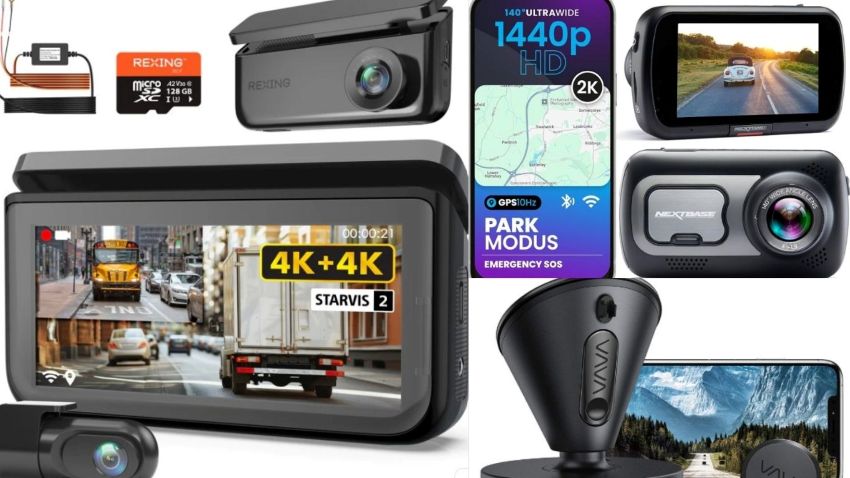
Dash cams offer clear evidence and protection following an incident. They provide reliable video proof when stress or memory issues hinder recall during accidents, false claims, or parking disputes.
However, many dash cams are overly complicated, with small buttons, confusing menus, and a difficult setup, quickly turning a helpful device into a source of frustration.
Older drivers need models that are easy to install, simple to operate, and reliable, with no frequent adjustments.
This guide highlights the 5 best easy-to-use dash cams for older drivers, emphasizing only what truly matters: simplicity, visibility, automatic recording, and everyday peace of mind, excluding tech overload and unnecessary features.
How Did We Choose These Dash Cams?
Our selection focused first and foremost on simplicity, clarity, and reliability in real-world driving situations, not on advanced or rarely used features.
- Simplicity criteria: We prioritized dash cams that operate automatically after installation, excluding devices that require frequent manual interaction, complex settings, or constant app adjustments.
- Button size and screen readability: We favored models with large, clearly labeled buttons, simple menus, or easy-to-read displays.
- Automatic vs. manual recording: Dash cams that require manual start or save recordings were considered unreliable for older drivers, especially in stressful situations like accidents.
- App vs. screen preference: Some seniors prefer reviewing footage directly on the built-in screen, while others prefer using a smartphone app. We included both options.
- Real-world driving scenario: We evaluated each selected dash cam for reliability for drivers who are stressed, distracted, or unfamiliar with technology.
Best Dash Cams For Older Drivers.
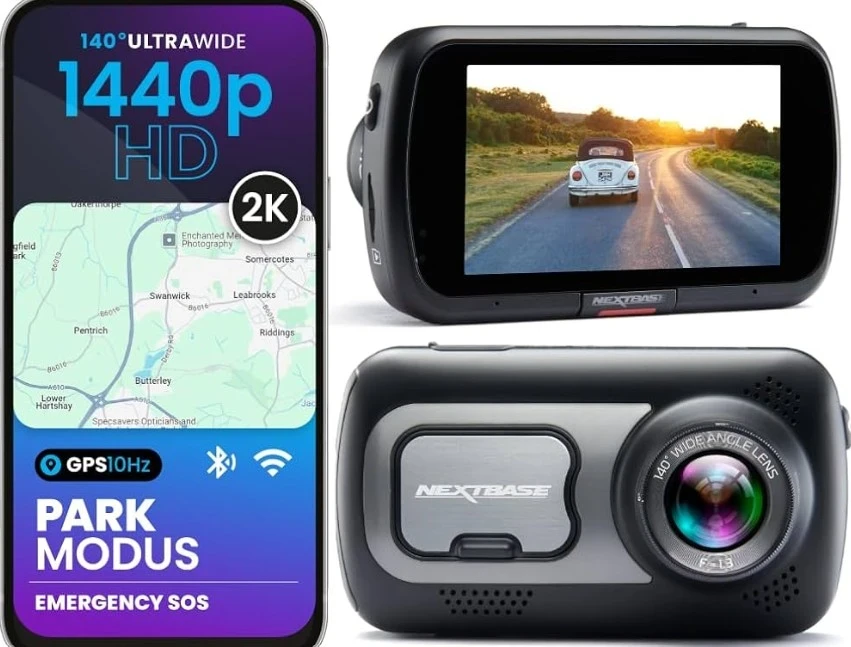
Nextbase 522GW.
Key Features.
- 1440p Quad HD recording.
- Easy-to-use touchscreen.
- Built-in Wi-Fi & GPS.
- Emergency SOS feature.
- Intelligent parking mode.
Benefits for Seniors.
The large touchscreen interface makes reviewing videos easy without requiring complex menus. The Emergency SOS option automatically contacts emergency services after a severe crash, making it a valuable feature for older drivers.
Pros and Cons.
Pros.
- Clear, easy navigation.
- Excellent video quality.
- Helpful safety features.
Cons.
- Slightly more tech to learn.
- Higher price than basic models.
Best For: Older drivers who want extra safety features and an easy visual interface without unnecessary complexity.
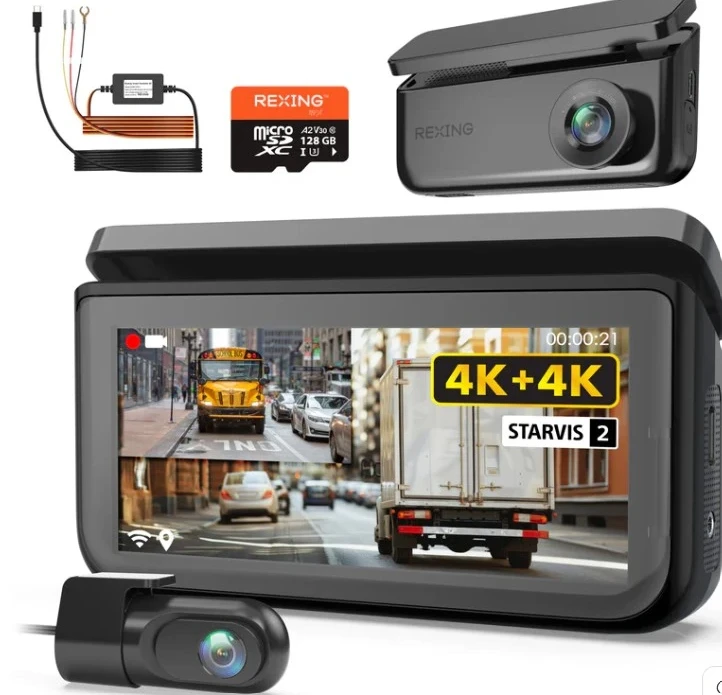
Rexing R88 4K Dual Dash Cam.
Key Features.
- 4K front + 4K rear Sony STARVIS sensors.
- 5.8 GHz Wi-Fi for fast video transfer.
- GPS logging for speed & location.
- Loop recording and G-sensor impact detection.
Benefits for Seniors.
The Rexing R88 delivers crisp video quality, an intuitive app, and fast Wi-Fi transfer, enabling seniors to quickly view clips on a phone without cables. Dual cameras provide front and rear-facing for confident everyday driving.
Pros and Cons.
Pros.
- Excellent video clarity (4K both sides).
- Easy Wi-Fi sharing.
- Strong value for money.
Cons.
- Slightly larger unit.
- Easy app learning curve, but may require some setup.
Best For: Older drivers who want high-quality video and simple mobile access without paying premium prices.
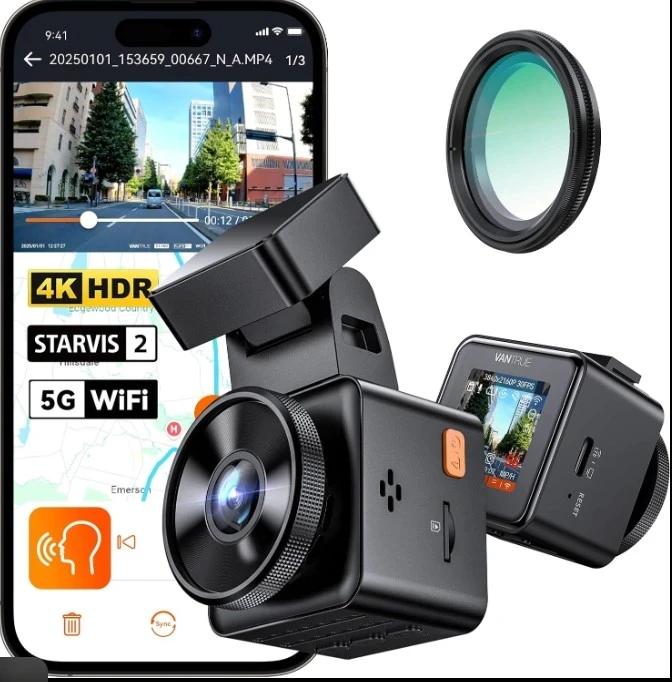
Vantrue E1 Pro 4K Mini.
Key Features.
- 4K Ultra HD front camera.
- Compact size.
- Parking mode.
- Loop recording.
- Broad-angle lens.
Benefits for Seniors.
The interface is simple to use, and once set up, the camera operates automatically without complex menus. Its small size makes it unobtrusive while driving, minimizing visual clutter.
Pros and Cons.
Pros.
- Great video quality.
- Simple menus.
- Good value.
Cons.
- No rear camera.
- Smaller buttons may be harder to use for some.
Best For: Older drivers who want reliable performance without dual cameras or advanced setup.
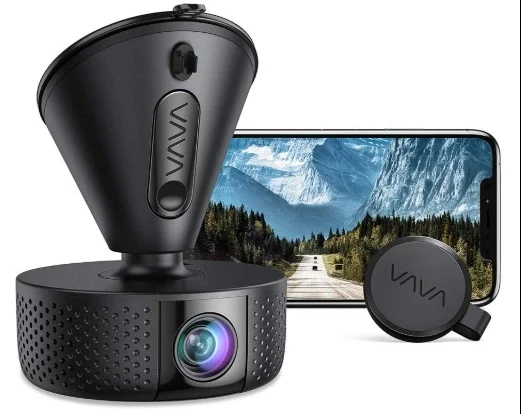
VAVA 4K Dash Cam.
Key Features.
- 4K Ultra HD front-facing video.
- 2.7″ display (easy to view).
- Built-in Wi-Fi.
- Loop recording + parking mode.
- Simple button controls.
Benefits for Seniors.
VAVA’s intuitive screen and interface let seniors view recorded content without a phone or app, making it ideal for those who prefer an integrated display. The menu is clean and straightforward, reducing frustration.
Pros and Cons.
Pros.
- Easy-to-read display.
- Excellent 4K video quality.
- Simple physical buttons.
Cons.
- Slightly bulkier than minimalist models.
- An optional Wi-Fi setup may be required.
Best For: Older drivers who prefer on-device playback and a clear built-in screen rather than relying solely on a smartphone.
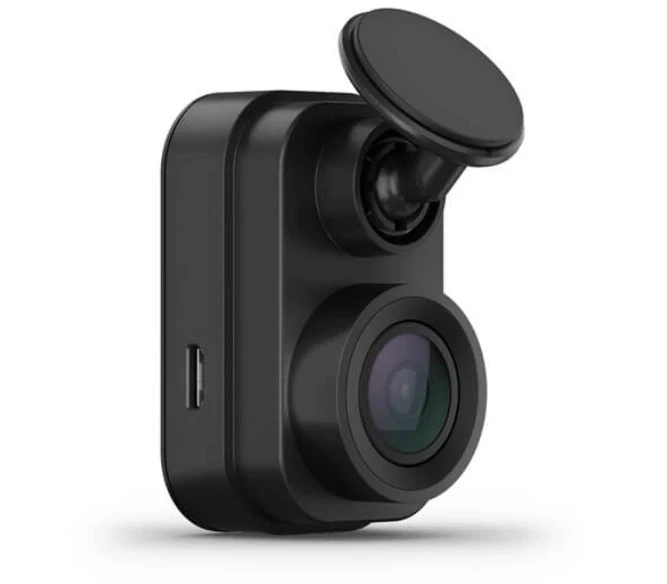
Garmin Dash Cam Mini 2.
Key Features.
- Ultra-compact design (no screen).
- 1080p Full HD recording with excellent clarity.
- Automatic loop recording.
- Voice control (simple hands-free).
- Built-in GPS for location data.
Benefits for Seniors.
This dash automatically starts recording on each drive, so older drivers don’t need to think about it after installation. The voice control lets users keep their hands on the wheel, reducing distractions.
Pros and Cons.
Pros.
- Extremely easy setup.
- Reliable automatic recording.
- Small size doesn’t block the windshield.
Cons.
- Clips must be reviewed on a phone.
- Limited advanced features (but that’s intentional).
Best For: Older drivers who want a “set-and-forget” dash cam with dependable video and minimal complexity.
Tech Radar often recommends Garmin dash cams in its Best Dash Cams roundup for their reliability and ease of use.
What Older Drivers Should Look for in a Dash Cam?
The most important features older drivers should consider when choosing an ideal one are:
Screen vs no screen.
- Dash cams with a built-in screen allow instant video review without using a smartphone.
- Many seniors prefer a screen for quick checks after an incident.
- Screen-free models can be even simpler, with no menus or buttons to manage.
- These models record automatically in the background.
Front-only vs dual camera.
- Front-only dash cams are usually enough for everyday driving.
- Easier to install and operate.
- Dual-camera systems add rear protection for parking incidents and rear-end collisions.
- Slightly more setup, but added peace of mind.
GPS: useful or unnecessary?
- GPS records speed and location data.
- Helpful for insurance claims and accident reports.
- Not essential for basic use.
- Once set up, it works automatically without added complexity.
Voice control benefits.
- Allows drivers to save clips or take photos hands-free.
- Reduces distraction while driving.
- Especially helpful for seniors who prefer minimal interaction.
Storage and loop recording.
- Loop recording automatically deletes old footage when storage is full.
- Doesn’t require manual file management.
- Automatically lock and save important videos during accidents.
Seniors seeking more comprehensive protection beyond just driving can also consider Emergency Assistance Plus for extra reassurance during medical or travel emergencies.
FAQs for Older Drivers.
Are dash cams legal in the US?
Dash cams are legal in most U.S. states, provided they do not block the driver’s view and audio recording laws are followed where applicable.
Do dash cams drain the car battery?
Dash cams typically use very little power during normal driving. Although parking mode can draw more power, many models include safety features to prevent battery drain.
Can seniors use dash cams without a smartphone?
Many dash cams work perfectly without a phone, recording automatically. Models with built-in screens allow footage to be reviewed directly on the device.
Do insurance companies accept dash cams?
Dash cam footage is frequently accepted by insurance companies as evidence. Although it doesn’t replace a police report, it can clarify who is at fault and expedite the claims process.
Although dash cams help safeguard seniors while driving, additional assistive devices, such as the Audien Atom Pro hearing aids, can enhance daily safety and boost confidence in everyday tasks.
Final Thoughts.
Dash cams are important safety tools for older drivers, provided they are easy to use, reliable, and hassle-free. Seniors should ideally select the option that operates automatically and provides clear evidence when needed.
Drivers seeking the utmost simplicity and compactness can opt for automatic dash cams that require minimal interaction. The Rexing R88, in particular, is notable for offering great value. It provides high-quality video and dual-camera protection without added complexity.
Older drivers who dislike apps, small buttons, or frequent adjustments should avoid overly complex or feature-rich models.
Selecting a suitable dash cam involves prioritizing confidence, clarity, and peace of mind over purely technical specifications.