
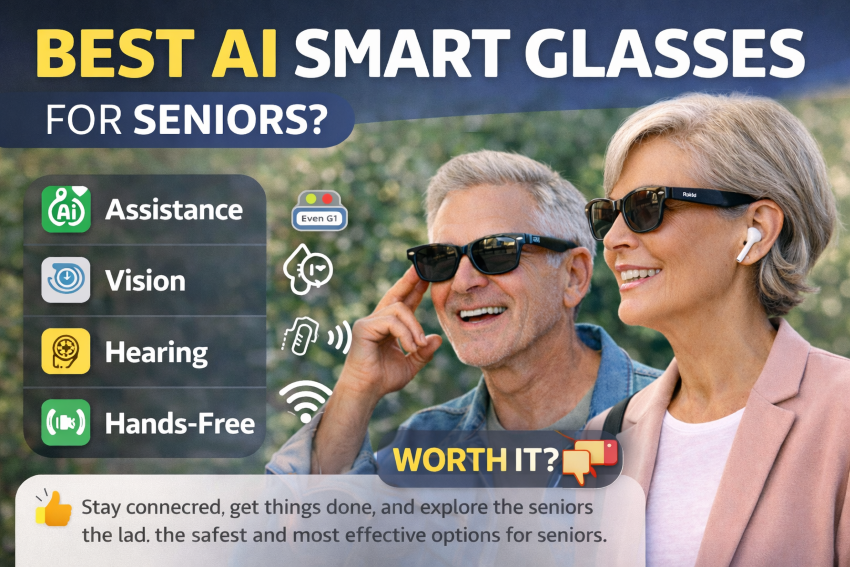
Smart glasses, as wearable devices, combine visual, audio, and voice assistance into a single, user-friendly tool. Instead of reaching for your phone, you can ask questions, get directions, translate languages, or set reminders without using your hands.
For seniors, this technology isn’t about complexity but about maintaining independence, safety, and connection in daily life. It can make everyday tasks easier, whether it’s exploring new places, improving hearing in conversations, or getting quick assistance without a smartphone.
This guide highlights the essential aspects: clear, practical, and easy-to-use smart glasses for seniors. You will discover the best choices, their key features, and the model that suits your needs best.
Quick Summary of Our Top Picks.
The top AI smart glasses for seniors, chosen for their simplicity, comfort, and Practical usefulness, include:
- Ray-Ban Meta Smart Glasses: Best overall for voice control and everyday use.
- XREAL Air 2: Ideal for large display and vision support
- Even Realities G1 – Best for real-time subtitles and hearing help
- Vuzix Blade 2 – Ideal for navigation and advanced features
- Budget and Simple Option – Best for basic audio and voice assistance
These devices offer hands-free help, real-time updates, and daily support, enabling seniors to remain independent and connected.
Research indicates that AI smart glasses can support older adults in daily activities, navigation, reminders, and social interactions, enhancing their independence and overall quality of life.
How Did We Test and Choose These Devices for Seniors?
We focused on real-world senior needs rather than technical specs to make this guide truly helpful.
What we prioritized.
- Ease of use – Simple setup, clear voice commands.
- Comfort – Lightweight for daily wear.
- Voice assistant quality – Accurate and responsive.
- Battery life – Enough for a full day of normal use.
- Audio clarity – Easy to hear without discomfort.
Real-world use cases tested.
- Asking for directions hands-free.
- Using voice commands for help or reminders.
- Listening to audio clearly in public places.
- Trying translation features where available.
What we avoided.
- Overly complex AR systems.
- Devices requiring constant phone interaction.
- Useless features for seniors.
Summary: Our selection includes easy-to-use, practical smart glasses that won’t frustrate you.
Benefits of AI Smart Glasses for Seniors.
AI smart glasses simplify daily life, enhance safety, and promote independence.
Hands-Free Assistance.
- Ask questions without using a phone.
- Set reminders using your voice.
- Get quick help anytime.
Better Navigation and Safety.
- Get directions in real time.
- Stay focused without looking down at a screen.
- Useful when walking or traveling.
Hearing and Communication Support.
- Open-ear audio for clear conversations.
- Some models offer real-time subtitles or translation.
- Helpful in noisy environments.
Daily Convenience
- Take photos or videos easily.
- Listen to music or calls hands-free.
- Access information instantly.
More Independence.
- Less reliance on smartphones.
- Easier to manage daily tasks.
- Stay connected with less effort.
Seniors seeking improved hearing can refer to our straightforward guide on how the Audien Atom Pro Hearing Aids function.
Detailed Reviews of the Best AI Smart Glasses for Seniors.
Ray-Ban Meta Smart Glasses.
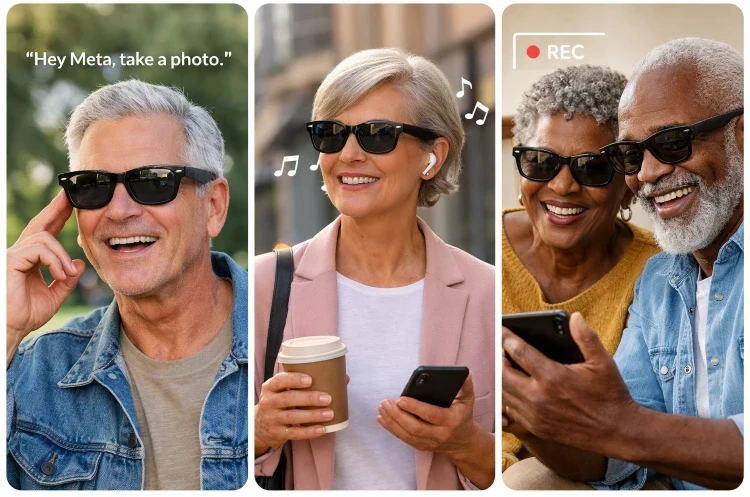
These are currently the most popular AI smart glasses, merging traditional style with advanced voice support and hands-free capabilities.
Key Features.
- Built-in AI voice assistant (Meta AI).
- Hands-free photo and video capture.
- Open-ear audio for calls and music.
- Touch + voice controls.
Pros and Cons.
Pros.
- Very easy to use.
- Stylish and discreet.
- Good audio quality.
Cons.
- Limited battery life.
- Requires smartphone connection.
- No display.
Pricing.
The price begins at approximately $299.
Best for: Seniors seeking a straightforward, daily AI assistant with voice commands and media capabilities.
This guide on the best eyeglass cleaner also reviews the top choices for maintaining your lenses and ensuring clear vision.
XREAL Air 2.
The XREAL Air 2 emphasizes providing a large virtual-screen experience, making it perfect for seniors seeking improved visibility for watching videos, reading, or viewing digital content.
Key Features.
- Large virtual display (up to 100+ inches).
- Lightweight and comfortable design.
- Connects to smartphones and devices.
- High-quality visual clarity.
Pros and Cons.
Pros.
- Excellent for vision support and media
- Comfortable for extended use
- Clear and immersive display.
Cons.
- Not fully voice-controlled.
- Requires connection to another device.
- Less “AI assistant” focused.
Pricing.
- Around $399–$499.
Best for: Seniors seeking a bigger, clearer screen experience without using a tablet or TV.
Rokid AI Glasses Style.
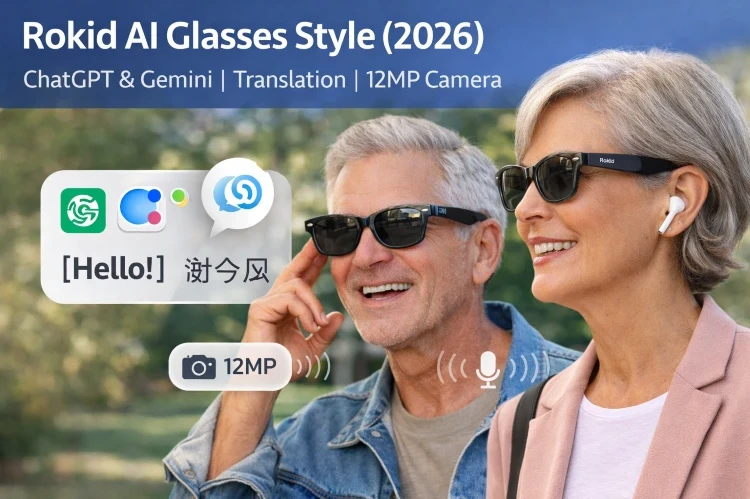
This is one of the most advanced options, combining ChatGPT + Gemini AI, translation, and voice control in a simple, everyday design.
Key Features.
- Built-in ChatGPT + Gemini AI assistants.
- Real-time translation.
- 12MP camera for photos.
- Open-ear audio for calls and media.
- Fully controlled voice.
Pros and Cons.
Pros.
- Powerful AI capabilities.
- Very useful for daily assistance.
- Strong voice control experience.
Cons.
- New product with fewer user feedback.
- May require an internet connection.
Pricing.
- Around $299–$399.
Best for: Seniors seeking a comprehensive AI assistant in glasses, voice commands, translation, and daily assistance.
Even Realities G1.
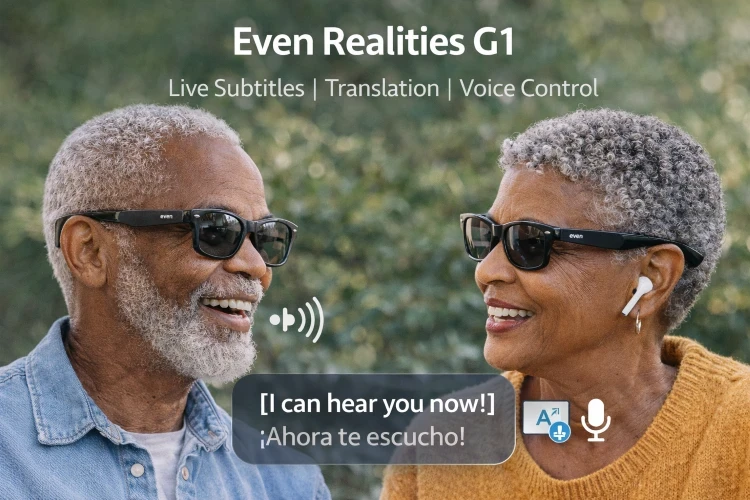
These smart glasses help seniors improve their understanding and hearing during conversations by providing real-time subtitles and translation features.
Key Features.
- Live subtitles displayed in real time.
- AI translation for different languages.
- Lightweight and discreet design.
- Voice-controlled assistance.
Pros and Cons.
Pros.
- Excellent for hearing support.
- Helpful in noisy environments.
- Simple and practical daily use.
Cons.
- Limited availability.
- The battery may not last all day.
- Fewer entertainment features.
Pricing.
- Estimated at around $500 or plus.
Best for: Seniors who require assistance with understanding conversations or hearing clearly.
Vuzix Blade 2.
The Vuzix Blade 2 provides augmented reality (AR) capabilities, such as navigation and real-time updates, that are visible directly in your line of sight.
Key Features.
- Built-in AR display.
- Real-time navigation assistance.
- Voice control + touchpad.
- Wi-Fi and Bluetooth connectivity.
Pros and Cons.
Pros.
- Useful for navigation and guidance.
- Hands-free access to information.
- Advanced functionality.
Cons.
- More complex to use.
- Higher price.
- Less beginner-friendly.
Pricing.
- Around $800 or more.
Best for: Seniors seeking advanced features like navigation and AR assistance.
Key considerations before purchasing AI Smart Glasses.
Ease of Use.
- Simple setup.
- Clear voice commands.
- Minimal buttons.
Helpful Tip: Avoid complex interfaces.
Comfort and Weight.
- Lightweight design.
- Comfortable for long wear.
- Fits like regular glasses.
Voice Assistant Quality.
- Accurate responses.
- Works in noisy environments.
- Easy to activate.
Battery Life.
- At least 4 to 6 hours for daily use.
- Easy charging.
Audio Clarity.
- Clear sound without blocking the ears.
- Good for calls and conversations.
Features Without Gimmicks.
- Translation.
- Reminders.
- Navigation.
- Subtitles for hearing support.
Useful Tip: Focus on what you will actually use daily.
Privacy and Safety.
- Camera usage awareness.
- Data protection.
- Easy control over recordings.
Simple Rule: Choose AI glasses that are easy to use, comfortable, and helpful for daily life.
Are AI Smart Glasses Worth It for Seniors?
The short answer is YES, but not for everyone.
Worth it if you:
- Want hands-free help without needing a phone.
- Need support with hearing or vision.
- Like using voice commands instead of screens.
- Want more independence in daily life.
Not ideal if you:
- Prefer very simple devices (no tech).
- Don’t want to rely on the internet or apps.
- Are sensitive to wearing gadgets on your face.
Honest Verdict.
AI smart glasses can be a handy everyday device when chosen carefully, but you don’t necessarily need them. Pick a model that is simple, comfortable, and genuinely practical.
Final Thoughts.
AI-powered smart glasses are highly practical tools for seniors seeking to remain independent, connected, and safe.
The best choice depends on your needs:
- Ray-Ban Meta Smart Glasses are straightforward and dependable.
- Rokid AI Glasses Style offers the optimal AI experience.
- Even Realities G1 is perfect for hearing support.
- REAL Air 2 offers enhanced vision quality.
- Vuzix Blade 2 for advanced features.
Choose a user-friendly model that addresses real-world issues like hearing support, navigation, or daily help.