


The Internet makes online shopping easier, allowing you to order groceries, gifts, or household items with just a few clicks. Still, a wrong payment method can put your money and personal information at risk, given that cybercriminals constantly develop new scams to target online shoppers, including seniors.
It would be helpful if you understood which payment methods offer the strongest protection and which ones may leave you vulnerable.
This guide examines the safest ways to pay when buying online, explains the pros and cons of each option, and shares practical tips to keep your financial information secure.
Why choose the Safest Payment?
Online shopping offers convenience, but it also attracts scammers who continually seek ways to steal money or personal information from unsuspecting individuals.
The Federal Trade Commission (FTC) reported that individuals lose over eight billion dollars per year, with many cases linked to online purchases and payment scams.
The everyday dangers for older adults who are unfamiliar with fast-changing digital threats include:
- Phishing websites that appear to be legitimate stores, but want to steal payment details.
- Stolen card numbers, which scammers sell on the dark web after a breach.
- Fake sellers who accept payment but fail to deliver the product.
- Hackers who use account takeovers to gain access to shopping accounts, such as PayPal, or bank accounts.
Tip: Not all payment methods offer the same protections, so be cautious about how you pay online.
Credit Cards (The Safest Choice for Online Payments).
Credit cards are still the safest and most reliable payment method compared to debit cards for shopping online for the following reasons.
- Most credit card companies, such as Visa, offer zero-liability policies, which prevent users from being held liable for unauthorized charges.
- You can dispute the transaction and claim a refund if the seller becomes fraudulent and doesn’t send the ordered items.
- Many credit card issuers allow you to set up real-time purchase notifications or temporarily lock your card if you suspect fraud.
Pros:
- Widely accepted worldwide.
- Strong consumer protections.
- Easy to track and manage online.
Cons:
- You can ask for a replacement card if the scammers steal your number.
- It can encourage overspending if you manage it carelessly.
Pro tip for seniors: Use a credit card dedicated solely to online purchases to monitor charges and detect suspicious transactions promptly and efficiently.
==>Read our guide on how seniors can avoid online scams and fraud for most online safety.
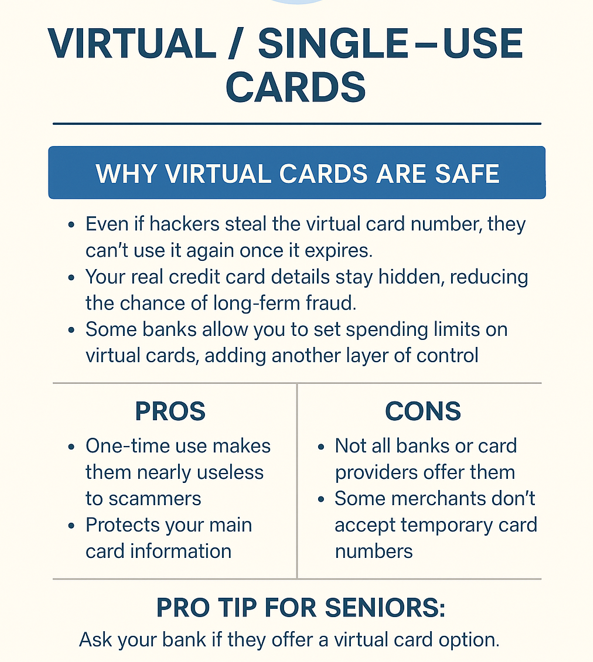
Virtual or Single-Use Cards.
You can also use a virtual card or a single-use card temporarily generated by your bank or card issuer. Such cards link to your real account but expire after a short time or after a single transaction, which protects you against the risk of fraud.
Benefits of virtual cards.
- Hackers won’t be able to reuse your virtual card number once it expires, even if it is stolen.
- They won’t access your real credit card details, as they stay hidden from long-term fraud.
- Some banks allow you to set spending limits on virtual cards for an additional fraud layer of control.
Pros:
- One-time use makes them nearly useless to scammers.
- Protects your main card information.
- Your bank or credit card issuer can provide the card at no additional cost.
Cons:
- Not all banks or card providers offer virtual cards.
- You can’t use this card for recurring subscriptions.
Pro tip for seniors: Providers like Capital One and Citi in the U.S. or Revolut in Europe offer virtual card services.
Digital Wallets (PayPal, Apple Pay, Google Pay).
You can also use digital wallets, which allow you to connect your card to a digital wallet like PayPal, Apple Pay, or Google Pay to make secure online purchases instead of typing your card details directly into the seller’s website.
The digital wallets’ benefits include:
- Encryption and tokenization make it extremely difficult for hackers to steal your card details.
- Most wallets require two-factor authentication, such as a fingerprint, face scan, or PIN, before approving a purchase.
- These platforms store your card details securely and never share them directly with merchants.
Pros:
- Safer than entering card details on multiple websites.
- Straightforward to use on smartphones and computers.
- Fingerprint/face ID biometric security adds an extra layer of protection.
Cons:
- Not all online stores accept digital wallets.
- Some wallets charge small fees for certain transactions.
- Requires setup and linking to your existing card.
Helpful tip for seniors: Always connect your digital wallet to a credit card rather than a debit card. You will still benefit from credit card fraud protection if something goes wrong.
Our guide on how seniors can create strong passwords and manage them can also help enhance your online safety.
Debit Cards (Riskier Choice).
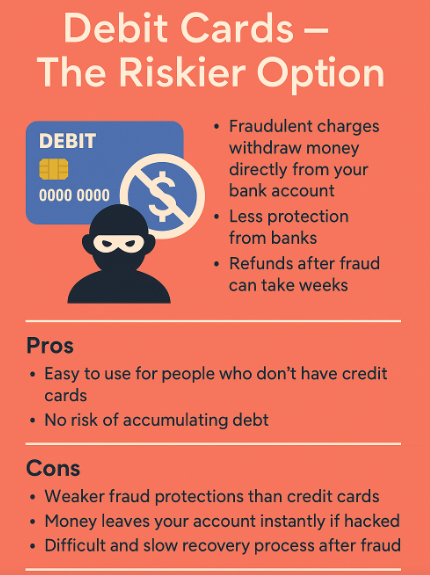
Debit cards are not always the safest choice for online shopping, unlike credit cards, as they directly deduct money from your bank account.
While debit cards are convenient, they are not the safest choice for online shopping. Unlike credit cards, a debit card pulls money directly from your bank account.
Scammers can access your debit card details to steal funds from your account immediately, making recovering them slow or even impossible.
Pros:
- Easy to use for people who don’t have credit cards.
- No risk of accumulating debt.
Cons:
- Weaker fraud protections than credit cards.
- Money leaves hacked accounts instantly.
- A slow and challenging recovery process following fraud.
Pro tip for seniors: Choose a debit card with fraud monitoring and set up real-time transaction alerts if you still need to use one. Still, a credit card or digital wallet is the best option whenever possible.
Bank Transfers and Buy Now, Pay Later Services.
Some shoppers also prefer direct bank transfers or newer Buy Now, Pay Later (BNPL) options, such as Klarna, Afterpay, or Affirm, as convenient payment methods. Still, they can also be less secure than credit cards or digital wallets.
Bank transfers.
- Money moves directly from your account to the seller’s.
- Safe when paying trusted businesses, like utilities and banks.
- You may face challenges recovering the lost funds if you buy from a fraudulent seller.
BNPL services.
- Allow you to split payments into smaller installments.
- Some offer fraud protection, but coverage varies.
- Disputes can be more complicated if the merchant refuses to cooperate.
Pros:
- Quick bank transfers, without a middleman.
- BNPL makes large purchases more manageable.
Cons:
- You can’t typically reverse bank transfers.
- BNPL can encourage overspending and add extra fees.
- Slower dispute resolution compared to credit cards.
Pro tip for seniors: If you still need to use a bank transfer, only send money to companies you already know and trust. Carefully read the terms for BNPL services to check if they offer consumer protection.
Best Online Payments Practices.
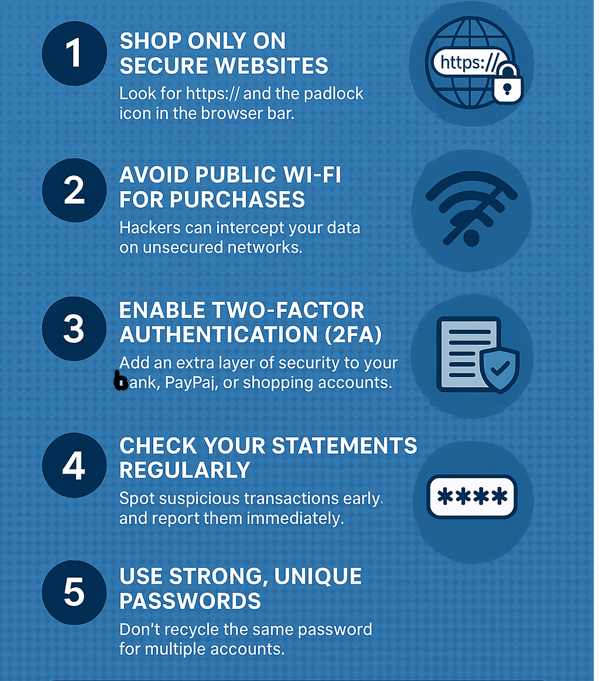
Following a few smart habits can make online shopping much safer, no matter the payment method you select:
- Check if the website you want to shop on has
https:// anda padlock icon in the browser bar. - Never use unsecured networks on public Wi-Fi for purchases to prevent hackers from intercepting your data.
- Enable two-factor authentication (2FA) to add an extra layer of security to your payment method.
- Check your statements regularly to spot suspicious transactions early and report them immediately.
- Use strong, unique passwords and refrain from recycling the same password for multiple accounts.
Payment Methods Comparison Table.
| Payment Method | Safety Level | Pros | Cons |
| Credit Card | ⭐⭐⭐⭐⭐ | Fraud protection, chargebacks, zero-liability, widely accepted. | Card replacement needed if stolen; may encourage overspending. |
| Virtual / Single-Use Card | ⭐⭐⭐⭐⭐ | One-time use, hides real details, strong protection | Limited availability; not accepted by all merchants. |
| Digital Wallets (PayPal, Apple Pay, Google Pay) | ⭐⭐⭐⭐ | Tokenization, encryption, biometric login, and convenience. | Not accepted everywhere; requires setup; some fees |
| Debit Card | ⭐⭐ | Easy to use, no debt accumulation. | Weak protections; money leaves the account instantly; hard to recover funds. |
| Bank Transfer / BNPL | ⭐⭐ | Direct payment to trusted companies; BNPL helps spread costs. | Hard to reverse; limited protections; may lead to overspending. |
Tip for seniors: Stick to credit cards or digital wallets linked to a credit card to strike a balance between safety and convenience.
FAQs About the Safest Payment Methods Online.
What is the single safest way to pay online?
The safest option is using a credit card or a virtual card linked to your credit account. Credit cards typically provide fraud protection, chargeback rights, and zero-liability policies.
Should I use a debit card for online shopping?
You would be better off avoiding debit cards online, as it may take weeks to recover your funds if someone uses it to withdraw the money directly from your account. A credit card or digital wallet is a safer option whenever possible.
Is PayPal safer than a credit card?
PayPal adds an extra layer of security because it hides your actual card details from the seller. However, linking PayPal to a credit card provides both PayPal’s encryption and credit card protections, making this option more secure.
Are virtual cards worth setting up?
Virtual or single-use cards provide one-time numbers, making them useless to hackers after a single purchase. They are one of the most secure methods to select, but not all banks offer them.
How can seniors avoid online payment scams?
Only shop on secure websites (https:// with a padlock). Never click on suspicious email links to make payments. Set up account alerts for every transaction. Use credit cards or digital wallets instead of debit cards.
Helpful Tip: You can also learn how to start your own blog and share your stories online for free.
Key Takeaways on Safe Online Payments.
Online shopping is a convenient way to get the items you need without leaving your home, but it can also be risky if you select the wrong payment method.
Credit cards remain the safest choice, as they offer fraud protection, chargeback rights, and zero-liability policies, while digital wallets like PayPal, Apple Pay, and Google Pay enhance the security and privacy of payments.
On the other hand, debit cards and direct bank transfers carry higher risks; it can be harder to recover your money if something goes wrong.
Combining safe payment methods with smart habits, such as checking for secure websites, enabling security alerts, and using strong passwords, lets you shop online confidently without fear of scams.