
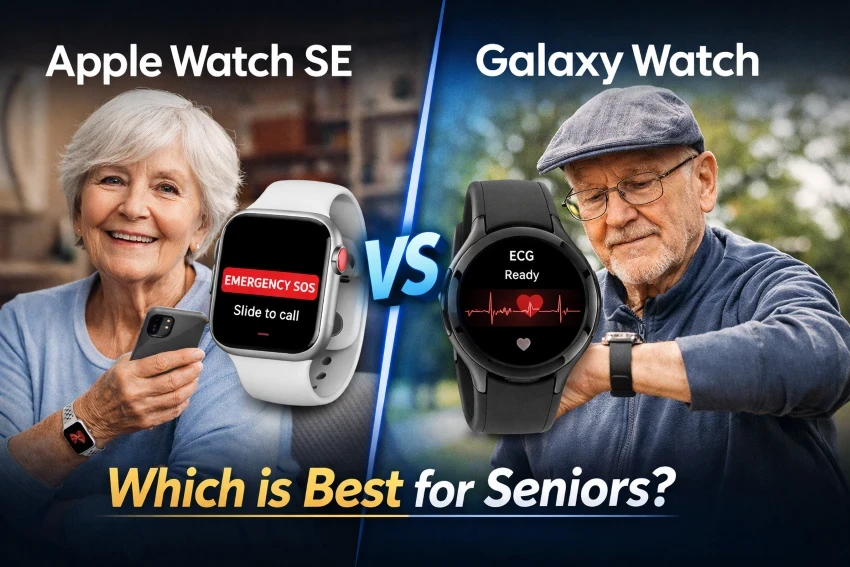
Selecting a smartwatch for seniors involves considering safety, simplicity, and reassurance. This guide compares the Apple Watch SE and the Samsung Galaxy Watch to determine which device is easier to use, more reliable, and better for daily use.
Both devices include key features such as fall detection, heart rate monitoring, and emergency alerts, but they are intended for different user groups.
The Apple Watch SE offers a straightforward design and seamless integration with iPhones, whereas the Samsung Galaxy Watch provides more sophisticated health-tracking features but may be somewhat more challenging to navigate.
This senior-focused comparison clearly and practically highlights the main differences, helping you confidently select the smartwatch that best suits your needs.
Apple Watch SE: Key Highlights for Seniors.
Real-Life Experience.
- Very simple setup with an iPhone (guided steps).
- Large icons + bright display make it easier to read.
- Smooth navigation for a minimal learning curve.
- Ideal for daily use without complexity.
Key Features for Seniors.
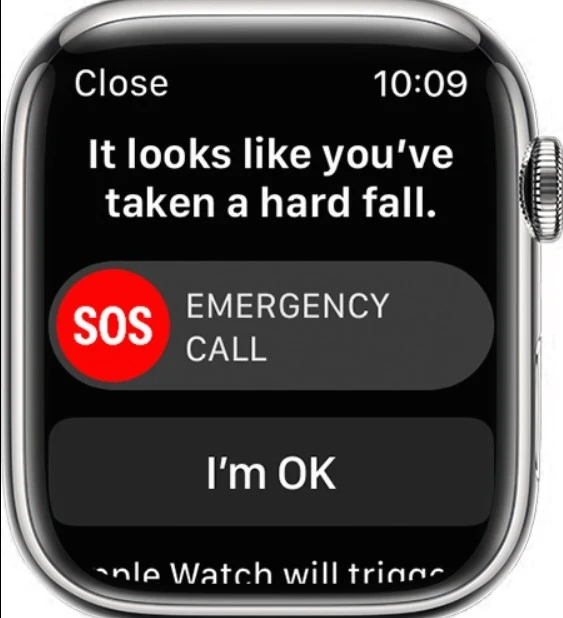
- Fall Detection.
- Detects hard falls automatically.
- Sends an alert and a vibration on the wrist.
- Calls emergency services if no response
- Shares location with emergency contacts.
- Apple confirms it can auto-call emergency services after immobility
- Emergency SOS.
- Press one button to call help instantly.
- Can notify family members at the same time.
- Widely recognized as a key medical alert feature.
- Heart Rate Monitoring.
- Tracks heart rate continuously.
- Alerts for unusually high or low levels.
- Medical ID.
- Stores critical health info (allergies, medications).
- Accessible directly from the watch.
- Crash Detection.
- Detects serious car accidents.
- Automatically contacts emergency services.
The National Council on Aging (NCOA) reports that the Apple Watch can serve as a medical alert device thanks to features such as fall detection and emergency SOS, even though it is not primarily designed as a dedicated medical alert system.
Pros.
- Extremely easy to use (best for beginners).
- Strong safety ecosystem (fall detection and SOS).
- Reliable for everyday monitoring.
- Seamless integration with iPhone.
Cons.
- Works only with iPhone.
- No advanced health metrics like ECG
- The battery lasts about 18 hours
Pricing (US).
The Apple Watch SE pricing starts at around $249 for entry-level models.
Best For.
- Seniors who want:
- Maximum simplicity.
- Reliable safety features.
- Easy daily experience without technical complexity.
Samsung Galaxy Watch: Key Highlights for Seniors.
Real-Life Experience.
- A straightforward setup with Android phones.
- Customizable interface, but may take time to learn.
- Touch controls and a rotating bezel (on some models) help with navigation.
- Better suited for users comfortable with basic tech.
Key Features for Seniors.
- Fall Detection.
- Detects hard falls and sends alerts.
- Can contact emergency services.
- Shares location with selected contacts.
- Emergency SOS.
- Quickly call for help with a button press.
- Sends alerts to emergency contacts.
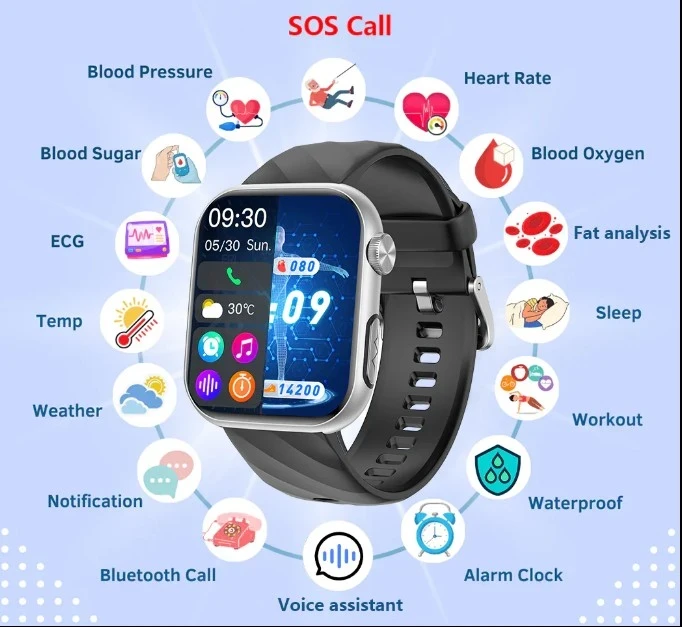
- Advanced Health Tracking.
- ECG (electrocardiogram) for heart rhythm monitoring.
- Blood oxygen (SpO2) tracking.
- Sleep tracking with detailed insights.
- Heart Rate Monitoring.
- Continuous tracking.
- Alerts for abnormal heart activity.
- Track steps, movement, and daily activity levels.
The American Heart Association states that ECG monitoring can help identify irregular heart rhythms, such as atrial fibrillation.
Pros.
- More advanced health features than the Apple Watch SE.
- Works with Android smartphones.
- Highly customizable interface.
- Good for health-focused users.
Cons.
- Slightly more complex to use.
- Some features require setup and learning.
- Battery life varies depending on usage.
Pricing (US).
The Samsung Galaxy Watch starts at $279, depending on the model.
Best For.
- Seniors who want:
- More detailed health insights.
- A smartwatch compatible with Android.
- More control and customization.
Key Differences.
| Feature | Apple Watch SE | Samsung Galaxy Watch |
| Compatibility. | iPhone only. | Android (best with Samsung). |
| Ease of Use. | ⭐⭐⭐⭐⭐ (very simple). | ⭐⭐⭐⭐ (moderate learning curve). |
| Health Features. | Basic (heart rate, fall detection). | Advanced (ECG, SpO2, sleep). |
| Safety Features. | Excellent (Fall Detection + SOS + Crash Detection). | Excellent (Fall Detection + SOS). |
| Battery Life. | ~18 hours. | ~24–40 hours. |
| Display and Interface. | Clean, simple, and intuitive. | Customizable, but more complex. |
| Setup Process. | Very easy (iPhone guided). | Easy but requires setup. |
| Price (US). | From around $249. | From around $279. |
Key Takeaways.
- Apple Watch SE stands out for:
- Simplicity.
- Ease of navigation.
- Best experience for beginners.
- Samsung Galaxy Watch stands out for:
- More advanced health tracking.
- Greater customization.
- Better battery life.
For a more detailed analysis of its usability and safety features, check out our complete guide on whether the Apple Watch SE is suitable for seniors.
Ease of Use for Seniors.
Both smartwatches are user-friendly, but they vary in how quickly seniors can become comfortable using them.
- Apple Watch SE
- Cleaner interface with fewer steps.
- Easier to learn for beginners.
- Better suited for seniors who prefer simplicity.
- Samsung Galaxy Watch.
- More customizable interface.
- Slight learning curve at the beginning.
- Better for users familiar with smartphones.
Overall, the Apple Watch SE is simpler to operate, whereas the Samsung Galaxy Watch provides greater flexibility for users willing to learn its features.
Health and Safety Features for Seniors.
Both smartwatches come equipped with essential safety features such as:
- Fall detection.
- Emergency SOS.
- Heart rate monitoring.
The main difference is in the depth of health tracking:
- Apple Watch SE focuses on core safety features.
- The Samsung Galaxy Watch offers advanced metrics, including ECG and blood oxygen levels.
Both devices come with strong safety features, but the Samsung Galaxy Watch provides more detailed health insights for users who need them.
For a more in-depth understanding of its features and ease of use, see the full review of the Samsung Galaxy Watch 6 for seniors.
Battery Life and Daily Use.
Battery life affects convenience and reliability, both of which are important for seniors who prefer low-maintenance devices.
Apple Watch SE.
- The battery lasts around 18 hours.
- Usually requires daily charging.
- Works well if you charge it overnight.
Samsung Galaxy Watch.
- The battery life ranges from approximately 24 to 40 hours, depending on usage.
- Can last 1–2 days without needing a charge.
- More accommodating for users who miss daily charges.
In summary, the Samsung Galaxy Watch provides greater flexibility, whereas the Apple Watch SE needs to be charged more frequently.
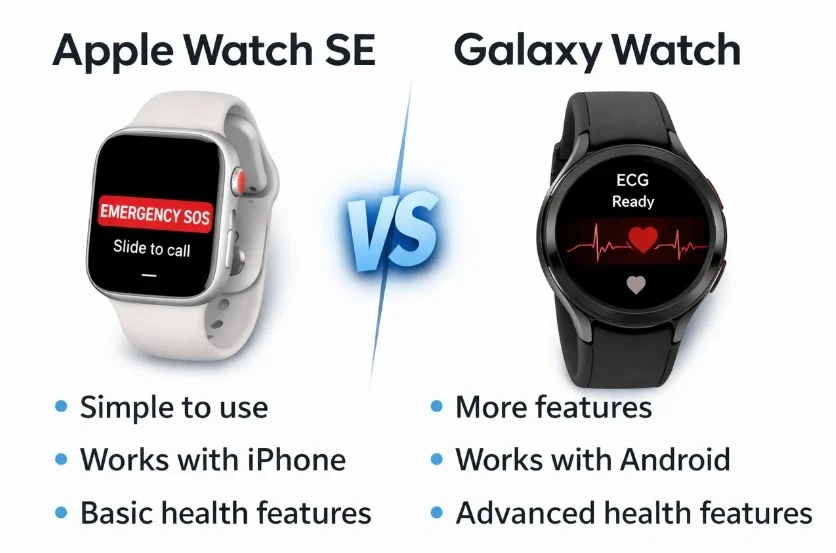
Why Compatibility Matters?
A smartwatch must be paired with your phone to function properly, making it often the most important deciding factor.
Apple Watch SE.
- Works only with iPhones.
- Complete feature access when connected to Apple devices.
- Not compatible with Android phones.
Samsung Galaxy Watch.
- Works best with Android smartphones.
- Limited or no compatibility with iPhones.
- Full features available on Samsung devices.
Summary:
- The Apple Watch SE is a perfect option for iPhone users.
- Android users can select the Samsung Galaxy Watch option.
Consider the guide on Apple watches available on Visible by Verizon if you’re looking for more budget-friendly smartwatch options.
FAQs About Smartwatches for Seniors.
Is the Apple Watch SE a good choice for seniors?
The Apple Watch SE features essential safety tools, including fall detection and emergency SOS, and its user interface is simple and easy to navigate, making it a great choice for iPhone users.
Is the Samsung Galaxy Watch suitable for older adults?
The Samsung Galaxy Watch offers advanced health-tracking features, including ECG and blood oxygen monitoring, making it suitable for seniors who use Android devices. However, it might take longer to learn than simpler devices.
Which smartwatch is simpler for seniors to use?
The Apple Watch SE is typically simpler to operate because of its clean interface and low learning curve. In contrast, the Samsung Galaxy Watch provides more customization options, which might make it somewhat more challenging for new users.
Final Thoughts.
Choosing between the Apple Watch SE and the Samsung Galaxy Watch ultimately depends on your smartphone and your comfort with technology.
The Apple Watch SE is notable for its straightforward design, dependability, and user-friendly operation. It is particularly ideal for seniors seeking a device that functions seamlessly with minimal setup and learning needed.
The Samsung Galaxy Watch, on the other hand, is better suited for seniors who are comfortable with technology and want more detailed health data, like ECG readings and blood oxygen levels. Pick the smartwatch that fits smoothly into your daily routine.